Many enterprise workflows still depend on spreadsheets, paper forms, phone calls, emails, and employees manually transferring information between systems.
The process may work when a company has ten employees.
It becomes much harder when hundreds of field workers, warehouse teams, sales staff, technicians, drivers, managers, and administrators need to coordinate information throughout the day.
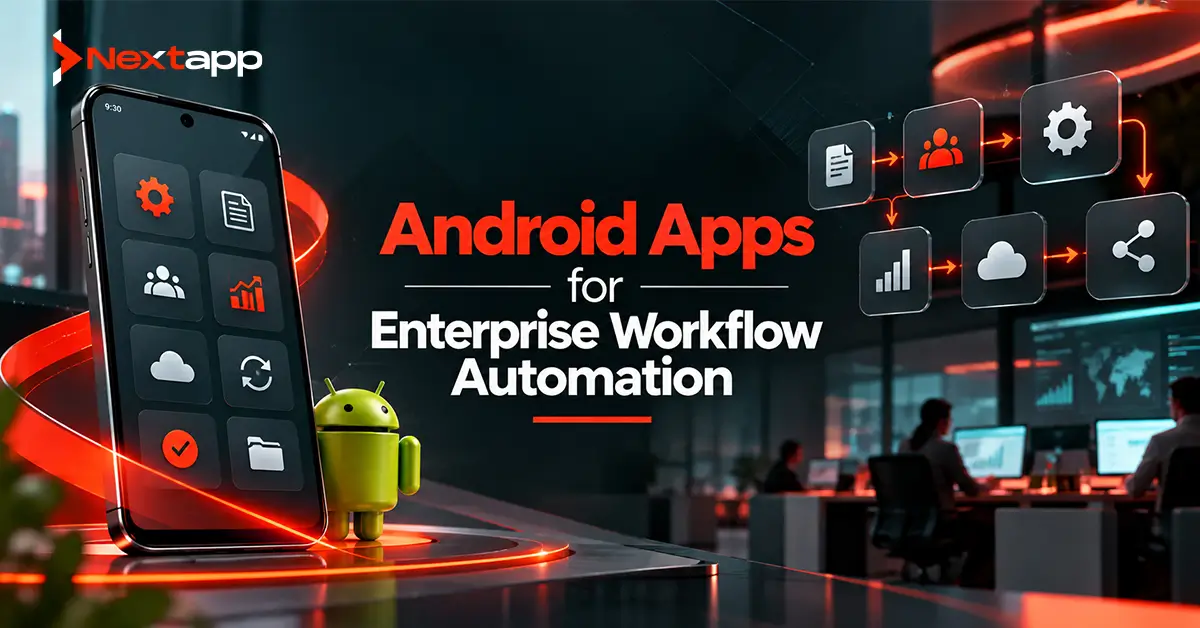
Android apps for enterprise workflow automation can replace many of these disconnected steps with structured mobile workflows.
A field technician can receive a job, view customer information, capture photos, complete a checklist, collect a signature, and submit the service report from one device.
A warehouse employee can scan inventory, update stock quantities, report damaged items, and synchronize the information with the central system.
A manager can approve requests without waiting to return to a desktop computer.
The goal is not simply to move an existing paper form onto a smartphone.
A useful enterprise app should reduce manual work, improve data accuracy, connect employees with business systems, and help information move through the organization faster.
Start With the Workflow, Not the App
Enterprise automation projects often begin with a feature list.
The business asks for:
Login
Dashboard
Forms
Notifications
Reports
Barcode scanning
These features may eventually be necessary, but they do not explain the workflow.
Start by mapping what happens today.
For example, consider a maintenance company.
The existing process may look like this:
Customer reports problem
→ dispatcher creates job
→ technician receives phone call
→ technician writes notes on paper
→ photos are sent through messaging app
→ customer signs printed form
→ technician returns paperwork to office
→ administrator enters information into ERP
→ invoice is created
Several unnecessary handoffs exist.
An Android workflow app can turn the process into:
Customer request
→ job automatically assigned
→ technician receives mobile task
→ work completed and documented
→ customer signs on device
→ data synchronizes with ERP
→ billing workflow starts
The second process eliminates several manual steps.
That is workflow automation.
Field Service Is a Strong Android Use Case
Field service teams spend much of their working day away from a desktop computer.
Examples include:
HVAC technicians
Telecom engineers
Utility crews
Equipment maintenance teams
Property inspectors
Home-service technicians
Medical field workers
A field-service Android app can give employees access to:
Assigned jobs
Customer details
Location information
Work instructions
Equipment history
Checklists
Photos
Digital signatures
Parts information
The employee can complete the job without repeatedly calling the office for information.
After the work is finished, the app can submit the service report automatically.
Managers receive faster visibility while administrative employees spend less time re-entering handwritten information.
Dispatching Can Become Automated
Manual dispatching creates problems when schedules change throughout the day.
A technician may finish early.
Another may become unavailable.
A priority customer may require immediate service.
Enterprise Android apps can help dispatchers manage assignments dynamically.
A workflow might consider:
Employee availability
Skill set
Customer location
Job priority
Equipment requirements
Existing schedule
The Android app then becomes the worker's real-time job queue.
Push notifications can alert employees when assignments change.
The central system remains updated as workers accept, start, complete, or delay tasks.
Logistics Teams Can Track Work From the Road
Logistics operations involve continuous movement.
Drivers, warehouse teams, dispatchers, customers, and administrators may all need information about the same shipment.
An Android logistics app can support workflows such as:
Shipment assigned
→ driver receives route
→ package loaded
→ delivery begins
→ status updated
→ proof of delivery captured
→ central system updated
Employees can use mobile devices for:
Route details
Delivery status
Barcode scanning
Proof of delivery
Customer signatures
Delivery photos
Exception reporting
This reduces dependence on paper manifests and manual status updates.
Managers receive a clearer view of operations without repeatedly contacting drivers.
Inventory Management Becomes Faster With Mobile Scanning
Inventory systems depend on accurate data.
However, the information becomes unreliable when warehouse activity is recorded on paper and entered into the system later.
Android devices can support barcode or QR-code scanning during the actual workflow.
A warehouse worker may scan:
Item
→ storage location
→ quantity
The inventory system can update immediately.
Mobile inventory workflows can support:
Receiving
Picking
Packing
Stock transfers
Cycle counts
Damage reporting
Returns
Employees capture information at the point where the work happens.
This reduces delayed updates and transcription errors.
Digital Forms Can Replace Paper Processes
Many businesses still rely heavily on paper forms.
Examples include:
Inspection sheets
Safety checks
Service reports
Expense forms
Incident reports
Quality-control forms
Android applications can replace these with structured digital workflows.
Unlike a basic PDF form, the app can apply rules.
For example:
If employee selects “Equipment damaged”
→ require photograph
→ require description
→ notify supervisor
If inspection result fails
→ create follow-up task
→ assign responsible employee
The workflow can respond to the data being entered.
This turns data collection into automation rather than simply digitization.
Approval Workflows Can Move Faster
Business approvals often become stuck because the responsible person is away from a computer.
Examples include:
Purchase requests
Expense approvals
Leave requests
Discount approvals
Work-order authorization
Contract review
An Android app can notify the approver and provide the information needed to make a decision.
The process becomes:
Request submitted
→ manager notified
→ manager reviews details
→ approve or reject
→ next workflow step triggered
A decision that previously waited several hours or days may be completed from a phone.
The system should still enforce role-based permissions so only authorized users can approve particular requests.
Enterprise Apps Need Backend Integration
Most enterprise workflow apps cannot operate independently.
They usually need information from existing business systems.
This makes Android app API integration for enterprise systems a major part of workflow automation.
An application may connect with:
ERP platforms
CRM systems
Warehouse management systems
Accounting software
HR platforms
Asset management systems
Custom legacy databases
For example, a sales app may retrieve customer information from the CRM and send completed orders into the ERP.
The goal should be to avoid creating another disconnected data silo.
The mobile app becomes an interface to the wider enterprise environment.
Legacy Systems May Require an Integration Layer
Not every enterprise platform has modern mobile-ready APIs.
Older systems may depend on:
Direct database access
Older web services
Proprietary protocols
Batch processing
Do not force the Android client to communicate directly with every legacy system.
A middleware or backend integration layer can provide a cleaner architecture.
The Android app communicates with one controlled API layer.
That layer then communicates with internal systems.
This makes it easier to manage:
Authentication
Authorization
Data transformation
Logging
System changes
It also reduces how much the mobile application needs to know about internal infrastructure.
Offline Support Can Be Essential
Enterprise employees do not always work in reliable network conditions.
A field technician may work in a basement.
A delivery driver may enter a rural location.
A warehouse may have Wi-Fi dead zones.
This makes offline-first Android apps for field and enterprise teams particularly valuable.
A well-designed app can allow users to:
View assigned work
Complete forms
Capture photos
Update task status
Record inventory
without an active network connection.
The information can synchronize when connectivity returns.
Offline support should be designed intentionally.
The team needs rules for:
Local storage
Sync order
Conflict resolution
Failed uploads
Duplicate actions
Security
Simply caching screens is not enough.
Conflict Resolution Needs Business Rules
Offline workflows can create situations where two users change the same information.
Suppose an inventory worker records:
Stock quantity = 40
while another system updates the quantity to:
Stock quantity = 35
before the first device reconnects.
Which value should win?
The answer depends on the business process.
Options may include:
Latest update wins
Server always wins
User reviews conflict
Individual transactions are merged
Enterprise automation requires business rules for these cases.
The application should not silently overwrite important operational data.
Healthcare Workflows Need Stronger Controls
Healthcare providers may also use enterprise Android apps for:
Patient rounds
Home healthcare
Clinical task management
Equipment inspections
Secure communication
Teams building HIPAA-compliant Android apps for healthcare providers need additional safeguards when workflows involve protected health information.
The same automation principles still apply, but architecture must account for:
Access control
PHI minimization
Secure storage
Auditability
Session management
Vendor relationships
A faster workflow is useful only when sensitive patient information remains appropriately protected.
Fintech Workflow Apps Need Trust and Security
Financial organizations may automate processes such as:
Customer onboarding
Transaction review
Loan processing
Agent workflows
Identity verification
Field collections
Broader Android fintech app development considerations include both workflow efficiency and user trust.
Financial applications often need stronger controls around:
Authentication
Transaction authorization
Sensitive data
Audit trails
Fraud detection
Automation should remove unnecessary manual work without bypassing necessary controls.
SaaS Platforms Need Scalable Workflow Architecture
Some businesses build enterprise apps as SaaS products serving multiple organizations.
This introduces architecture requirements beyond a single internal deployment.
A scalable Android app architecture for SaaS platforms may need to support:
Multiple tenants
Different user roles
Subscription plans
Organization-specific configuration
Feature permissions
Separate data access
For example, one field-service SaaS platform may serve 500 independent companies.
Each company needs its own workers, customers, jobs, configurations, and data boundaries.
The mobile architecture and backend need to respect those boundaries consistently.
Notifications Should Trigger Useful Action
Push notifications are valuable in enterprise workflows when they are connected to something the employee needs to do.
Good examples include:
New job assigned
Approval required
Delivery changed
Inspection failed
Inventory request ready
A notification should lead directly to the relevant screen when possible.
Avoid sending employees constant notifications for low-value activity.
Too many alerts create notification fatigue, and workers eventually stop paying attention.
Enterprise notifications should be actionable.
Role-Based Interfaces Reduce Complexity
Not every employee needs every feature.
A warehouse employee may need:
Scan inventory
View tasks
Report damage
A warehouse manager may also need:
Approve adjustments
View team performance
Reassign tasks
An executive may need only high-level reporting.
Role-based UI can simplify the experience while backend permissions enforce access.
Do not create one crowded dashboard containing every possible enterprise feature.
Give each user the tools required for their workflow.
Build the Workflow During App Prototyping
Enterprise automation projects benefit greatly from app prototyping.
The prototype should represent the real sequence of work rather than just isolated screens.
For example, test:
Job assigned
→ technician accepts
→ travels to location
→ starts work
→ records parts
→ captures photo
→ receives signature
→ submits report
Put the prototype in front of actual employees.
They may reveal important details such as:
Workers wear gloves
Devices are used in bright sunlight
Network access is unreliable
Forms require too many taps
Employees need larger buttons
Photos are essential for certain tasks
These details can change the design significantly.
Choose Native or Cross-Platform Development Based on Requirements
Enterprise teams may consider native Android or shared development frameworks.
Flutter app development and React Native app development can be useful when the business wants Android and iOS versions with shared product logic.
A broader cross platform app development approach may reduce duplicated work for forms, dashboards, workflows, and API integrations.
However, platform-specific requirements still matter.
Features involving:
Barcode hardware
Background tasks
Device management
Specialized scanners
Offline databases
may require deeper Android integration.
Native iOS app development also has its own enterprise distribution, background execution, and device-management considerations.
Choose the technology based on workflow requirements rather than assuming one framework fits every enterprise product.
Public Enterprise Products Still Need Store Positioning
Many enterprise apps are distributed privately, but SaaS and B2B products may also be available publicly through Google Play.
In that case, app store optimization should clearly explain:
Who the application is for
Which workflow it improves
Whether an existing business account is required
What the main benefits are
An enterprise app listing should not sound like a generic consumer productivity product when it is actually intended for dispatch teams, technicians, or warehouse operators.
Clear positioning helps the right users understand the product before installation.
Measure Automation by Business Results
The success of an enterprise workflow application should not be measured only by downloads.
Better measures may include:
Time saved per task
Fewer manual entries
Faster approvals
Reduced data errors
Shorter job completion time
Faster invoicing
Better inventory accuracy
Fewer support calls
Suppose technicians previously spent 20 minutes completing paperwork after every service visit.
If the mobile workflow reduces this to 5 minutes, that improvement can be measured.
Enterprise apps should create operational value.
Build Enterprise Apps Around Real Work
Android apps for enterprise workflow automation can connect employees with the systems and information they need at the point where work happens.
Field technicians can complete service jobs without returning paperwork to the office.
Warehouse teams can update inventory while handling products.
Drivers can capture proof of delivery immediately.
Managers can approve requests from anywhere.
The strongest enterprise apps do not simply put forms on a phone.
They connect tasks, data, business rules, employees, and backend systems into a more efficient workflow.
Professional Android app development services can help businesses map existing processes, design mobile workflows, integrate enterprise APIs, implement offline synchronization, build secure role-based access, and test the solution with real operational users.
The technology matters.
The workflow matters more.
Frequently Asked Questions
What is enterprise workflow automation?
Enterprise workflow automation uses software to reduce manual steps in business processes such as field service, approvals, logistics, inventory, inspections, and data collection.
Why are Android apps useful for enterprise workflows?
Android apps let employees access tasks, business information, forms, scanners, cameras, and backend systems directly from mobile devices while working in the field, warehouse, store, or other operational environment.
Can enterprise Android apps work offline?
Yes. Offline-first architecture can allow workers to view tasks, enter information, capture photos, and perform other approved actions without connectivity. Data can synchronize later according to defined conflict and security rules.
Can Android apps connect to ERP and CRM systems?
Yes. Enterprise Android apps commonly connect to ERP, CRM, inventory, HR, and legacy systems through APIs or controlled integration layers.
Should enterprise apps use Flutter or React Native?
They can. Flutter and React Native may work well for many cross-platform enterprise applications, but teams should evaluate offline requirements, hardware integrations, background processing, security, and platform-specific enterprise features before choosing a framework.
How should a company start an enterprise automation project?
Begin by mapping the existing workflow, identifying repetitive manual steps, defining the systems involved, and prototyping the improved process with actual employees before committing to full development.