Watching television is no longer limited to cable channels and traditional broadcasts.
Users now expect TVs to provide streaming services, fitness content, education, gaming, news, business information, digital signage, and connected experiences through applications.
This creates opportunities for businesses that already have video content, subscription platforms, training systems, hospitality services, or enterprise displays.
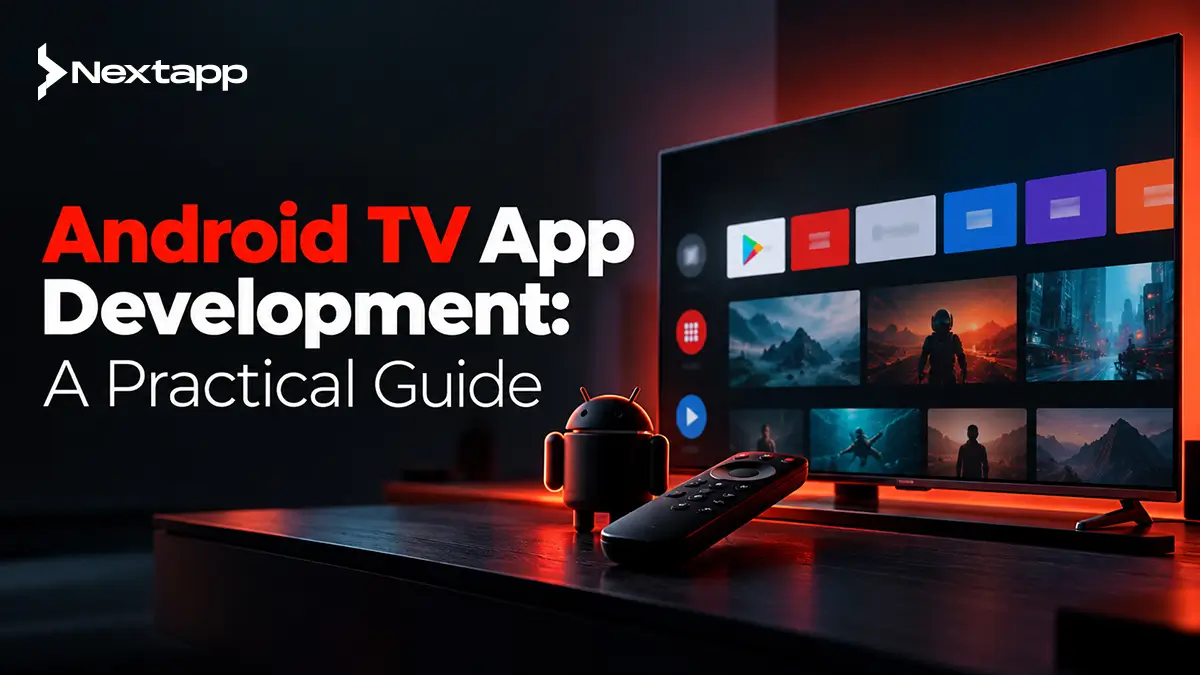
However, Android TV app development requires a different approach from ordinary mobile development.
A television may run Android, but users do not interact with it like a phone.
They sit several feet away from the screen. They navigate with a remote instead of touch. They expect content to load quickly, playback to remain smooth, and buttons to respond predictably to directional controls.
A successful Android TV application therefore needs to be designed specifically for the television environment.
Start With the Reason Users Need the TV App
Before adapting an existing Android application, define what users should accomplish on a television.
Common Android TV use cases include:
Video streaming
Live television
Fitness classes
Educational content
Music and podcasts
Enterprise training
Digital signage
Hospitality experiences
Product demonstrations
A streaming company may want users to browse a catalog and play movies.
A fitness business may provide guided workouts.
A company may deploy Android TV devices in offices to display dashboards or internal announcements.
The product should be designed around the viewing environment.
A feature that works well on a smartphone does not automatically belong on a TV.
Android TV Is a 10-Foot Experience
Users typically watch television from several feet away.
This changes basic interface decisions.
Text needs to be readable from a distance. Buttons need to be visually clear. Navigation should require relatively few actions. Important content should be obvious without users studying a dense interface.
Avoid placing too much information on one screen.
A TV details screen may need:
Title
Short description
Main artwork
Play button
Secondary actions
It usually does not need the amount of text a desktop product page can display comfortably.
TV design should prioritize clear visual hierarchy and fast content discovery.
Remote Navigation Changes Everything
Mobile users can tap any visible point on a touchscreen.
TV users generally move focus from one interface element to another using a directional pad.
A typical remote provides:
Up
Down
Left
Right
Select
Back
Home
This means every important control needs to be reachable through directional navigation.
The user should always know which element currently has focus.
A focused movie card, for example, may become slightly larger, brighter, or otherwise visually distinct.
Without a clear focus state, users quickly lose track of where they are.
Design Predictable D-Pad Navigation
TV navigation should feel natural.
Users should be able to predict what happens when they press a direction.
Consider a streaming home screen containing:
Featured content
Continue Watching
New Releases
Documentaries
Comedy
A useful pattern is:
Up and down
→ move between categories
Left and right
→ move through content within a category
This structure matches common television behavior.
Avoid layouts where pressing right unexpectedly jumps to a distant control or where users can move focus into a part of the screen but cannot navigate back out.
D-pad navigation should be tested as carefully as touch interaction is tested on mobile.
Use Compose for TV
For modern Android TV interfaces, Google recommends Compose for TV.
Compose for TV brings Jetpack Compose development patterns to television while providing components designed for TV interaction.
It can support:
Content cards
Rows
Buttons
Navigation
Focus behavior
TV-optimized styling
The older Leanback UI toolkit has been deprecated in favor of Compose-based TV development.
Teams starting a new application should therefore evaluate Compose for TV rather than building a new interface around older Leanback components.
Existing Leanback applications do not necessarily need an immediate rewrite, but future architecture should account for the current direction of Android TV development.
Build the Home Screen Around Content
For streaming and entertainment products, the home screen should help users reach content quickly.
Possible sections include:
Continue Watching
Recommended
Trending
Recently Added
Categories
Saved Content
Do not force users through several menus before they can watch something.
The home screen should answer:
What can I watch now?
What was I watching?
What should I watch next?
Personalization can improve discovery, but the interface should still remain understandable for new users with limited viewing history.
Design Strong Content Cards
Content cards are one of the most common TV interface elements.
A card may represent:
Movie
Episode
Live event
Workout
Course
Playlist
Each card should be recognizable from a distance.
Use strong artwork and avoid placing too much small text on the card itself.
The focused state should be easy to identify.
When users select a card, a details screen can provide additional information such as:
Title
Description
Duration
Rating
Episode information
Play action
Keep browsing visual and lightweight.
Streaming Apps Need Reliable Playback
For streaming services, playback is the core product.
An impressive home screen means little if the video buffers constantly or controls behave unpredictably.
Android's Media3 libraries and ExoPlayer provide a modern foundation for media playback.
Depending on the service, developers may need support for formats and technologies such as:
HLS
DASH
Adaptive bitrate streaming
Subtitles
Multiple audio tracks
DRM
HDR
The exact playback architecture depends on the content business.
A subscription movie service has different requirements from an internal training platform showing standard MP4 videos.
Use Adaptive Streaming Where Appropriate
Network quality varies between households and devices.
Adaptive bitrate streaming can allow the player to change video quality according to the available bandwidth and device capabilities.
A user with a strong connection may receive higher-quality video.
If bandwidth falls, playback can move to a lower bitrate instead of stopping continuously to buffer.
This can improve the viewing experience significantly.
Content delivery infrastructure, encoding, CDN performance, and playback logic all contribute to streaming quality.
Android TV development is only one part of the complete streaming system.
Support Familiar Playback Controls
Users already understand common television playback behavior.
Controls should make actions such as these easy:
Play
Pause
Seek forward
Seek backward
Select subtitles
Change audio where supported
Avoid inventing unusual interactions for basic playback.
The remote's D-pad and select button should work predictably with the player controls.
Focus should also move logically between playback actions.
Modern Media3 TV support can help developers create remote-friendly playback controls, but custom interfaces still require careful focus testing.
Resume Playback Across Devices
Many streaming products operate across televisions, phones, tablets, and browsers.
Users may begin a movie on a phone and continue later on TV.
This requires synchronization through the backend.
A viewing-history service can store information such as:
Content ID
User ID
Playback position
Completion state
Last watched time
The TV app retrieves this information when the user opens the product.
Cross-device continuity can become a major part of the user experience for subscription media businesses.
Authentication Should Not Require Painful Typing
Entering a long email address and password using a TV remote is frustrating.
Where appropriate, authentication can use approaches that reduce typing.
For example, a TV app might display a code.
The user opens a website or mobile app, enters the code, and links the television to the account.
This creates a simpler flow:
Open TV app
→ display code
→ confirm on phone
→ TV account connected
The exact authentication approach depends on the platform and security requirements, but the broader goal should remain the same.
Avoid unnecessary text entry on television.
Android TV Is Useful Beyond Streaming
Entertainment is the most obvious Android TV use case, but businesses can use TV applications in other environments.
Enterprise applications can support:
Digital signage
Corporate announcements
Training videos
Office dashboards
Retail displays
Hospitality information
Waiting-room content
For example, a restaurant chain could use managed Android TV devices to display promotional menus.
A logistics company might show warehouse performance dashboards.
A hotel could provide property information and entertainment through room televisions.
Enterprise TV apps often need centralized content management rather than consumer-style browsing.
Build Digital Signage Around Remote Management
A signage product may need to operate without someone constantly interacting with the television.
The backend may control:
Playlists
Schedules
Images
Videos
Location-specific content
Device status
The TV app then downloads or streams the assigned material.
A strong system should also consider what happens when the network becomes unavailable.
For example, previously downloaded content may continue playing until the connection returns.
This is different from a consumer streaming application where the user actively selects each item.
Think About Device Management
Businesses deploying large numbers of TVs may need control over:
Device configuration
App updates
Authentication
Content assignment
Troubleshooting
A digital signage deployment across 300 retail locations creates very different operational requirements from publishing a consumer streaming application.
The Android TV app may be only one component of a wider device-management and content-management system.
Plan those operational needs before choosing the final architecture.
Optimize Performance for TV Hardware
Android TV runs across different devices with varying hardware capabilities.
Some devices have strong processors and generous memory.
Others are much more limited.
Developers should pay attention to:
Memory use
Image loading
Video decoding
Startup time
Animation complexity
Background work
Large image catalogs can consume significant memory if artwork is loaded inefficiently.
Streaming applications should also test playback across different device capabilities.
Performance should be measured on real representative television hardware rather than only on a high-end development machine.
Test on Physical TV Devices
Emulators are helpful for development, but TV applications should also be tested on physical devices.
Important testing areas include:
D-pad navigation
Focus behavior
Playback
Remote controls
Different resolutions
Network conditions
Device performance
Sign-in flows
Media behavior can vary by hardware.
Google also recommends testing media applications on physical devices where possible.
A television app that works perfectly in an emulator may still expose playback or remote-navigation issues on real hardware.
Prepare for Google Play TV Requirements
Android TV applications distributed through Google Play need to satisfy TV-specific requirements.
As of July 2026, new Android TV apps and updates must target Android 14, API level 34, or higher.
Google Play also requires appropriate TV store assets.
For an Android TV listing, developers need at least one TV screenshot and an Android TV banner image.
The application itself must also provide a stable and meaningful user experience.
Before submission, verify current requirements because Google Play policies and technical deadlines can change.
Treat TV Store Assets Differently
A TV application may share a brand with its mobile version, but its store presentation should reflect the television experience.
Screenshots should show real TV interfaces.
Highlight features such as:
Streaming catalog
Live content
Fitness sessions
TV dashboard
Signage playback
A strong app store optimization strategy should explain why the television version is useful rather than simply repeating the phone application's description.
Users should understand what experience they are installing on their TV.
Decide How TV Fits Into the Wider Android Ecosystem
Android extends beyond phones and televisions.
Businesses may also explore Wear OS app development for Android wearables, Android Auto app development basics, or building Android apps for large-screen devices and multi-window mode.
The correct platform depends on where the customer interacts with the product.
TV is strongest when the experience benefits from:
Large-screen viewing
Shared consumption
Long-form media
Remote-controlled navigation
Passive displays
A broader guide on which Android device ecosystem should you build for first can help companies decide whether TV, wearable, automotive, or large-screen expansion offers the strongest business opportunity.
Cross-Platform Products Still Need TV-Specific Design
Companies using Flutter app development, React Native app development, or another cross platform app development strategy may want to reuse mobile code.
Some business logic and backend integrations may be shareable.
The television interface still needs TV-specific design.
Native iOS app development may also be accompanied by a separate Apple TV strategy, but Android TV and tvOS have different platform requirements, navigation systems, and distribution environments.
Do not let code reuse become the reason users receive a poor TV experience.
Prototype the Remote Experience Early
During app prototyping, do not test only how screens look.
Test how someone moves through them with a remote.
Prototype:
Open app
→ browse category
→ select content
→ open details
→ start playback
→ pause
→ return
→ resume browsing
Count how many clicks common tasks require.
Check whether focus behaves predictably.
A TV interface can look excellent in a static mockup while becoming frustrating as soon as someone tries to navigate it.
Build Android TV Around the Viewing Context
Android TV app development works best when businesses design for television from the beginning.
Streaming applications need fast discovery, reliable playback, clear controls, and cross-device continuity.
Enterprise signage apps need remote content management, reliability, and device-aware architecture.
Every TV product needs readable interfaces, D-pad navigation, strong focus states, performance testing, and television-specific distribution planning.
Professional Android app development services can help businesses extend an existing digital product to Android TV or build a dedicated television experience around streaming, media, enterprise displays, and connected services.
A TV application should not feel like a phone app displayed on a bigger screen.
It should feel like it belongs on the television.
Frequently Asked Questions
What is Android TV app development?
Android TV app development is the process of building applications designed specifically for television devices running Android TV or Google TV, including remote navigation, large-screen UI, media playback, and TV-specific distribution.
Is Android TV development different from normal Android development?
Yes. Android TV uses many familiar Android technologies, but the user experience is different. Apps need to support D-pad navigation, visible focus states, larger viewing distances, TV hardware, and remote-first interaction.
What is Compose for TV?
Compose for TV is Google's modern Jetpack Compose approach for building Android TV interfaces. It provides TV-optimized components and interaction patterns for focus-based, remote-controlled applications.
Can Android TV apps be used for digital signage?
Yes. Android TV can support enterprise signage, dashboards, training content, hospitality displays, retail media, and other business use cases when combined with suitable content management and device-management architecture.
What should streaming Android TV apps use for video playback?
Android's Media3 libraries and ExoPlayer provide a modern playback foundation for Android TV applications and support common media and adaptive streaming use cases.
Can Flutter or React Native be used for Android TV apps?
They can be considered for some projects, especially where business logic is shared, but TV-specific navigation, focus handling, media playback, remote input, and platform requirements still need careful implementation and testing.