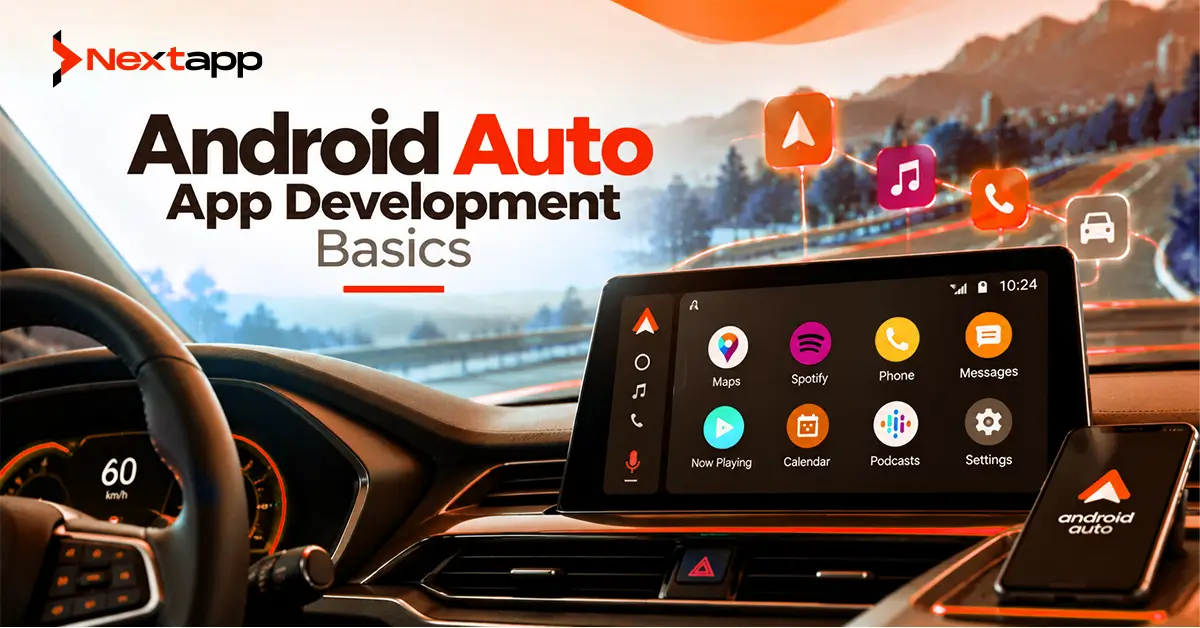
A mobile app can become much more useful when important features are available directly on a vehicle's display.
A delivery driver may need the next destination. A parking application can help users find nearby spaces. A charging app can guide EV drivers toward available stations. A music service can let users browse audio without reaching for a phone.
Android Auto makes these experiences possible while placing strict limits on how applications behave behind the wheel.
This distinction is important.
Android Auto app development is not about transferring a normal Android phone interface onto a dashboard. Drivers cannot safely browse complicated menus, read long paragraphs, complete multi-step forms, or repeatedly look away from the road.
Google therefore limits Android Auto to supported app categories and provides design systems intended to reduce distraction.
For logistics, navigation, mobility, audio, messaging, and certain connected-service businesses, Android Auto can still create considerable value when the product solves a problem that naturally occurs during a journey.
Android Auto and Android Automotive OS Are Different
The names sound similar, but the platforms work differently.
Android Auto runs through the user's Android phone and displays a driver-optimized experience on a compatible vehicle screen.
The basic relationship is:
Android phone
→ Android Auto
→ vehicle display
Android Automotive OS is built directly into the vehicle's infotainment system.
The relationship becomes:
Vehicle
→ Android Automotive OS
→ app installed in vehicle
A business planning a vehicle strategy should understand which environment it wants to support.
This article focuses primarily on Android Auto.
A company may eventually support both platforms, but development, testing, distribution, and device behavior need to account for their differences.
Start With a Supported Android Auto Category
Not every Android application can simply enable Android Auto.
Google limits car experiences because poorly designed applications can distract drivers.
Current supported or available categories include experiences such as:
Audio media
Messaging
Navigation
Point of interest
Internet of Things
Weather
Google is also expanding certain communication, media, and parked-app experiences through controlled or testing-stage programs.
Businesses should confirm that their intended product belongs to an approved category before investing heavily in development.
A project-management dashboard, social feed, ecommerce catalog, or complex CRM application is not automatically suitable for Android Auto simply because employees sometimes use it while traveling.
Navigation Is Especially Relevant to Logistics
Navigation is one of the clearest Android Auto opportunities for logistics and mobility businesses.
Google specifically recognizes navigation apps serving drivers and delivery services.
A logistics application might help a driver:
Reach the next delivery location
Follow turn-by-turn directions
View route-relevant information
Navigate between assigned stops
A mobility platform might support:
Ride destinations
Fleet navigation
Service appointments
Pickup locations
However, Android Auto should not become the driver's complete logistics management interface.
Detailed proof-of-delivery forms, inventory entry, reporting, and administrative tasks may remain better suited to the phone or another device.
The car display should support the part of the workflow needed while driving.
Point-of-Interest Apps Serve Practical Driving Needs
Point-of-interest, or POI, applications can help drivers find useful locations.
Common use cases include:
Parking
EV charging
Fuel stations
Service locations
For example, an EV application might show nearby charging stations and let the driver select one as a navigation destination.
A parking platform may help users locate available parking near their destination.
These applications work well in vehicles because the user's need is directly connected with the journey.
A good Android Auto product reduces the number of steps between:
“I need this place”
and:
“Take me there.”
Media Apps Need an Audio-First Experience
Audio media is another established Android Auto category.
Products can support content such as:
Music
Radio
Podcasts
Audiobooks
The interface should make browsing and playback easy with minimal driver attention.
Users may need to:
Resume recent audio
Browse categories
Select a playlist
Pause playback
Skip tracks
Do not treat Android Auto as a place to display a full entertainment streaming interface.
Video is not part of the normal driving-focused Android Auto media category.
The user's eyes should remain focused on driving.
Messaging Experiences Are Heavily Constrained
Communication can be useful in the car, but it needs to work differently from a phone messaging app.
Android Auto messaging experiences can support functions such as:
Receiving message notifications
Having messages read aloud
Replying through voice
Marking messages as read
The goal is to reduce visual and manual interaction.
A business messaging product may benefit if users need important communication while driving, but the experience should not encourage typing or reading long conversations.
Some newer templated messaging and calling experiences remain subject to additional availability and publishing restrictions, so teams should verify current Android for Cars documentation before planning production rollout.
IoT Apps Can Support Simple Connected Actions
Android Auto can also support certain Internet of Things use cases.
Examples include:
Opening a garage door
Controlling approved home devices
Performing relevant connected actions
A smart-home user returning home might need one simple action:
Open garage.
They should not navigate through:
Home
→ Devices
→ Exterior
→ Garage
→ Door 1
→ Settings
→ Open
Car interfaces should compress common actions into short, predictable flows.
This principle applies across Android Auto development.
Use the Android for Cars App Library
For categories such as navigation, POI, IoT, and weather, Android provides the Android for Cars App Library.
The library gives developers predesigned templates built for in-vehicle use.
These templates help handle challenges such as:
Different vehicle screen sizes
Different input methods
Driver-distraction rules
Navigation patterns
Visual consistency
Developers work within supported template structures rather than having unlimited freedom to create arbitrary interfaces.
This may initially feel restrictive.
The restriction is intentional.
Car interfaces need stronger safety constraints than normal phone applications.
Templates Reduce Driver Distraction
A smartphone design team may normally decide:
Number of buttons
Navigation depth
Amount of text
Screen structure
Android Auto gives developers less freedom because the system must remain usable while driving.
Templates can limit how much information and interaction appear at once.
A POI app, for example, should help the user find and select a useful destination without encouraging unnecessary browsing.
The design question becomes:
“What is the minimum interaction needed to complete this driving task?”
This is much more useful than asking how many features can fit on the car screen.
Voice Interaction Can Reduce Manual Input
Voice can be especially valuable inside a vehicle.
A driver may need to:
Choose a destination
Reply to a message
Find a nearby location
Start audio
Voice interaction reduces the need to type or browse.
Businesses should consider voice behavior during app prototyping, particularly for workflows expected to happen while the vehicle is moving.
The prototype should not simply show static car screens.
Test complete journeys such as:
Driver receives assignment
→ opens destination
→ starts navigation
→ receives route update
or:
Message arrives
→ message read aloud
→ driver replies by voice
The interaction model matters as much as the visual layout.
Keep Driving and Parked Experiences Separate
Some experiences may be appropriate when the vehicle is parked but unsafe while driving.
Android for Cars increasingly distinguishes between driving-focused and parked experiences.
Games, video, browser-like experiences, and other richer interactions are subject to stricter availability and safety conditions.
Applications must react appropriately when driving restrictions apply.
Never attempt to bypass platform restrictions because a feature appears useful.
The entire Android Auto ecosystem depends on keeping driver attention protected.
Test With the Desktop Head Unit
Google provides the Desktop Head Unit, or DHU, for Android Auto testing.
It allows developers to simulate an Android Auto head unit on a development computer.
Teams can test:
Navigation
Templates
Controls
Content loading
Different screen configurations
User flows
The DHU is useful throughout development, but real vehicle or compatible head-unit testing can also reveal practical issues.
For example, an interface that feels quick with a mouse may behave differently through physical vehicle controls.
Test the experience the way a driver will actually use it.
Test Loading and Reliability
Android Auto quality requirements include performance expectations.
Users cannot wait through long loading states while trying to perform a driving-related task.
Engineering teams should test:
Startup
Content loading
API failures
Reconnection
Slow mobile networks
Authentication expiration
A navigation or parking application may depend on live backend information.
Poor connectivity should not cause confusing states or leave the driver unsure whether the system responded.
Useful fallback behavior is especially important for mobility products.
Design APIs Around Vehicle Tasks
An Android Auto interface may use the same backend as the phone app but require much less data.
For example, the phone logistics app might retrieve:
Complete customer information
Delivery documents
Order details
Inventory
Notes
History
Android Auto may need only:
Destination
Stop name
Basic status
Navigation information
Do not send the entire enterprise workflow to the car display.
Create API responses around what the driving experience actually requires.
This reduces complexity while making the vehicle interface easier to use.
Keep Sensitive Information Limited
Vehicle displays may be visible to passengers or other people.
Avoid showing unnecessary sensitive information.
A delivery application may display:
“Next stop: 125 Market Street”
without displaying:
Full customer account history
Payment information
Private notes
Internal business details
The principle is similar to notifications.
Show the minimum information needed to complete the current task.
Android Auto Can Complement Other Enterprise Devices
Android Auto should usually be one part of a larger product.
A logistics company might use:
Phone
→ complete delivery workflow
Android Auto
→ navigation and journey information
Tablet
→ warehouse or dispatch management
Wearable
→ quick alerts
Businesses exploring vehicle experiences may therefore also investigate Wear OS app development for Android wearables, an Android TV app development guide, or building Android apps for large-screen devices and multi-window mode.
Each device category serves a different environment.
A guide on which Android device ecosystem should you build for first can help prioritize investment based on user need and business return.
Cross-Platform Strategy Needs Automotive Planning
Companies using Flutter app development, React Native app development, or broader cross platform app development may already share substantial mobile code.
Android Auto still introduces Android-specific car requirements.
Navigation templates, vehicle interactions, supported categories, testing, and driver-distraction controls need platform-specific implementation.
Similarly, native iOS app development may include Apple's CarPlay ecosystem, which follows its own APIs, categories, and review requirements.
A company can maintain one mobility strategy while building each car experience according to its platform.
Plan Google Play Distribution Early
Android Auto support is distributed through the Android phone application.
Apps intended for Android Auto need to meet applicable Android for Cars quality requirements before Google Play approval.
As of July 2026, normal new Android apps and updates, including phone apps supporting Android Auto, need to target at least Android 15, API level 35.
Beginning August 31, 2026, the general Google Play requirement for new apps and updates rises to Android 16, API level 36.
Android Automotive OS has a separate target API exception, which is another reason not to confuse the two platforms.
Teams planning an Android Auto release around the August deadline should prepare for API 36 rather than building against a requirement that will immediately become outdated.
Market the Driving Benefit Clearly
An Android Auto-enabled app can also strengthen broader app store optimization when automotive functionality is important to the target user.
Instead of simply saying:
“Supports Android Auto”
explain the practical value.
Examples include:
“Navigate to your next delivery from your vehicle display.”
“Find nearby charging stations while you drive.”
“Listen to your saved podcasts through Android Auto.”
Users care about the outcome, not only the platform label.
Android Auto Should Make Driving Tasks Simpler
Android Auto app development works best when a product supports a genuine need that occurs during a journey.
Navigation apps can guide delivery drivers and travelers.
POI apps can help users find parking, charging, and fuel.
Media services can provide safe access to audio.
Messaging experiences can reduce the need to handle a phone.
IoT applications can surface relevant connected actions.
Professional Android app development services can help businesses determine whether an existing mobile product fits Android Auto, structure the application around supported categories, implement Android for Cars templates, connect backend services, test driving flows, and prepare the experience for Google Play review.
The goal is not to bring the complete phone application into the vehicle.
It is to bring only the parts that make the journey safer, easier, or more useful.
Frequently Asked Questions
What is Android Auto app development?
Android Auto app development extends supported Android phone applications to compatible vehicle displays using driver-optimized interfaces, services, templates, and platform-specific APIs.
What types of apps are supported on Android Auto?
Current categories include audio media, messaging, navigation, point-of-interest, IoT, and weather experiences. Some additional communication, media, and parked categories have different availability or testing restrictions.
Is Android Auto the same as Android Automotive OS?
No. Android Auto runs through an Android phone connected to a compatible vehicle. Android Automotive OS is built directly into the car and can run applications installed on the vehicle itself.
Can logistics companies build Android Auto apps?
Yes, where the functionality fits supported categories. Google specifically includes driver and delivery services among navigation use cases, making Android Auto relevant to some logistics and mobility platforms.
Can any Android phone screen be shown in Android Auto?
No. Android Auto supports defined app categories and driver-optimized experiences. Developers cannot simply mirror arbitrary phone application screens for normal driving use.
Can Flutter or React Native apps support Android Auto?
A business using Flutter or React Native for its phone application may still add Android Auto functionality, but vehicle-specific services, Android for Cars APIs, templates, navigation, and testing generally require platform-specific Android work.