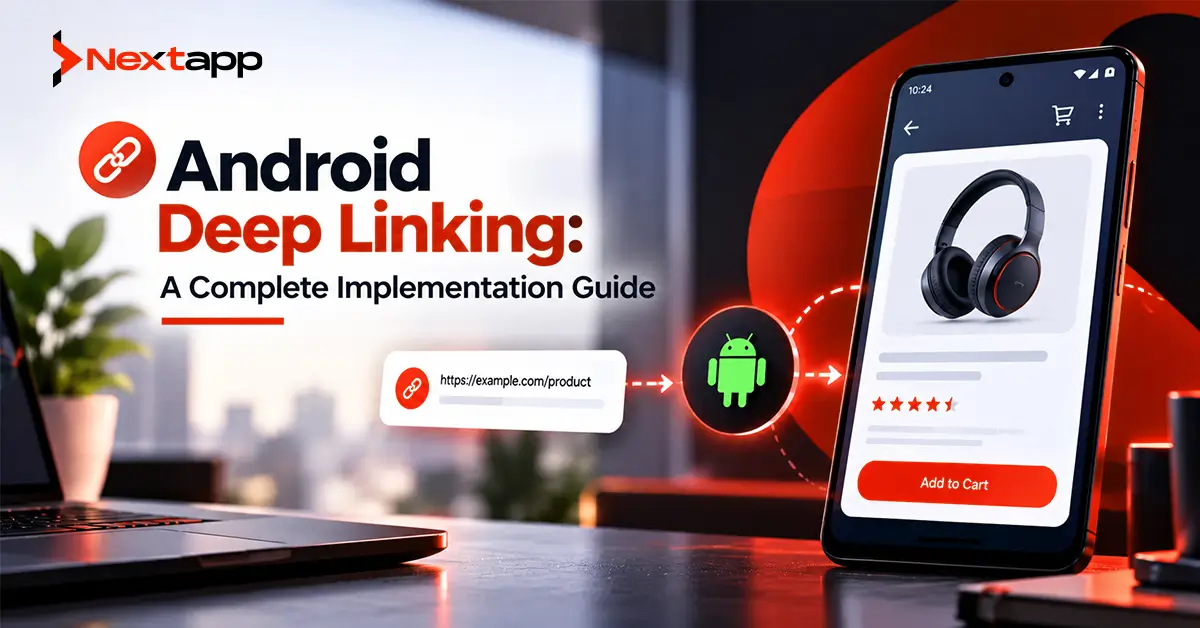
A user sees a product in an email, taps the link, and lands directly on that product inside your Android app.
A customer receives an order notification, taps it, and opens the exact order instead of the home screen.
A marketing campaign promotes a special offer, and users who already have the app installed move straight from the campaign link to the relevant offer.
These experiences depend on deep linking.
Android deep linking connects URLs and external actions with specific destinations inside an application. When implemented correctly, it removes unnecessary navigation and creates smoother journeys between websites, notifications, advertisements, emails, and mobile apps.
Modern Android development should focus heavily on verified Android App Links for web-to-app navigation.
Deferred deep linking requires additional planning because the journey continues through installation before the app can route the user to the intended destination.
Understand Basic Android Deep Linking
A normal Android deep link maps a URI to a destination inside the application.
Suppose an ecommerce application supports:
myapp://product/482
When Android receives this URI, an intent filter can tell the operating system that the application knows how to handle it.
The app then extracts:
product/482
and routes the user to product 482.
Custom schemes can still be useful for certain internal integrations, but they do not provide the domain verification available with Android App Links.
For public web URLs that your business controls, verified App Links are usually the stronger solution.
Understand Android App Links
Android App Links are verified HTTP or HTTPS links associated with a website your business controls.
For example:
https://example.com/products/482
If your application is installed and the domain association has been verified, Android can open the matching destination inside the app.
If the application is not installed, the same URL can continue opening the website.
This creates a cleaner experience than requiring separate web and mobile URLs.
App Links also reduce the risk of another application claiming links that belong to your domain because Android verifies the relationship between the website and the application.
Add an App Link Intent Filter
App Links begin with an intent filter in the Android manifest.
A simplified configuration might look conceptually like:
<intent-filter android:autoVerify="true">
<action android:name="android.intent.action.VIEW" />
<category android:name="android.intent.category.DEFAULT" />
<category android:name="android.intent.category.BROWSABLE" />
<data
android:scheme="https"
android:host="example.com" />
</intent-filter>
The important part for App Links is:
android:autoVerify="true"
This asks Android to verify that the application is legitimately associated with the declared domain.
You can then define the URL structures your application expects to handle.
Avoid Overly Complicated Manifest Rules
Deep-link configurations can become difficult to maintain when every campaign or content path creates another highly specific manifest rule.
A better approach is often to declare the broader domain relationship in the manifest and handle appropriate routing in a structured navigation layer.
Android 15 and later also introduce Dynamic App Links.
These allow supported devices to retrieve more detailed URL rules from the website's Digital Asset Links configuration.
This can help teams refine path, fragment, and query-parameter behavior without releasing a new application version every time campaign routing changes.
Publish the assetlinks.json File
Verification requires a Digital Asset Links file on your website.
The file must be available at:
https://yourdomain.com/.well-known/assetlinks.json
It tells Android which application is allowed to handle URLs from that website.
Important information includes:
Android package name
SHA-256 signing certificate fingerprint
Appropriate URL-handling relationship
The file needs to be served over HTTPS and should be reachable without redirects.
This requirement is easy to overlook when development and web teams work separately.
Deep linking often requires coordination between:
Android developers
backend or web developers
DevOps
marketing
Use the Correct Signing Certificate
One common App Links problem comes from using the wrong SHA-256 certificate fingerprint.
An application may be signed differently in:
Local development
Internal testing
Google Play production
Teams using Play App Signing should make sure the certificate referenced by the production assetlinks.json configuration matches the certificate used for the version installed by users.
A link may work perfectly in development and fail after Play Store release if certificate associations are configured incorrectly.
Include App Link validation in CI/CD pipelines for Android app development so link configuration is not treated as a one-time manual setup.
Route Incoming Links Through One Clear Layer
Once Android opens the app, your application still needs to decide where the URL should lead.
For example:
/products/482
→ ProductDetails(productId = 482)
/orders/731
→ OrderDetails(orderId = 731)
/offers/summer
→ CampaignOffer("summer")
Avoid implementing URL parsing independently in many activities.
Use a centralized routing strategy so incoming links are interpreted consistently.
This also makes tests easier to maintain.
Validate Every Deep-Link Parameter
A deep link is external input.
Never assume its parameters are valid simply because the link opened your application.
For example:
https://example.com/orders/123
should not automatically expose order 123.
The app and backend still need to verify:
Is the user authenticated?
Does the order exist?
Does the current user own or have permission to access it?
Deep linking controls navigation.
It does not replace authorization.
Handle Authentication Before the Final Destination
Some deep links point to protected content.
Suppose a user taps:
https://example.com/account/invoices/782
while signed out.
A poor implementation may send the user to login and forget where they originally wanted to go.
A better flow is:
Deep link received
→ destination stored temporarily
→ login required
→ authentication succeeds
→ original destination restored
This preserves the user's intent.
The same principle applies to onboarding or account verification.
Connect Push Notifications to Deep Links
Deep links work especially well with Firebase Cloud Messaging for Android push notifications.
Instead of sending:
“Your order has shipped”
and opening the app home screen, the notification can route directly to:
Order Details
→ Order #8472
The notification payload can contain a route or resource identifier.
When the user taps the notification, the app interprets the destination using the same routing system used for web App Links.
Sharing one destination model reduces duplicated navigation logic.
Design Campaign URLs for Marketing
Deep linking can connect mobile development with acquisition campaigns.
Marketing teams may use links in:
Email campaigns
Search advertising
Social advertising
SMS
QR codes
Influencer campaigns
Website promotions
Suppose a retailer runs:
https://example.com/sale/summer
An installed user can open the summer sale inside the Android app.
Someone without the application can continue to the website.
This continuity can improve campaign usability because one public URL serves both environments.
Understand Deferred Deep Linking
Traditional deep linking assumes the application is already installed.
Deferred deep linking tries to preserve the intended destination through installation.
The desired journey looks like:
User taps campaign link
→ app not installed
→ Google Play opens
→ user installs app
→ user launches app
→ original campaign destination recovered
This is more complicated because a normal App Link does not automatically preserve arbitrary destination state across the installation process.
Teams need an attribution or deferred-link architecture designed specifically for this scenario.
Do Not Use Firebase Dynamic Links for New Projects
Older Android tutorials frequently recommend Firebase Dynamic Links for deferred deep linking.
That guidance is outdated.
Firebase Dynamic Links shut down on August 25, 2025.
New Android projects should not build deferred-link functionality around that service.
Existing teams that previously relied on Firebase Dynamic Links should already have migrated their links and attribution flows.
This is why teams should regularly review what's new for Android developers in the latest Android OS release and changes across supporting Google services instead of relying permanently on older implementation tutorials.
Use Install Referrer Where Appropriate
Google Play provides the Install Referrer API.
It can securely return referral information associated with a Google Play installation, including information such as:
Referrer content
Referrer click timestamp
Install timestamp
A growth-oriented implementation can use referral information as part of an attribution or deferred-routing system.
A conceptual journey might be:
Campaign click
→ Play Store receives referral information
→ user installs app
→ app retrieves Install Referrer
→ backend or app resolves campaign
→ appropriate onboarding or destination shown
Install Referrer is not a complete one-line deferred deep-link replacement.
Your product still needs to define how campaign information maps to application destinations.
Avoid Putting Sensitive Information in URLs
Campaign URLs are visible.
Do not put confidential information directly into deep-link parameters.
Avoid URLs containing:
Passwords
Authentication secrets
Private account data
Sensitive medical records
Long-lived access tokens
Use opaque identifiers or temporary server-issued references when necessary.
Even then, the backend must verify access.
A deep link should never become a shortcut around application security.
Consider AI-Driven Destinations Carefully
Apps using AI and machine learning integration in Android apps may deep link users into generated results.
For example:
AI analysis completed
→ push notification sent
→ user taps
→ Results screen opens
The URL or notification should identify the result rather than embedding the complete AI output.
The application retrieves the authorized result from the backend after opening.
This keeps links smaller and sensitive content under server-side control.
Test App Link Verification
Testing only the application's routing code is not enough.
You also need to verify the website association.
Android provides tools for testing whether a domain has been associated correctly.
Teams should test:
Correct domain
Correct certificate fingerprint
Correct paths
Installed app
App not installed
Authenticated user
Signed-out user
Invalid IDs
Unsupported URLs
Android Studio's App Links tools and Play Console's deep-link tooling can also help investigate configuration.
Test the complete path from link tap to final destination.
Test Deep Links Across Application States
The same URL should behave correctly when the app is:
Closed
Backgrounded
Already open
Navigation bugs often appear when the application is already running.
For example, an existing activity stack may cause the user to see:
Order
→ Home
→ old Order
instead of simply opening the intended destination.
Define navigation-stack behavior intentionally.
Keep Deep Linking Battery Efficient
Deep links themselves are lightweight, but the destination may trigger expensive synchronization.
Do not automatically refresh every API, location service, and background process just because the application opened through a URL.
Apply normal Android app battery optimization techniques.
Load the information required for the selected destination and avoid unnecessary background work.
Include Deep Links During App Prototyping
During app prototyping, test entry points outside the normal home-screen flow.
A prototype should answer:
What happens when a user lands directly on Product Details without visiting Home first?
What happens when onboarding is incomplete?
What happens when login is required?
Deep linking exposes hidden navigation assumptions.
Testing these journeys early helps prevent routing problems after marketing campaigns are already running.
Plan Cross-Platform Links Together
Businesses often need the same campaign URL to work across Android, iOS, and the web.
A cross platform app development strategy should define a shared URL structure before each client implements routing independently.
Teams using Flutter app development or React Native app development can share some routing concepts, but Android App Links still require Android-specific manifest and Digital Asset Links configuration.
Native iOS app development uses Universal Links and Apple-specific website association.
One campaign URL can still serve multiple platforms when the infrastructure is planned correctly.
Deep Linking Supports App Growth
Deep links also complement app store optimization.
ASO helps users discover the application.
Deep linking helps acquired and existing users reach relevant content after discovery.
Campaign performance improves when users do not need to:
Install app
→ open home screen
→ search again
→ navigate through four screens
The link should preserve as much of their original intent as the platform allows.
Professional Android app development services can help businesses implement App Links, domain verification, routing, push-notification destinations, attribution, Install Referrer workflows, testing, and cross-platform URL architecture.
Deep linking works best when it is treated as part of the product's navigation architecture, not merely as a marketing add-on.
Frequently Asked Questions
What is Android deep linking?
Android deep linking allows an external URI or web URL to open a specific destination or action inside an Android application instead of always opening the app's home screen.
What is the difference between a deep link and an Android App Link?
A normal deep link can use different URI schemes. An Android App Link uses verified HTTP or HTTPS URLs associated with a domain through Digital Asset Links, allowing Android to route verified website URLs directly to the correct app.
What is assetlinks.json used for?
assetlinks.json verifies the relationship between a website and an Android application. It contains information such as the app package name and signing certificate fingerprint and is hosted under the website's .well-known directory.
Does Firebase Dynamic Links still work?
No. Firebase Dynamic Links shut down on August 25, 2025 and should not be used for new Android deep-linking or deferred deep-linking implementations.
How can deferred deep linking work after app installation?
Teams can build a deferred-routing and attribution flow using technologies such as Google Play Install Referrer along with their own campaign and destination mapping. The exact architecture depends on the attribution and onboarding requirements.
Can Flutter and React Native apps use Android App Links?
Yes. Flutter and React Native applications can handle Android App Links, but Android-specific domain verification, manifest configuration, signing certificates, and assetlinks.json setup are still required.