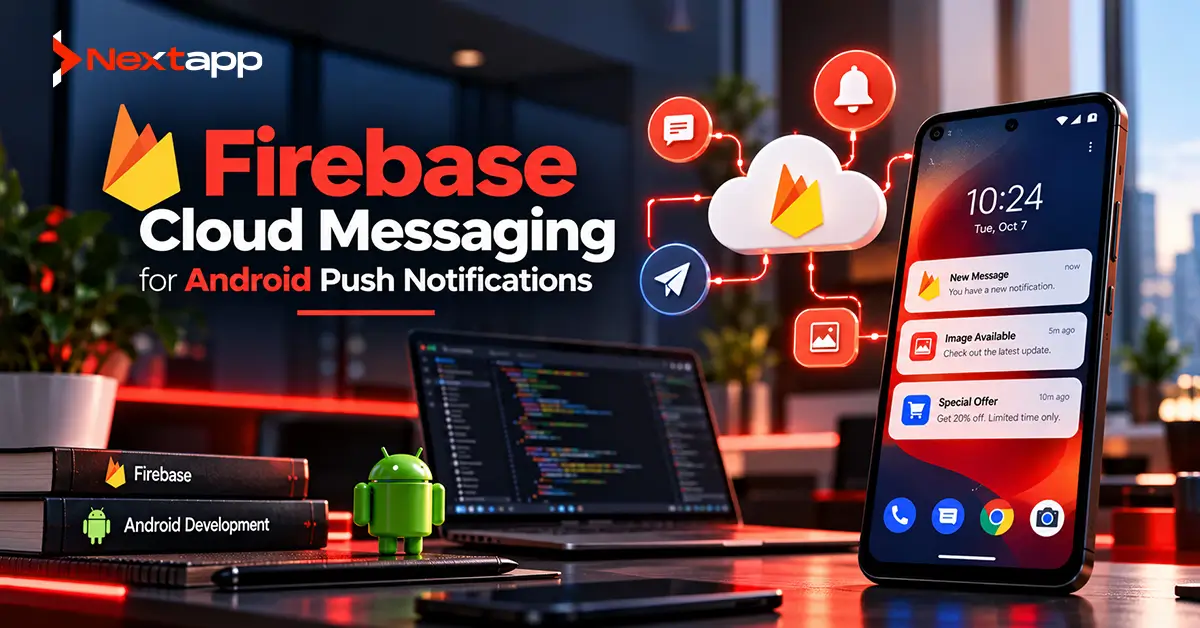
Push notifications allow an Android application to reach users even when they are not actively using the app.
A delivery application can notify a driver that a new job has been assigned. A banking app can alert a customer about account activity. A messaging platform can announce a new conversation. An ecommerce app can let a customer know an order has shipped.
Firebase Cloud Messaging, commonly known as FCM, is one of the main services Android developers use to implement these experiences.
FCM handles the delivery infrastructure between a trusted server environment and the user's device.
However, implementing Firebase Cloud Messaging for Android push notifications involves more than connecting Firebase and sending a test message.
Developers need to understand registration tokens, notification permissions, message types, foreground and background handling, targeting, message priority, token updates, backend architecture, and what should happen when the user taps a notification.
A reliable FCM implementation treats notifications as part of the application's architecture rather than a last-minute engagement feature.
Understand How Firebase Cloud Messaging Works
A typical FCM implementation has three main parts:
App server or trusted backend
→ Firebase Cloud Messaging
→ Android application
The backend decides what should be sent and who should receive it.
FCM routes the message.
The Android application receives or displays the message according to its type and the application's current state.
For example:
Customer's order ships
→ ecommerce backend detects status change
→ backend sends message through FCM
→ FCM routes message to customer's device
→ Android notification appears
The mobile application should not normally send privileged FCM messages directly to other users.
Sending logic belongs in a trusted backend environment where credentials can be protected.
Add Firebase to the Android Project
Before using FCM, the Android app needs to be connected to a Firebase project.
The basic setup involves:
Creating or selecting a Firebase project.
Registering the Android application.
Adding the Firebase configuration file.
Adding the required Firebase dependencies.
Configuring the project with the Google services plugin.
Once Firebase is configured, the application can initialize Firebase Cloud Messaging and obtain its registration token.
Teams should also make sure development, staging, and production environments use appropriate Firebase configurations where separation is required.
Do not accidentally use production messaging credentials throughout local development.
Understand FCM Registration Tokens
FCM assigns a registration token to an app instance.
The token identifies a specific installation of the application for messaging purposes.
Conceptually:
User installs app
→ FCM registration occurs
→ app receives token
→ token sent to backend
→ backend associates token with appropriate user or device
The server can later use that token to target a notification.
A token should not be treated as a permanent identifier.
It can change.
For this reason, the Android application needs a strategy for updating the backend whenever a new token is generated.
Handle Token Updates
A custom service extending FirebaseMessagingService can override onNewToken().
When Firebase provides a new token, the application should send the updated value to its backend.
The backend should then associate the new token with the correct authenticated user, account, or app installation.
A simplified process is:
New token generated
→ app receives token
→ authenticated API request sends token to server
→ server updates device record
Avoid permanently storing one registration token during account creation and assuming it will never change.
Reliable messaging depends on maintaining current token information.
Do Not Use Tokens as User Identities
An FCM registration token identifies an app instance, not the human being using it.
One person may have:
Phone A
→ token 1
Phone B
→ token 2
Tablet
→ token 3
A shared enterprise device may also have different users over time.
Your backend data model should therefore separate:
User identity
from:
Messaging endpoints
A user account may have several active FCM tokens.
When a user signs out, the application and backend should also consider whether the old device association should continue receiving account-specific messages.
Request Notification Permission on Android 13 and Later
Android 13 introduced runtime notification permission.
Apps using notifications need to account for POST_NOTIFICATIONS.
Declaring the permission in the manifest is not enough.
The user must grant runtime permission before the application can display notifications.
Do not necessarily request permission the instant the app opens.
During app prototyping, decide when users will understand the benefit.
For example:
User enables delivery alerts
→ explain benefit
→ request notification permission
This often makes more sense than presenting an unexplained system permission prompt immediately after installation.
If permission is denied, the application should continue functioning without assuming notifications are available.
Understand Notification Messages
FCM supports notification messages.
These contain predefined notification information that can be displayed to the user.
Typical fields include:
Title
Body
Notification options
Notification messages are convenient when the main goal is to display a standard notification.
When the Android application is in the background, FCM can place these notifications in the system tray automatically.
This reduces the amount of client-side handling required for straightforward cases.
Understand Data Messages
Data messages provide application-defined key-value data.
Instead of asking FCM to define the visible notification behavior, the app receives the information and decides what to do with it.
For example:
order_id = 8742
status = shipped
The application may then:
Update local data
Create a custom notification
Trigger application logic
Data messages are useful when developers need greater control.
However, receiving a data message does not mean the app has unlimited time to perform background processing.
Android background execution limits still apply.
Long-running work should be moved to an appropriate background-work mechanism.
Notification and Data Messages Can Be Combined
FCM messages can contain both notification and data payloads.
This can be useful when you want a notification to appear while also providing information the application can use when the user interacts with it.
Background behavior matters here.
When an app receives a combined notification and data message in the background, the notification can appear in the system tray while the data becomes available through the intent that opens the application.
Developers should test foreground and background states separately because message handling is not identical in every state.
Use FirebaseMessagingService for Custom Handling
For applications needing custom message processing, create a service extending FirebaseMessagingService.
Important callbacks include:
onMessageReceived()
onNewToken()
onMessageReceived() allows the application to respond to supported incoming messages.
For example, it may:
Inspect the payload
Update local information
Build a notification
Route the user toward relevant content
Keep the work performed directly in the callback limited.
If a task may take longer, such as synchronizing significant application data, schedule appropriate background work instead.
Use Notification Channels
Modern Android applications should organize notifications into channels.
For example, a marketplace application might provide:
Orders
Messages
Promotions
Users can control notification behavior by channel through Android settings.
This is much better than putting every notification into one undifferentiated stream.
Channel design should reflect categories that are meaningful to the user.
An important security alert and a promotional campaign should not necessarily have identical notification behavior.
Connect Notifications With Deep Links
A good notification should usually take the user somewhere useful.
For example:
“Your package has shipped”
should open:
Order #8472
rather than:
Generic home screen
This is where an Android deep linking implementation guide becomes directly relevant.
The notification payload can contain the information needed to route users toward the intended destination.
The app should still validate the destination and user access.
Never assume that because an ID arrived through a notification, the current user is automatically authorized to view that resource.
Use the Backend to Decide Who Receives a Message
User targeting should generally happen on the server.
Suppose a business wants to notify a customer when an invoice becomes available.
The backend already knows:
Which invoice changed
Which account owns it
Which user should be informed
Which devices belong to that user
It can select the appropriate active FCM token or tokens.
Keep sensitive business rules out of client-side notification logic.
The Android application should not decide which other users deserve privileged notifications.
Use Topic Messaging for Broad Groups
FCM supports topic subscriptions.
For example, users could subscribe to:
weather_los_angeles
or:
product_updates
The backend can then send one message to the topic instead of targeting every token individually.
Topic messaging works well for information intended for broad groups.
However, Firebase optimizes topic messages for throughput rather than the lowest possible latency.
For highly targeted, time-sensitive, or private messages, individual registration tokens are often more appropriate.
Do not use publicly guessable topic names as access control for confidential data.
Understand FCM Priority
Android FCM messages support normal and high priority.
Normal priority is appropriate for information that does not need to interrupt Doze immediately.
Examples might include:
Background synchronization
Non-urgent content updates
High priority is intended for genuinely time-sensitive, user-visible experiences.
Examples might include:
Important message
Urgent account activity
Time-sensitive delivery event
Do not mark every message high priority just because faster delivery sounds desirable.
Overusing priority works against Android's battery-management goals and can lead to less effective behavior.
This connects directly with Android app battery optimization techniques.
Push infrastructure should respect the device rather than continuously fighting power-management systems.
Use FCM Instead of Constant Polling
Without push messaging, an app might repeatedly ask its backend:
“Anything new?”
every few minutes.
This creates unnecessary:
Network requests
Battery use
Server traffic
FCM can instead tell the device when something relevant happens.
For some workflows:
Backend state changes
→ FCM data message
→ app schedules synchronization
The push does not necessarily contain the complete updated dataset.
It can simply tell the app that fresh information is available.
Test Notification Behavior Carefully
FCM testing should include more than verifying that one notification appears.
Test:
App in foreground
App in background
App process closed
Notification permission granted
Notification permission denied
Multiple user accounts
Token refresh
Slow network
Notification tap
Duplicate messages
Also verify what happens when the user receives a notification for data that no longer exists.
A deleted conversation or canceled order should not cause the app to crash when the notification is opened.
Add FCM Checks to CI/CD
Notification functionality can also become part of CI/CD pipelines for Android app development.
Automated tests can validate areas such as:
Payload parsing
Notification-routing logic
Deep-link construction
Permission-dependent behavior
Not every FCM delivery scenario can be reproduced through a simple unit test, but much of the client logic surrounding messages can still be automated.
Release testing should also confirm that the correct Firebase environment and configuration are packaged into the intended build.
Monitor Delivery and Clean Up Invalid Tokens
Over time, some stored tokens will stop being useful because users uninstall apps, reset devices, or otherwise change installations.
Your backend should process FCM sending responses and remove invalid or unusable tokens where appropriate.
Continuing to send to a large database of dead registrations creates unnecessary work and makes messaging infrastructure harder to understand.
FCM also provides delivery-related tooling that engineering teams can use to investigate messaging performance.
Treat token maintenance as part of production operations.
FCM Can Support AI-Driven Experiences Carefully
Products using AI and machine learning integration in Android apps may use FCM to notify users when server-side processing finishes.
For example:
User submits document
→ backend starts analysis
→ processing finishes
→ FCM notification sent
→ user opens results
The notification should communicate the result's availability rather than trying to place large AI output directly inside the push payload.
FCM messages are designed for compact messaging, not for transferring complete datasets.
Keep Cross-Platform Messaging Architecture Consistent
FCM is cross-platform and can support Android, Apple platforms, web, Flutter, and other environments.
Businesses using Flutter app development, React Native app development, or broader cross platform app development can therefore build shared backend notification logic.
Native iOS app development still involves Apple Push Notification service underneath the platform delivery path, and permission and foreground behavior differ from Android.
Shared server logic does not eliminate platform-specific client implementation.
Each application should follow the notification rules of its operating system.
Keep FCM Implementation Current
Android behavior and Firebase libraries evolve.
Development teams should regularly review what's new for Android developers in the latest Android OS release because notification permissions, background execution, battery behavior, and platform restrictions can affect push functionality.
FCM dependencies should also be maintained through normal dependency and release processes.
Avoid relying permanently on implementation guidance copied from an old tutorial.
Push Notifications Support Growth Only When the Technology Works
FCM implementation and app store optimization solve different parts of the growth problem.
ASO can help users discover and install an application.
Push messaging can help bring opted-in users back when something relevant happens.
However, poor technical implementation can damage engagement.
Duplicate alerts, broken deep links, stale notifications, or incorrect account targeting quickly reduce trust.
Reliable notification infrastructure comes before notification volume.
Build FCM as Part of the Product Architecture
Firebase Cloud Messaging for Android push notifications provides a flexible way to communicate with installed applications without keeping a permanent app-controlled connection running in the background.
The client needs to obtain and maintain registration tokens.
The backend needs to associate those tokens correctly.
Android 13 and later requires runtime notification permission.
Developers need to choose between notification and data messages, understand foreground and background behavior, select suitable priority, and route users toward the correct destination.
Professional Android app development services can help businesses implement FCM alongside authentication, deep links, backend APIs, analytics, testing, and production monitoring.
The difficult part is not sending the first Firebase test notification.
It is building a messaging system that continues sending the right notification to the right device as the application grows.
Frequently Asked Questions
What is Firebase Cloud Messaging?
Firebase Cloud Messaging is Google's cross-platform messaging service for delivering notifications and data messages from trusted server environments to Android and other supported client applications.
Does an Android app need notification permission for FCM?
Apps running on Android 13 and later need runtime POST_NOTIFICATIONS permission before they can display notifications. FCM itself can still support messaging functions that do not require posting a visible notification.
What is the difference between FCM notification and data messages?
Notification messages contain predefined notification information and can be displayed automatically in some background situations. Data messages contain custom application data and give developers more control over how the application processes the message.
Can an FCM token change?
Yes. Registration tokens can change. Android applications should handle token updates and send new tokens to their backend so future notifications target the correct app instance.
Should every FCM message use high priority?
No. High priority should be reserved for genuinely time-sensitive, user-visible events. Normal priority is more appropriate for less urgent information and helps align messaging with Android battery-management behavior.
Can Flutter and React Native apps use Firebase Cloud Messaging?
Yes. FCM supports cross-platform applications, including Flutter, and can be integrated into React Native projects through appropriate libraries. Client-side permission, message handling, and notification behavior still need platform-specific implementation.