An Android application does not need to crash to become unusable.
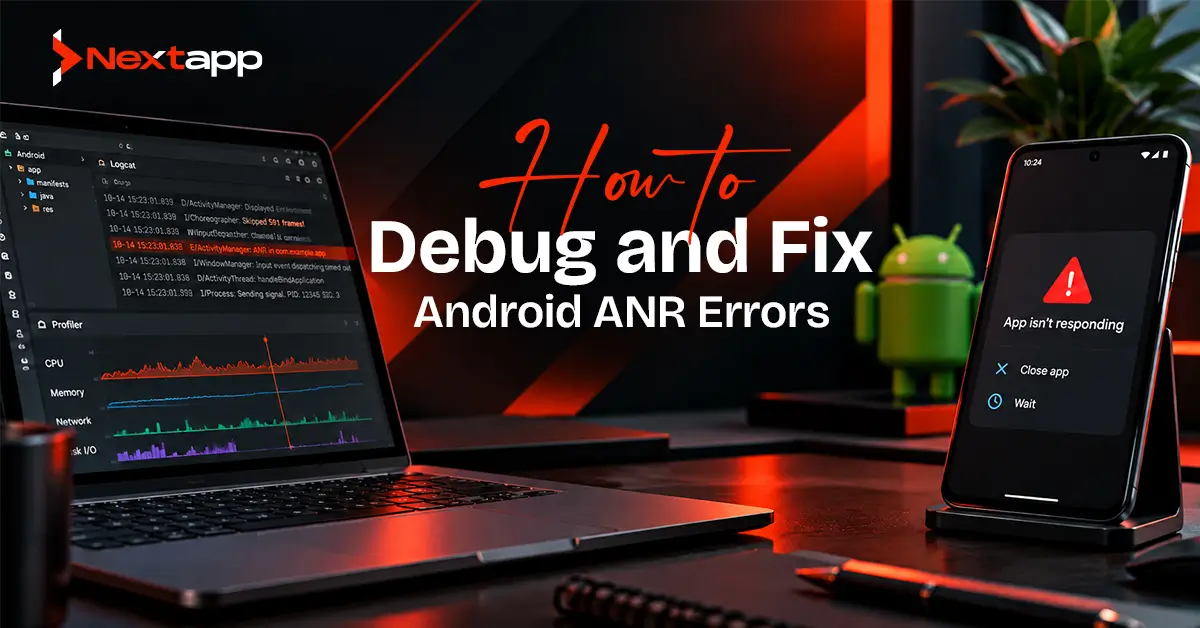
Sometimes the screen remains visible, but taps stop working. Navigation freezes. A loading state never completes. The user waits, Android determines that the application is no longer responding properly, and an Application Not Responding error occurs.
These are ANR errors.
An ANR is usually a responsiveness problem. Something prevents an important application thread, often the main thread, from processing work within the time Android expects.
The correct solution is not simply to “make the app faster.”
Developers need to determine which thread stopped responding, what it was doing, whether another thread or process blocked it, and why the operation was allowed to interfere with an Android component that had a strict response requirement.
A diagnostic-first approach makes debugging and fixing Android ANR errors far more reliable than applying random performance optimizations.
What Is an Android ANR?
ANR stands for Application Not Responding.
Android depends on applications responding to important system and user events within defined periods. When an application fails to respond appropriately, the operating system can classify the situation as an ANR.
From the user’s perspective, this may look like:
- Frozen buttons
- An unresponsive screen
- Delayed touch input
- A stuck startup screen
- A service that never finishes initializing
- A background operation that affects the rest of the app
ANRs and crashes are different.
A crash normally terminates because of an unhandled exception or fatal error.
An ANR occurs because the application remains alive but fails to respond within an expected period.
Both damage the user experience and should be treated as production-quality issues.
Start With the ANR Type
Do not begin debugging by reading random application code.
Begin by identifying what kind of ANR occurred.
Common categories include:
- Input dispatch ANRs
- Service execution ANRs
- Broadcast receiver ANRs
- Foreground service startup problems
- Content provider responsiveness issues
- Job-related responsiveness problems
- Application startup ANRs
The ANR type narrows the investigation.
An input dispatch ANR points attention toward the main thread and whatever prevented it from processing user input.
A broadcast receiver ANR requires investigation of the work performed while handling the broadcast.
A service-related ANR may indicate that service initialization or another main-thread operation prevented the component from responding.
Understanding the ANR category helps determine which thread, component, and code path should be inspected first.
Check the Main Thread Before Anything Else
The main thread is responsible for most Android UI work.
It handles activities such as:
- Drawing the interface
- Processing user input
- Running many lifecycle callbacks
- Executing certain framework operations
When the main thread becomes blocked, the application may stop responding even though background threads remain active.
Common causes include:
- Disk I/O
- Network operations
- Large database work
- Long calculations
- Waiting for locks
- Synchronous calls to another process
- Expensive startup initialization
The first diagnostic question should therefore be:
What was the main thread doing when the ANR occurred?
This is more useful than immediately refactoring unrelated code.
Read the ANR Stack Trace
ANR reports contain thread stack information that can help identify where execution stopped.
Start with the thread associated with the ANR.
Look for application code in the stack rather than focusing only on framework calls.
A useful investigation might reveal:
Main thread
→ application method
→ database query
→ file operation
→ waiting state
This immediately provides a stronger lead than a vague report that the screen “sometimes freezes.”
Also examine whether the main thread is:
- Running expensive code
- Waiting on another thread
- Waiting on a lock
- Making a binder call
- Performing I/O
- Apparently idle
The final case requires caution.
A stack dump may be captured after the original blocking condition has already ended, so the thread shown in the report may not always represent the exact moment that triggered the ANR.
Separate App Problems From System Problems
Not every ANR is caused entirely by application code.
A device under extreme load or a slow system service can sometimes affect application responsiveness.
This is where performance traces become useful.
A trace can help determine whether the main thread:
- Was running application code
- Was ready to run but not scheduled
- Was waiting
- Was blocked by another process
This distinction prevents teams from rewriting code when the evidence points elsewhere.
It also helps when an ANR occurs only on particular manufacturers or device classes.
Look for Main-Thread I/O
Disk and network operations are frequent ANR causes.
Examples include:
- Reading a large file
- Writing large amounts of data
- Performing a synchronous API request
- Opening or migrating a database
- Parsing a large local resource
These operations may complete quickly during development and become much slower on a lower-end device, large production account, or heavily loaded phone.
Move expensive I/O away from the main thread.
The exact solution depends on the operation.
Database work might use appropriate asynchronous data-layer APIs.
Network communication should not block the UI.
Persistent work may need to move into background scheduling.
The broader guide to Android app performance optimization techniques can help teams address responsiveness, startup, rendering, memory, network behavior, and database performance after the specific ANR cause has been identified.
Investigate Locks and Deadlocks
A main thread does not need to be performing expensive work itself to become unresponsive.
It may be waiting for another thread.
For example:
- The main thread enters code that requires a shared lock.
- A background thread already owns that lock.
- The background thread begins a slow operation.
- The main thread waits.
- User input cannot be processed.
This may eventually become an ANR.
A deadlock is even more serious.
Thread A may wait for Thread B while Thread B waits for Thread A. Neither can continue.
When examining a stack dump, do not stop after discovering that the main thread is “waiting.”
Find what it is waiting for.
Then inspect the thread holding the required resource.
Investigate Slow Application Startup
An ANR may originate during startup.
Applications often initialize several systems inside startup code:
- Analytics
- Dependency injection
- Databases
- Advertising SDKs
- Remote configuration
- Authentication
- Third-party libraries
If too much work occurs before the application becomes responsive, startup can become a critical bottleneck.
Separate initialization into:
- Required immediately
- Required shortly after launch
- Safe to defer
A library should not block application startup merely because it is eventually needed.
Technical prototypes created during app prototyping can also be useful when a planned product depends on unusually heavy initialization, encryption, large local datasets, or specialized SDKs. These risks are easier to investigate before they become part of the complete production architecture.
Check BroadcastReceiver Work
Broadcast receivers have limited time to complete their work.
A receiver should generally avoid performing long-running processing directly inside onReceive().
Problematic behavior may include:
- Large database operations
- Network calls
- Complex calculations
- Large file processing
If more substantial work is required, the receiver should hand the operation to an appropriate asynchronous or persistent mechanism.
Keep the receiver focused on receiving the event and initiating the next safe step.
Check Service Initialization
Services can also contribute to ANRs when lifecycle methods perform too much synchronous work.
Review code inside:
- onCreate()
- onStartCommand()
- onBind()
A service may appear to be the problem even when another component blocked the main thread before the service received enough execution time.
This is why the thread trace matters more than the component name alone.
Do not assume:
“Service ANR means service code is slow.”
Confirm what the main thread was actually doing.
Review Database Operations
Databases often perform perfectly with test data and become problematic after months of production usage.
A query may become slow because:
- The table grew significantly
- An index is missing
- Too many rows are returned
- Several joins became expensive
- A migration performs too much work
- A transaction is too large
Test database performance with realistic datasets.
An inefficient query that processes 50 records during development may behave very differently with 100,000 production records.
Database work should also be designed within a clear architecture instead of being triggered directly from UI code.
Reproduce the ANR Under Controlled Conditions
A production ANR report tells you where to investigate.
Reproduction allows you to prove the cause.
Try to reproduce the conditions surrounding the report.
Consider:
- Device model
- Android version
- Account size
- Network quality
- Database size
- Logged-in state
- Feature configuration
- App version
Some ANRs appear only after repeated use or on constrained devices.
This makes Android device fragmentation testing strategies particularly important. Teams should test representative manufacturers, Android versions, memory levels, and performance classes rather than relying only on a flagship development device.
Use StrictMode During Development
StrictMode can help detect operations that should not occur on important application threads.
It is useful during development for identifying accidental:
- Disk reads
- Disk writes
- Network operations
- Other potentially problematic behavior
StrictMode should be used as a diagnostic tool rather than treated as a production ANR fix.
The warning helps developers find suspicious operations.
They still need to determine the appropriate architecture and execution context for the actual work.
Use Performance Traces for Difficult ANRs
Some ANRs cannot be understood from a single thread stack.
Tracing tools can provide a timeline showing:
- Thread scheduling
- CPU activity
- Binder interactions
- Locks
- System activity
This can be particularly valuable when:
- The stack dump was captured late
- The main thread appears idle
- The problem happens only occasionally
- Another process may be involved
- Device load affects the issue
Trace the workflow that produces the problem and inspect what happens immediately before the interface stops responding.
Fix the Cause, Not the Symptom
A common mistake is hiding the visible freeze without addressing the operation responsible for it.
For example, adding a loading spinner does not fix a main-thread database query.
Increasing a timeout does not fix a deadlock.
Retrying an operation does not fix a service lifecycle method that blocks the main thread.
The fix depends on the diagnosis.
Possible corrections include:
- Moving blocking I/O off the main thread
- Optimizing slow queries
- Reducing startup work
- Removing lock contention
- Replacing synchronous operations
- Shortening broadcast work
- Separating persistent tasks from UI lifecycle
- Improving thread coordination
The evidence should determine the solution.
Add Regression Tests After the Fix
Once an ANR is reproduced and corrected, protect the same workflow against regression.
The testing approach depends on the cause.
A UI-related problem may benefit from Android UI testing with Espresso in View-based applications, while other Android UI stacks can use their appropriate testing tools.
A database problem may require repository or migration tests.
A concurrency issue may require focused unit or integration tests.
Automated tests cannot reproduce every ANR, but they can protect the conditions that originally allowed the defect to appear.
Monitor ANRs After Release
A fix is not complete when it works on one developer device.
Production monitoring should confirm whether the affected ANR cluster decreases after the release.
Use suitable Android app crash reporting and monitoring tools to track:
- ANR clusters
- Crash clusters
- Affected app versions
- Device concentration
- Android versions
- User impact
Google Play Console and Android vitals should also form part of the release-quality process.
A declining ANR count after rollout provides much stronger evidence than a developer reporting that the problem “seems fixed.”
ANRs Can Affect Store Performance Too
ANRs primarily damage the experience inside the application, but poor technical quality can also affect the product’s wider Google Play performance.
A marketing team may invest heavily in app store optimization, screenshots, descriptions, and acquisition campaigns.
Those efforts become less valuable when new users encounter frozen screens and leave negative reviews.
Store growth and technical stability should therefore support each other.
Acquiring more users for an unreliable build simply exposes the problem to a larger audience.
ANR Debugging in Cross-Platform Apps
ANRs are Android platform events even when the app uses a shared framework.
Teams using Flutter app development still need to inspect the Android runtime and platform interaction when an ANR occurs.
The same applies to React Native app development, where JavaScript execution, native modules, and Android platform code may all need investigation depending on the trace.
A broader cross platform app development strategy does not remove platform-specific debugging.
Likewise, native iOS app development has its own responsiveness, threading, and watchdog behavior that must be investigated using Apple-specific tools.
Shared business logic does not mean shared operating-system diagnostics.
Common ANR Debugging Mistakes
Avoid these problems:
- Treating ANRs as ordinary crashes
- Optimizing random code before reading the report
- Assuming every ANR is a main-thread calculation
- Ignoring locks and waiting threads
- Ignoring production device differences
- Testing only with small databases
- Performing long operations inside broadcast receivers
- Overloading service lifecycle methods
- Assuming an idle-looking stack proves the app was not responsible
- Fixing the visible symptom instead of the blocking operation
- Failing to add regression coverage
- Declaring success without production monitoring
Use a Diagnostic Process for Every ANR
Debugging and fixing Android ANR errors becomes easier when the investigation follows evidence.
Identify the ANR type. Inspect the relevant thread. Determine whether the thread was running, blocked, waiting, or prevented from being scheduled. Trace any locks or dependencies. Reproduce the conditions where possible.
Only then select the fix.
Professional Android app development services can help teams analyze ANR clusters, profile slow workflows, improve threading and data architecture, test across representative devices, and monitor whether production releases actually reduce responsiveness problems.
An ANR should not be treated as a mysterious Android event.
In most actionable cases, it is a signal that an important operation, dependency, or thread relationship needs to be understood more clearly.
Frequently Asked Questions
What causes an ANR in Android apps?
Common causes include blocking the main thread, slow I/O, long calculations, synchronous calls, lock contention, deadlocks, slow startup, and application components that take too long to respond.
Is an ANR the same as a crash?
No. A crash normally terminates because of a fatal error or unhandled exception. An ANR occurs when the application remains running but fails to respond within the expected period.
How do I find the cause of an Android ANR?
Start with the ANR type and thread stack. Determine what the relevant thread was doing, whether it was blocked or waiting, and which application or system operation caused the delay.
Can database queries cause Android ANRs?
Yes. Large or inefficient database operations can contribute to ANRs when they block an important application thread. Test queries with realistic production-sized datasets.
Can ANRs happen in Flutter and React Native apps?
Yes. Flutter and React Native applications still run within Android’s platform environment. ANR investigation may involve framework code, native Android modules, plugins, or other platform interactions.
How can teams prevent ANRs from returning?
Reproduce the original condition, correct the actual blocking operation, add suitable regression tests, monitor production ANR clusters after release, and continue testing across representative Android devices.