Ask five Flutter app development company teams what a Flutter app costs and you will get five very different answers. That is not because anyone is hiding something. The price of an app comes from one equation: effort × team rate × risk. Two apps that look similar on a feature list can differ enormously in effort.
This guide shows what moves that equation, so you can scope your app properly, compare quotes honestly and avoid surprises after launch. Updated October 2026 for Flutter 3.47 and Dart 3.13.
The quick answer
Short answer: There is no single price for a Flutter app, because the cost depends on your features, design, platforms and team. In practice, every Flutter estimate is effort × team rate × risk buffer. A lean MVP costs a fraction of a complex multi-role platform, and the quickest way to get an accurate figure is an itemised estimate based on your must-have features. Get a free itemised estimate.
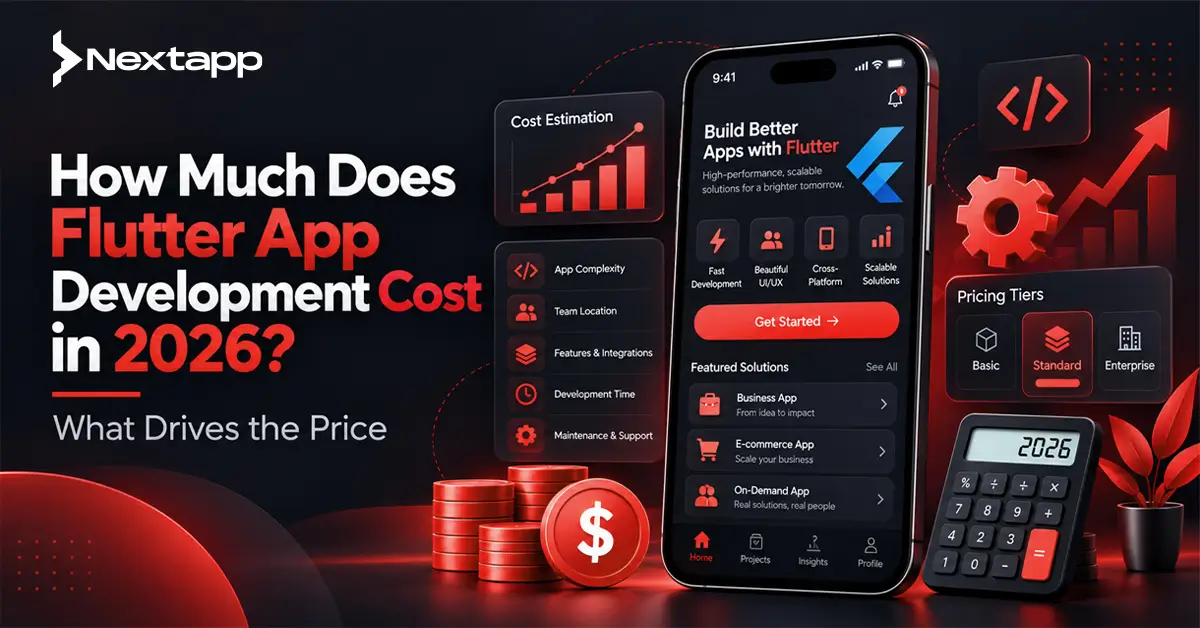
Your final price depends on five things:
Scope and features. Real-time chat, payments and offline sync cost far more than login and profiles.
Design depth. Standard Material 3 components versus a fully custom design system with bespoke animation.
Platforms. Mobile only, or mobile plus web and desktop.
Backend and integrations. A backend-as-a-service versus a custom backend, and how many third-party systems you connect.
Team model and location. Freelancer, agency or in-house, and where your team is based.
Two planning rules hold for almost every project: budget 15–20% of the build cost per year for maintenance, and add roughly 15–20% contingency for scope changes and unknowns. Flutter itself is free. You pay for people, infrastructure and store fees.
How a Flutter estimate is built
A credible estimate has four parts: the features, the effort each needs, the blended team rate, and a risk buffer.
\text{Total cost} = (\text{dev} + \text{backend} + \text{design} + \text{QA} + \text{PM effort}) \times \text{team rate} \times (1 + \text{contingency})
A typical effort split looks like this:
Role | Share of effort | What it covers |
Flutter developers | ~40% | Screens, state management, native integrations |
Backend / DevOps | ~20% | APIs, database, authentication, CI/CD |
QA | ~15% | Device and OS testing, regression, release checks |
UI/UX design | ~12% | Research, wireframes, visual design, design system |
PM / business analysis | ~13% | Planning, communication, scope control |
A useful rule of thumb: a standard screen (UI, state management, API wiring, basic tests) usually takes about 8–15 hours of Flutter development. Count your screens and you have a first-pass development estimate.
Project size: what you get at each level
Timelines run from about 6 weeks for a lean MVP to over a year for an enterprise platform, depending on team size and how fast decisions get made on your side.
Size | Typical timeline | What it usually includes |
Lean MVP | 6–12 weeks | One core workflow, standard UI, backend-as-a-service, basic admin |
Standard app | 3–6 months | Custom design, user accounts, payments, notifications, analytics, an admin panel |
Complex app | 6–10 months | Real-time features, multiple user roles, integrations, advanced security |
Enterprise / super-app | 9–15 months | Multiple modules, compliance, SSO, high scale, extensive testing |
Feature complexity: what pushes the price up
Features, not app category, drive most of the cost. Here is how common features rank by relative effort.
Feature | Relative effort | Why |
Email or social login | Low | Mature packages and services |
Push notifications | Low | Well supported, but needs setup per platform |
Biometric login | Low | Platform APIs are straightforward |
Payments (one gateway) | Medium | Security, error states, refunds, receipts |
Subscriptions / in-app purchases | Medium–High | Store rules, receipt validation, restore flows |
Maps and live tracking | High | Location permissions, battery, background behaviour |
Real-time chat | High | Backend infrastructure, media, moderation, edge cases |
Audio / video calling | High | Third-party SDKs, network conditions, device testing |
Offline mode with sync | Very high | Conflict resolution and data integrity |
Admin panel | Medium–High | Often forgotten, can rival the mobile app's core features |
AI assistant integration | Medium–High | Prompt design, guardrails, evaluation, API cost control |
Multi-language and RTL (Urdu, Arabic) | Low–Medium | Much cheaper if planned from day one |
Accessibility | Medium | Semantics, contrast, screen reader testing |
The four budget surprises:
Real-time anything. Chat, tracking and collaboration need backend work and heavy QA, not just a UI.
Offline sync. Conflict resolution is where the effort goes.
Admin panels. Founders forget them. Plan for them early.
Multi-role products. A customer app plus a vendor or rider app plus an admin panel is effectively two or three products.
Cost drivers by app type
The same category can land in different size bands depending on features, so read this table as a guide to what drives effort, not as a fixed tier.
App type | Typical size | Main drivers |
Fitness / habit tracker | Simple → Standard | Wearable sync, content, subscriptions |
Booking marketplace | Standard | Calendar logic, payments, two user roles |
E-commerce | Standard → Complex | Catalog, checkout, inventory sync, promotions |
Food or grocery delivery | Complex | Live tracking, multiple interfaces, payments |
Chat or social app | Complex | Real-time messaging, media, moderation |
Fintech / wallet | Complex → Enterprise | Security, KYC, compliance, audits |
Telemedicine | Complex + compliance | Video calls, audit logging, encryption, regulatory review |
AI assistant app | Standard → Complex | LLM integration, guardrails, usage costs |
Enterprise internal app | Standard → Complex | SSO, integrations, role permissions |
Compliance work (HIPAA, GDPR, PCI-DSS) is usually scoped separately and can be a major share of a regulated app's budget.
Team model and location
Who builds your app affects cost as much as what you build.
Model | Strengths | Watch out for |
Freelancer | Flexible, often the lowest rate | Single point of failure, limited QA and design depth |
Agency | Complete team, process, accountability | Rates vary widely, check who actually works on your project |
Dedicated team | Continuity and scale for long products | Needs clear management on your side |
In-house | Full control and domain knowledge | Hiring, salaries, tooling and a long ramp-up |
Hourly rates differ significantly across regions, with South Asia and Eastern Europe typically more cost-efficient than North America and Western Europe. But the hourly rate is not the real price. A cheaper team that needs twice the time costs the same, or more. Compare total scope, team composition, delivery record and communication, not just the rate.
What's new in 2026 that affects your Flutter budget
Flutter 3.47.1, released on August 19, 2026, is the latest stable version, and several 2026 changes land directly on maintenance budgets.
Flutter ships quarterly, so upkeep is regular. The stable line runs Dart 3.13.1 (Shorebird version tracker). Flutter 3.47 followed 3.44 in May and 3.41 in February (Flutter docs). Falling several releases behind makes each upgrade more expensive.
Several migrations are happening at once. Flutter 3.44 (release notes) made Swift Package Manager the default for iOS and macOS in place of CocoaPods, with a fallback for plugins that have not updated. Android Gradle Plugin 9 now handles Kotlin natively, so apps and plugins that manually apply the Kotlin Gradle plugin can fail to build until they migrate. Apple is moving apps to the UIScene lifecycle, and apps with a customised AppDelegate need manual migration. Material and Cupertino are also being split out of the core framework into standalone packages, which became opt-in by 3.47. Plan migration time, especially for large UI codebases.
Rendering is more mature. In 3.47, Impeller became the default renderer on macOS, Windows and Linux. That helps if you ship desktop, but device testing is still essential.
AI-assisted development is part of the toolchain. Flutter 3.44 added Agentic Hot Reload, which lets coding agents connect to a running app through the Dart and Flutter MCP server, plus Agent Skills for Dart and Flutter. Expect faster boilerplate and prototyping. Architecture, backend design, QA, security review and store compliance do not shrink at the same rate. If a vendor claims AI cut their price dramatically, ask who reviews the generated code and who owns the defects.
AI features are a first-class budget line. The ecosystem now includes Firebase AI Logic for calling Gemini from the client, a Genkit Dart preview for building AI and agentic apps with several model providers, and the GenUI SDK for AI-generated interfaces. Prototyping is quick. The real costs are prompt design, guardrails, evaluation and the ongoing API usage bill.
Hardware can matter. The Flutter team has said a future release will end support for Intel-based Macs. If your iOS builds run on older hardware, plan for replacement or cloud CI.
Store fees changed. See the next section.
Hidden and ongoing costs
The build is only the start: a first-year budget should also cover maintenance, store fees, infrastructure, third-party services and compliance.
1. Maintenance: typically 15–20% of build cost per year
This covers OS compatibility updates, Flutter and dependency upgrades, bug fixes and performance work. Teams that upgrade regularly pay small amounts often. Teams that skip a year pay a lot at once.
2. App store fees and commissions
The Apple Developer Program is $99 a year and a Google Play developer account is a one-time $25.
Apple's Small Business Program lowers the commission to 15% for developers with up to $1 million in App Store revenue the previous year.
Google Play restructured its fees in mid-2026. The new structure launched on June 30, 2026 in the United States, United Kingdom and European Economic Area, with a 10% service fee on the first $1 million in annual earnings and the same 10% rate on auto-renewing subscriptions. Transactions processed through Google Play Billing add a separate 5% billing fee. Google plans to extend the structure to the rest of the world by September 30, 2027. If you launch outside those regions today, check which schedule applies to you.
New personal Google Play developer accounts face a closed-testing requirement involving 12 testers, so line them up before launch.
3. Backend and infrastructure
Costs start near zero on free tiers during testing and grow with active users, media storage and API calls. Backend-as-a-service tools like Firebase or Supabase keep early costs low, but usage-based pricing means the bill grows with your audience.
4. Third-party services
Push providers, email and SMS (such as Twilio or SendGrid), maps APIs, analytics and payment processor fees all recur. Payment processors charge a percentage of every transaction, separate from store commissions.
5. Security and compliance
Penetration testing, vulnerability patches and compliance reviews are ongoing for regulated apps, not one-off.
6. Outside the development quote
Marketing, user acquisition, content, customer support, legal documents and app store optimisation usually cost more than founders expect. Budget for them separately.
Is Flutter cheaper than native?
Usually yes. Industry sources commonly cite savings of around 30–40% over building separate iOS and Android apps, and the real figure is smaller when your app leans on platform-specific features.
Where Flutter saves effort:
One codebase for UI and business logic.
A smaller team, without duplicate iOS and Android specialists.
Faster iteration through hot reload.
One set of features to test and maintain.
Where it can cost more than expected:
Deep OS integrations (custom camera pipelines, background processing, specialised hardware) still need native code.
Embedding native views such as maps or web views can take extra work. Flutter 3.44 introduced Hybrid Composition++ for Android as an opt-in improvement, with API and hardware requirements.
Hiring. The JavaScript talent pool is much larger than the Dart pool, which makes React Native roles easier to fill if you already have a web team.
Graphics-heavy 3D games, where a game engine is usually the better choice.
Option | Best when |
Flutter | You want one UI across mobile, web and desktop with custom branding |
React Native | You already have a React or JavaScript team |
Kotlin Multiplatform | You want shared logic but fully native UI |
Fully native | Your app depends on deep, platform-exclusive features |
Flutter also has real momentum. The Flutter team reports it is the second most popular development SDK for mobile on both major app stores, with over 1.5 million monthly developers, up 50% in a year. A healthy ecosystem helps long-term maintenance.
Worked example: where the effort goes in a lean booking marketplace
UI development takes the largest share of effort, about a fifth, in a lean booking app with login, profiles, search, booking, payments, notifications and a basic admin. Rather than a price, here is how the effort is distributed:
Component | Share of effort |
UI development (~18 screens) | 21% |
Booking flow and calendar | 12% |
QA | 10% |
Listings and search | 9% |
Backend setup (backend-as-a-service) | 9% |
UX/UI design | 9% |
Payments | 7% |
Project management | 7% |
Authentication | 5% |
Admin panel (low-code) | 5% |
User and provider profiles | 3% |
Push notifications | 3% |
Add roughly 15% contingency, then multiply by your vendor's team rate to get a build cost.
What kept this MVP lean: no real-time chat, a low-code admin panel instead of a custom one, and a backend-as-a-service instead of a custom backend. Adding live chat and a fully custom admin panel would raise the total effort by roughly half or more.
How to reduce Flutter app development cost without wrecking quality
The biggest savings come from cutting scope early, not from squeezing the rate.
Launch an MVP first. Build the one workflow that proves demand.
Rank features with MoSCoW. Must-have, should-have, could-have, won't-have-yet. Be strict.
Use a backend-as-a-service early. It can remove weeks of backend work. Review pricing before you scale.
Use Material 3 defaults. A fully custom design system with bespoke animation is the easiest way to inflate UI effort.
Lean on mature packages. Authentication, payments, maps and analytics all have well-maintained options on pub.dev. Vet each for recent updates and platform support.
Defer web and desktop. Mobile first, then expand.
Invest in discovery. A short paid discovery phase is cheaper than finding scope gaps mid-build.
Keep Flutter and dependencies current. Small, frequent upgrades beat a big-bang migration.
Use AI tooling with human review. Speed up boilerplate and tests, and keep people on architecture, security and release quality.
Red flags in a Flutter app quote
No breakdown of effort. If they cannot show it per module, they are guessing.
Fixed price without a scope document. That is a future change-request invoice.
Quotes far below everyone else's. That usually means cut corners, no QA or reused template code.
No QA line. Testing across Android devices and iOS versions is not free.
No mention of maintenance or upgrades.
Vague code ownership. You should own the repository and store accounts from day one.
No architecture plan. Ask what they use for state management (Riverpod, Bloc, Provider) and why.
Questions to ask any Flutter vendor:
Can I see live Flutter apps you have shipped, and speak to a client?
What is the effort breakdown by role and feature?
Which Flutter version will you build on, and how do you handle upgrades?
How do you test across devices?
How are AI coding tools used in your process, and how is the code reviewed?
What happens when scope changes?
Who owns the code, store accounts and backend on delivery?
Final takeaway
A Flutter app's cost is not a mystery. It is scope × effort × team rate × risk. Define your must-have features, decide your platforms, ask for an itemised breakdown, and keep 15–20% aside for contingency and for yearly maintenance.
Ready for a real number? Share your idea and must-have features, and our team will send an itemised Flutter estimate with a timeline and a phased roadmap. Get a Free Estimate
Frequently asked questions
How much does Flutter app development cost in 2026?
It depends on scope, design depth, platforms, backend and team. A lean MVP is the most affordable starting point, and costs rise with real-time features, multiple user roles, integrations and compliance. For a figure tailored to your idea, get an itemised estimate.
Is Flutter cheaper than native development?
Usually. One codebase and a smaller team typically lower the build cost, with commonly cited savings of around 30–40%, and less if your app needs a lot of platform-specific code.
How long does it take to build a Flutter app?
A lean MVP takes about 6–12 weeks, a standard app 3–6 months, a complex app 6–10 months, and enterprise products 9–15 months or more.
Is Flutter free to use?
Yes. Flutter is open source and free for commercial use. You pay for developers, design, infrastructure, third-party services and store fees.
How much does it cost to maintain a Flutter app?
Plan for roughly 15–20% of the original build cost per year for updates, bug fixes and compatibility. Hosting, services and security audits come on top.
How much does it cost to publish a Flutter app?
The Apple Developer Program is $99 per year and Google Play charges a one-time $25. Commissions on in-app revenue are separate and depend on your region and revenue.
What is the cheapest way to build a Flutter app?
Cut scope to one core workflow, use a backend-as-a-service, stick with Material 3 defaults, build mobile first, and work with an experienced team on milestone-based contracts.
Does adding AI features increase cost?
Yes. Beyond integration, budget for prompt and guardrail work, evaluation, and ongoing model API usage.
Can Flutter build web and desktop apps too?
Yes, from one codebase, but each extra platform adds layout, testing and platform-specific work, so scope it explicitly.