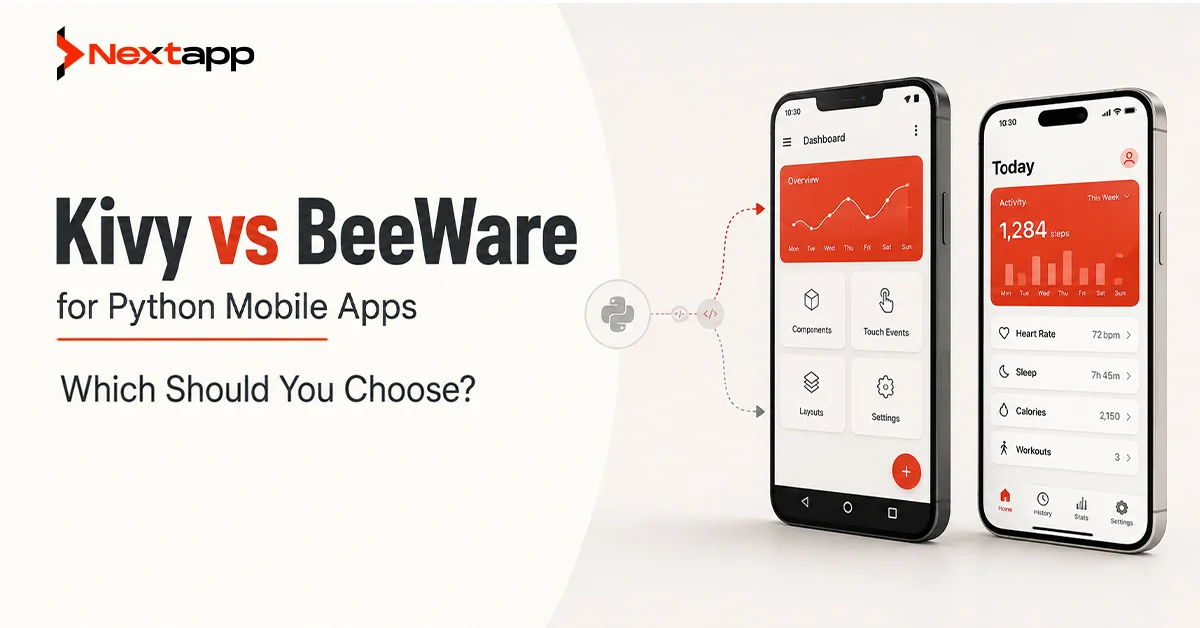
Kivy vs BeeWare for Python mobile apps is a practical comparison for developers and businesses that want to build mobile applications using Python. Kivy is usually better when you want a custom cross-platform interface, faster visual prototyping, game-like interactions, multitouch support, and a consistent UI across devices. BeeWare is usually better when you want a more native look and feel, platform-specific interface behavior, and a Python app that feels closer to a traditional iOS or Android application.
Both frameworks make Python mobile app development possible, but they follow different philosophies. Kivy gives you a custom UI toolkit and renders its own interface across platforms. BeeWare uses Toga and Briefcase to help create native-style applications using platform-native widgets where possible. This difference affects design, performance, setup, deployment, learning curve, and long-term maintainability.
The right choice depends on your app type. A visual prototype, kiosk-style app, educational tool, internal dashboard, touchscreen interface, or experimental mobile product may work well with Kivy. A business app, form-based tool, productivity app, or native-looking utility may be a better fit for BeeWare.
Kivy vs BeeWare for Python Mobile Apps: The Core Difference
The core difference between Kivy and BeeWare is how each framework approaches mobile app design. Kivy focuses on giving developers a cross-platform UI framework that looks and behaves consistently across supported platforms. BeeWare focuses on helping Python apps feel more native to each operating system.
Kivy is built around its own widgets, graphics engine, and event system. It gives developers control over custom interfaces, animations, gestures, and multitouch experiences. This makes it flexible for apps that do not need to look exactly like standard iOS or Android apps.
BeeWare takes a different path. It aims to let developers write Python while using native platform controls through Toga. The goal is to make apps feel more familiar to users on each platform.
Framework Philosophy: Custom UI vs Native Experience
Kivy’s philosophy is based on custom cross-platform design. The app can look the same on Android, iOS, desktop, and other platforms. This can be useful when brand consistency or visual control matters more than native design conventions.
BeeWare’s philosophy is based on native user experience. The same Python code can produce interfaces that feel closer to the expectations of each operating system. This is useful when users expect standard buttons, menus, forms, and platform behavior.
Neither philosophy is automatically better. A highly branded app may benefit from Kivy. A business utility that should feel natural on each platform may benefit from BeeWare.
UI Rendering Approach
Kivy renders its own UI. This means the app does not depend on standard native widgets for every interface element. Developers can design custom layouts and interactions using Kivy’s UI system.
BeeWare uses Toga as its GUI toolkit. Toga maps interface elements to native widgets where supported. This gives BeeWare apps a more platform-native feel.
The rendering approach affects user experience. Kivy offers more visual consistency. BeeWare offers more native familiarity.
Native Look and Feel
Native look and feel is one of BeeWare’s biggest strengths. If your users expect the app to match platform conventions, BeeWare may be the stronger choice.
Kivy apps can look polished, but they often feel like custom apps instead of standard native apps. This is not always a problem. Many modern apps use custom interfaces. However, if your app must feel like a normal iOS or Android business tool, BeeWare may align better.
Cross-Platform Support and Target Devices
Both Kivy and BeeWare support cross-platform development, but their strengths differ based on target devices and project goals.
Kivy is widely known for Python GUI apps that can run across desktop and mobile platforms. It is especially useful for custom interfaces, touchscreen applications, and apps where the same UI should appear across environments.
BeeWare aims to let developers write Python apps that can run across several platforms with native user interfaces. This makes it attractive for Python developers who want to target mobile and desktop without switching languages.
Android App Development With Kivy and BeeWare
Kivy has a longer history in Android-focused Python mobile development. Tools such as Buildozer and python-for-android are often used in the Kivy ecosystem to package Android apps.
BeeWare also supports Android app development through Briefcase and its related tooling. It continues to improve, but teams should test packaging, dependencies, and native integrations carefully before committing to a large Android project.
For Android apps with custom layouts and visual interfaces, Kivy may feel more mature. For Android apps that should follow native widget behavior, BeeWare may be appealing.
iOS App Development With Kivy and BeeWare
Both frameworks can target iOS, but iOS packaging and App Store preparation can be more complex than standard Python desktop development.
Kivy has iOS tooling that can package Python and Kivy apps for Apple devices. BeeWare also supports iOS app development packaging with Briefcase and its related Apple support tools.
For either option, businesses should plan extra time for testing, signing, certificates, platform-specific behavior, and App Store submission requirements.
Desktop and Multi-Device Support
Both frameworks can support desktop use cases. This matters if the same app needs to run on mobile and desktop.
Kivy can be useful for custom control panels, dashboards, education apps, visual tools, and touchscreen interfaces. BeeWare may be useful for business utilities, forms, admin tools, and apps that should feel more native on desktop platforms.
The decision should be based on interface needs, not only platform support.
Installation and Setup
Installation and setup can affect development speed. A framework may look good in theory but become frustrating if setup is difficult for the team.
Kivy setup can be straightforward for basic desktop development, but mobile packaging may require additional tools and environment configuration. Android packaging often involves Buildozer, Gradle, Android SDK tools, and related dependencies.
BeeWare setup involves tools such as Briefcase and Toga. Briefcase helps convert Python projects into distributable applications. This can make project structure and packaging feel more organized, but mobile builds still need platform-specific setup.
Kivy Setup Experience
Kivy is generally approachable for developers who want to start quickly on desktop. Creating a basic app is simple once the environment is ready.
The challenge often appears during mobile packaging. Developers need to understand Android build tools, permissions, dependencies, and platform packaging. For iOS, Apple’s development requirements add another layer of complexity.
Kivy is not impossible to package, but it requires patience and careful documentation.
BeeWare Setup Experience
BeeWare provides a more guided project structure through Briefcase. This can feel cleaner for developers who want a formal app packaging workflow.
BeeWare setup can still require troubleshooting, especially for mobile targets and dependencies. Since it aims to create native apps across platforms, developers should expect platform-specific steps.
BeeWare may feel more structured. Kivy may feel more flexible.
Learning Curve for Python Developers
The learning curve depends on the developer’s background. A Python developer who has built GUI apps before may adapt to both frameworks more quickly than someone coming from backend-only Python.
Kivy requires learning its event system, layout structure, widget behavior, KV language, and graphics approach. BeeWare requires learning Toga, Briefcase, app packaging, and native-style UI patterns.
Kivy Learning Curve
Kivy has its own way of building interfaces. Developers need to understand widgets, layouts, properties, events, and the KV design language. Once the basics are clear, Kivy can be productive for visual apps.
The learning curve may feel steeper for developers who expect standard native widgets. Kivy is powerful, but it asks developers to think in its own UI model.
BeeWare Learning Curve
BeeWare may feel more familiar if the developer understands traditional UI concepts such as windows, buttons, forms, lists, and native controls. Toga’s goal is to make native interface development possible in Python.
The learning curve can appear in packaging, platform behavior, and understanding how native controls differ across operating systems.
Widget Ecosystem and UI Components
The widget ecosystem matters because mobile apps need buttons, forms, lists, navigation, popups, media elements, and input controls.
Kivy has a mature set of widgets for custom interfaces. Developers can create unique layouts and visual experiences. KivyMD, a third-party project inspired by Material Design, is also commonly used by developers who want more modern Android-style components.
BeeWare’s widget ecosystem is tied to Toga and native platform controls. This supports native look and feel, but available widgets and behavior can vary depending on platform maturity.
Kivy Widget Strengths
Kivy is strong for custom UI components, touch interactions, drawing, animations, and non-standard layouts. It is useful when the app needs a distinctive interface.
Developers can design screens that do not feel limited by standard mobile controls.
BeeWare Widget Strengths
BeeWare is strong when the app needs familiar UI controls that behave like standard platform elements. This can help users understand the app quickly.
For business apps, forms, settings screens, and productivity tools, native-style widgets can be an advantage.
Access to Native APIs
Mobile apps often need access to camera, GPS, storage, notifications, sensors, files, contacts, Bluetooth, payments, or platform services. Native API access can affect whether a Python mobile framework is suitable for a real project.
Kivy can access native features through platform-specific integrations, Python packages, and tools such as Pyjnius on Android or Pyobjus on iOS. This can be powerful, but it may require technical knowledge.
BeeWare uses tools such as Rubicon ObjC for native library access on Apple platforms and other support libraries for platform integration. Native access is part of the broader BeeWare vision, but implementation may require careful platform-specific work.
When Native API Access Becomes Critical
Native API access becomes critical when the app needs push notifications, camera scanning, payment processing, location tracking, background tasks, biometrics, app widgets, or platform-specific permissions.
For simple apps, this may not be a major issue. For complex mobile products, developers should test native integrations early before choosing either framework.
Performance Comparison
Performance comparison between Kivy and BeeWare depends on the app type. Kivy can perform well for custom graphics, visual interfaces, and touch-based apps when built properly. BeeWare can feel efficient for native-style controls because it uses platform-native widgets where available.
Performance is not only about the framework. It also depends on app architecture, code quality, UI complexity, device capabilities, data loading, image handling, network calls, and background processing.
Kivy Performance
Kivy is designed for interactive applications and can handle custom interfaces, gestures, animations, and graphics. It may be a strong fit for apps that need visual flexibility.
Performance can suffer if the app is poorly optimized, uses heavy images, updates the UI inefficiently, or handles too much work on the main thread.
BeeWare Performance
BeeWare can benefit from native controls, especially for standard business UI elements. Apps that use common forms, lists, and menus may feel natural.
Performance depends on the maturity of platform support, the app’s structure, and how dependencies are handled.
Packaging and Deployment
Packaging and deployment are major considerations for Python mobile apps. Building an app locally is one thing. Publishing it to Google Play or the App Store is another.
Kivy developers often use Buildozer for Android packaging and Kivy iOS tooling for iOS. BeeWare developers use Briefcase to package apps for supported platforms.
Both approaches may require troubleshooting. Mobile operating systems have strict packaging, signing, permission, and store submission rules.
Kivy Packaging and Deployment
Kivy packaging can work well once the developer understands the toolchain. Android packaging is commonly associated with Buildozer. iOS deployment requires Apple tooling, certificates, and platform-specific setup.
Kivy may be easier for developers already familiar with its mobile packaging ecosystem.
BeeWare Packaging and Deployment
BeeWare’s Briefcase is designed to package Python projects into standalone native applications. This gives BeeWare a clear deployment story.
However, mobile deployment still requires testing, signing, platform configuration, and dependency management. Teams should run proof-of-concept builds early.
Community Maturity and Documentation Quality
Community maturity affects how easily developers can find help, examples, tutorials, packages, and solutions. Documentation quality affects onboarding and troubleshooting.
Kivy has been around for longer and has a mature community. Many tutorials, examples, and discussions exist, especially for Android and custom UI apps.
BeeWare has a growing community and a clear mission around native Python apps. Its documentation and tutorials are useful, but the ecosystem may feel smaller in some areas compared with Kivy.
Kivy Community Maturity
Kivy’s community is one of its advantages. Developers can find examples, GitHub discussions, tutorials, videos, and third-party libraries.
This is useful for beginners and teams that need practical examples.
BeeWare Community Maturity
BeeWare’s community is active and focused on expanding Python’s reach into native app development. It has strong educational material and a clear toolkit structure.
For teams that want native Python apps, BeeWare’s direction is appealing, but some use cases may require more experimentation.
Development Speed
Development speed depends on the project. Kivy can be fast for prototypes and custom UIs once the developer is familiar with the framework. BeeWare can be fast for simple native-style apps and structured workflows.
If the app needs a custom interface, Kivy may allow faster visual experimentation. If the app needs standard native controls, BeeWare may reduce design complexity.
When Kivy Can Be Faster
Kivy can be faster when you are creating a prototype, a touchscreen tool, a custom UI, or an app where visual consistency matters more than native controls.
It can also be faster for developers who already know the Kivy ecosystem.
When BeeWare Can Be Faster
BeeWare can be faster when the app has simple native-style screens, forms, menus, and workflows. Its project structure can help developers organize builds and packaging.
It may also be faster when native look and feel reduces the need for custom UI design.
Long-Term Maintainability
Long-term maintainability matters because mobile apps need updates, bug fixes, new features, dependency changes, operating system updates, and security improvements.
Kivy apps can be maintainable when the codebase is well-structured and the team understands the framework. BeeWare apps can also be maintainable when developers follow clean architecture and test platform behavior carefully.
The biggest maintainability risk is choosing a framework without considering future hiring, packaging, dependencies, and native integrations.
Maintainability With Kivy
Kivy maintainability depends on clean code, consistent UI patterns, and careful management of platform-specific features. Custom UI gives flexibility, but it can also create more responsibility for the development team.
A well-built Kivy app can last, but the team should document architecture and packaging steps clearly.
Maintainability With BeeWare
BeeWare maintainability benefits from native UI direction and structured packaging tools. However, developers should monitor framework updates, platform support, and dependency behavior.
BeeWare may be a good long-term choice for teams committed to native Python app development.
Best Use Cases for Kivy
Kivy is a strong choice for apps that need custom UI, multitouch interaction, visual controls, prototyping, education tools, dashboards, media interfaces, simulations, and experimental mobile products.
It can work well for apps where the interface does not need to follow strict iOS or Android conventions.
For example, a classroom learning app, touchscreen kiosk app, interactive quiz app, visual dashboard, music tool, or custom business interface may be suitable for Kivy.
Kivy is also useful for developers who want one Python codebase and full control over app appearance.
Best Use Cases for BeeWare
BeeWare is a strong choice for apps that need a more native look and feel. It is suitable for business tools, productivity apps, form-based apps, internal utilities, simple data-entry apps, settings-heavy apps, and cross-platform applications where native controls matter.
For example, a task manager, field reporting app, internal admin tool, customer records app, lightweight CRM utility, or desktop-mobile business app may be a good BeeWare candidate.
BeeWare is also appealing when the development team wants Python while keeping the app experience close to native platform expectations.
Limitations of Kivy
Kivy’s main limitation is that it does not automatically provide a native look and feel. This can be a concern for apps where users expect standard platform behavior.
Another limitation is packaging complexity. Developers may need to spend time learning Buildozer, Android SDKs, iOS packaging tools, permissions, and dependency handling.
Kivy can also require more custom design work. Since the UI is custom, the team may need to create or refine components instead of relying entirely on native controls.
Limitations of BeeWare
BeeWare’s main limitation is ecosystem maturity in some areas. Since it focuses on native UI across platforms, certain widgets, integrations, or platform behaviors may require testing.
Mobile development with BeeWare can also require troubleshooting, especially for dependencies and native features.
BeeWare may not be the best choice for highly custom visual apps, game-like interfaces, or apps that need heavy custom rendering.
Kivy vs BeeWare: Which Should You Choose?
Choose Kivy if your app needs a custom interface, strong visual control, rapid prototyping, multitouch support, or consistent appearance across platforms. Kivy is also a good choice if the app does not need to look fully native and your team is comfortable working with its UI model.
Choose BeeWare if your app needs native look and feel, standard platform controls, business-style screens, and a more traditional app experience. BeeWare is also useful if your team wants Python while keeping the interface close to native operating system behavior.
For many business apps, BeeWare may feel more natural. For many custom apps and prototypes, Kivy may feel more flexible.
Business Decision: Kivy vs BeeWare for a Real Product
From a business perspective, the choice should be based on the app’s purpose, not only developer preference.
If your app is a serious consumer product that must compete with polished native apps, consider whether Python mobile development is the right path at all. Flutter, React Native, Swift, Kotlin, or Kotlin Multiplatform may offer stronger production ecosystems for many commercial mobile apps.
If Python is important because your team already uses it, the app is internal, the budget is limited, or the product is experimental, Kivy and BeeWare can both be practical.
Kivy may help you build faster when visual flexibility matters. BeeWare may help you deliver a more native-style experience when standard UI behavior matters.
Final Thoughts
Kivy vs BeeWare for Python mobile apps is not a simple winner-takes-all comparison. Kivy is better for custom UI, interactive visuals, prototypes, and cross-platform consistency. BeeWare is better for native look and feel, standard business interfaces, and platform-aligned app experiences.
Both frameworks make Python mobile development possible, but both require realistic expectations. Mobile packaging, native API access, testing, performance, and long-term maintenance still need careful planning.
The best framework is the one that fits your app’s interface, technical requirements, team skills, and growth plan. For custom and experimental mobile apps, Kivy is often the stronger fit. For native-style business apps, BeeWare is often the better choice.
Frequently Asked Questions
Is Kivy better than BeeWare for Python mobile apps?
Kivy is better when you need custom UI, visual flexibility, multitouch support, and cross-platform consistency. BeeWare is better when you want native look and feel with platform-style widgets.
Can Kivy and BeeWare build Android apps?
Yes, both Kivy and BeeWare can be used for Android app development. Kivy often uses tools such as Buildozer and python-for-android, while BeeWare uses Briefcase and related tooling.
Can Kivy and BeeWare build iOS apps?
Yes, both frameworks can target iOS, but iOS packaging requires Apple tooling, certificates, testing, and platform-specific setup. Teams should test deployment early before committing to either framework.
Which framework is easier to learn?
Kivy may be easier for developers who want custom UI control and are comfortable learning its widget system. BeeWare may feel easier for developers who prefer native-style widgets and structured app packaging.
Which framework has better performance?
Performance depends on the app type. Kivy can perform well for custom graphics and interactive interfaces. BeeWare can feel natural for standard native-style controls. Code quality and architecture matter more than framework choice alone.
Is Kivy good for commercial mobile apps?
Kivy can be used for commercial apps, especially when custom UI and cross-platform consistency matter. However, businesses should test packaging, performance, native integrations, and app store requirements early.
Is BeeWare ready for business apps?
BeeWare can be useful for business-style apps, internal tools, and native-looking Python applications. Teams should test required widgets, dependencies, and mobile packaging before building a large production app.
Should startups use Python for mobile app development?
Startups can use Python for prototypes, internal tools, and certain business apps. For large consumer mobile products, frameworks such as Flutter, React Native, Swift, Kotlin, or Kotlin Multiplatform may be more practical depending on the project.