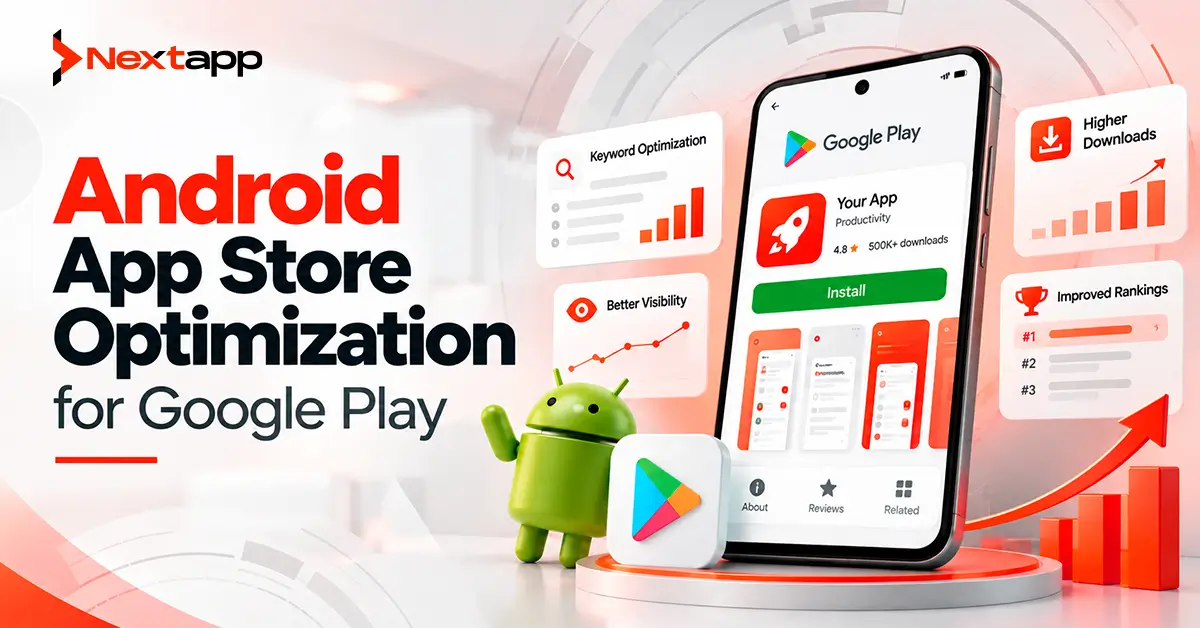
Publishing an Android app on Google Play does not automatically make it easy to discover.
Users may search for a specific product, browse categories, compare similar apps, follow recommendations, or encounter an app through different Google Play surfaces. The store needs enough information to understand what an app does, while users need enough confidence to decide whether it deserves an install.
Android app store optimization for Google Play brings these two goals together.
A strong Play Store listing helps Google understand the relevance of an app while helping potential users understand its value. However, Google Play ASO involves more than placing keywords in an app description.
App quality, technical performance, ratings, user engagement, visual assets, localization, and conversion can all influence how successfully an application performs on Google Play.
The best strategy begins with an app that solves a clear problem and uses the store listing to communicate that value accurately.
Google Play ASO Is Different From Apple App Store ASO
Businesses with both Android and iOS versions often make the mistake of copying the same optimization strategy across both stores.
The positioning can remain consistent, but the optimization approach should reflect each marketplace.
Google Play uses information from the app listing, including the app name, descriptions, category, graphic assets, and other signals, to understand the product and connect it with relevant users.
The Play Store also considers broader app-quality and user-experience signals.
Apple's App Store has its own metadata structure, discovery systems, and optimization practices.
Teams managing both Android app development services and iOS app development should therefore coordinate the brand strategy while optimizing each listing specifically for its platform.
Do not simply copy an iOS keyword plan into the Google Play description.
Start With Search Intent
Keyword research should begin with the problem users are trying to solve.
Imagine an application that automatically scans receipts and organizes business expenses.
Potential searches may include:
Receipt scanner
Expense tracker
Business expense app
Receipt organizer
Expense report app
These phrases are more valuable than broad terms such as:
Business
Productivity
Finance
Broad keywords may have greater search volume, but they can also have weaker relevance and stronger competition.
The strongest target terms usually sit where three factors overlap:
Search demand
Product relevance
Realistic competition
A keyword should describe something the application genuinely delivers.
Understand the User Behind the Keyword
Keyword research becomes more useful when you consider intent.
Someone searching:
“budget app”
may have a broad need.
Someone searching:
“small business expense tracker”
has a much clearer use case.
A SaaS product built specifically for contractors may benefit more from the second search even if the first term appears more popular.
ASO should attract the right user, not simply the largest possible number of visitors.
An irrelevant visitor who immediately leaves the listing does little for long-term growth.
Optimize the App Name Naturally
The app name is one of the most visible pieces of the Google Play listing.
It should clearly identify the product while helping users understand what it offers.
A weak name might be:
TrackPro
A clearer presentation could be:
TrackPro: Expense Tracker
The second version gives users immediate context.
Do not fill the app name with repeated phrases such as:
Expense Tracker Budget Tracker Money Tracker Finance App
Keyword stuffing damages readability and can create metadata-policy problems.
The name should work first as product communication.
Optimization should support clarity rather than replace it.
Write a Strong Short Description
The short description needs to communicate the main benefit quickly.
Do not attempt to summarize every feature.
For example:
Track receipts, organize expenses, and simplify business reporting.
This tells users:
What they can do
Who the product may help
Why it is useful
A weak version might say:
The best innovative solution for all your financial needs.
The second statement sounds promotional but communicates little.
Use the short description to reinforce the app's primary value and important search context naturally.
Use the Full Description to Explain the Product
The full description provides more room to explain what the application does.
Structure it for humans first.
Useful sections may include:
Main problem solved
Important features
Target users
Benefits
Differentiators
Important usage information
Relevant search terms can appear naturally throughout the copy.
Avoid paragraphs built entirely around repetitive phrases.
For example:
“Expense tracker app for expense tracking, business expense tracking, expense manager, expense tracking software...”
does not provide useful information.
A better approach is:
“Track business expenses from your phone, organize receipts by project, and prepare cleaner records for monthly reporting.”
The second version communicates features while naturally reinforcing relevant search concepts.
Focus on Semantic Relevance
Google Play search should not be approached as a simple exact-keyword matching system.
Use related terminology that helps explain the complete product.
For an invoicing application, relevant language might include:
Invoice creation
Client billing
Payment tracking
Estimates
Small business
Freelancers
PDF invoices
Together, these terms give stronger context than repeating “invoice app” twenty times.
Write descriptions that thoroughly explain the application's real functionality.
Choose the Right Category
The application category helps establish what type of product users are viewing.
Choose the category based on the app's primary function rather than where you think competition will be easiest.
An app may technically fit several categories.
A project management tool could relate to:
Business
Productivity
The best option depends on the product's main use case and expected audience.
Category selection should reinforce positioning rather than contradict it.
Make the Icon Easy to Recognize
The app icon often appears before users read the description.
It needs to work at a small size.
A strong icon generally has:
Clear visual hierarchy
Simple composition
Strong brand recognition
Good readability at small sizes
Consistency with the product identity
Avoid trying to explain the entire application inside the icon.
Five symbols, three words, a phone mockup, and a detailed illustration rarely remain clear when reduced to store-listing size.
The icon should help users identify the app quickly.
Treat Screenshots as a Sales Sequence
Screenshots should not simply prove that the app has screens.
They should tell users why those screens matter.
A useful sequence might be:
Screenshot 1: Main value proposition
Screenshot 2: Core workflow
Screenshot 3: Important benefit
Screenshot 4: Differentiating feature
Screenshot 5: Secondary use case
For an expense-tracking application, the screenshot story could move from:
Capture receipt
→ categorize expense
→ monitor spending
→ generate report
→ export records
This makes the listing easier to understand.
Show Real Product Experience
Screenshots should represent the actual app.
Do not show features that do not exist.
Do not create a polished dashboard graphic that looks completely different from the real Android product.
Store assets should create the right expectation before installation.
Misleading visual marketing may increase initial interest but create disappointment after users install the app.
Long-term ASO depends on attracting users who actually want the product.
Make the First Assets Work Hardest
Many users will not study every screenshot.
The first few visual assets therefore need to communicate the strongest reasons to install.
Prioritize:
Main product outcome
Most valuable workflow
Strongest differentiator
Do not begin with secondary settings screens, login pages, or generic brand statements unless they are essential to understanding the product.
Users should quickly see why the app deserves attention.
Use Video Only When It Adds Value
A preview video can be useful when movement or interaction explains the application better than screenshots.
Examples include:
Games
Video editors
Creative tools
Complex productivity workflows
A simple utility may not need video.
Visual assets should support the decision-making process rather than exist simply because the format is available.
Build a High-Quality App Before Chasing Rankings
ASO cannot permanently compensate for a poor application.
Google Play evaluates app quality as part of discovery.
Important quality areas include:
Stability
Responsiveness
Usability
Technical performance
User satisfaction
An app with an excellent description but frequent crashes creates a weak overall Play Store product.
Users may:
Uninstall
Leave low ratings
Write negative reviews
Stop engaging
Store optimization and product quality therefore need to work together.
Monitor Android Vitals
Technical quality should be monitored after release.
Google Play Console provides Android vitals that can help development teams identify performance and stability problems.
Examples include issues around:
Crashes
ANRs
Performance
Device-specific problems
A strong acquisition strategy means little if new users encounter technical failures immediately after installation.
ASO teams should communicate with engineering rather than treating store optimization as an isolated marketing activity.
Improve Ratings Through Better Product Experiences
Ratings can strongly influence how users evaluate an app before installing it.
A product with thousands of poor reviews may struggle to convert even when its screenshots are excellent.
Do not focus only on asking for more ratings.
Identify why users are unhappy.
Common causes include:
Crashes
Slow performance
Confusing onboarding
Unexpected paywalls
Missing promised features
Poor customer support
Subscription problems
Improving these issues can do more for long-term store performance than repeatedly prompting users for reviews.
Respond to Useful Reviews
Reviews provide both reputation signals and product feedback.
Pay attention to repeated themes.
If many users say:
“Sync keeps failing after the latest update”
the issue is probably not an ASO copywriting problem.
It is a product problem that may eventually affect conversion and retention.
Respond professionally when appropriate and use reviews to identify recurring friction.
Store optimization should include learning from users, not just marketing to them.
Localize for Important Markets
Translation and localization can expand discovery in international markets.
Localization means more than converting English sentences word for word.
Users in different markets may use different:
Search terms
Feature terminology
Examples
Pricing expectations
Cultural references
Research how users describe the problem locally.
Translate:
App name where appropriate
Short description
Full description
Screenshot text
Other relevant store assets
A localized listing should sound as though it was created for the market.
Use Custom Store Listings Strategically
Google Play can support custom store listings for specific audience segments.
This allows teams to present more relevant messaging for different users rather than showing everyone exactly the same store page.
A productivity application, for example, could emphasize:
Team collaboration
for business-focused users while another listing highlights:
Personal planning
for a different audience.
Custom listings can also support country-specific or campaign-specific messaging where appropriate.
Use them when the product genuinely serves audiences with different priorities.
Test Store Assets Instead of Guessing
ASO decisions often involve assumptions.
A team may believe a blue icon will convert better than a white icon.
A product manager may prefer one screenshot.
A designer may prefer another.
Testing can provide stronger evidence.
Google Play Console supports store-listing experiments that can help teams compare variations of listing assets.
Possible tests include:
Icons
Screenshots
Descriptions
Other eligible store assets
Change one major variable at a time when possible.
If you replace the icon, screenshots, and messaging simultaneously, it becomes harder to understand what caused the performance difference.
Use Google Play Console Analytics
Optimization should continue after the listing goes live.
Google Play Console analytics for app growth can help teams understand how users interact with the product and listing.
Review performance by factors such as:
Traffic source
Country
Device
Search behavior
Listing performance
User quality
Look beyond total installs.
A traffic source producing many listing visitors but weak engagement may be less valuable than a smaller source producing loyal users.
ASO should support sustainable acquisition rather than vanity metrics.
Align Monetization With Store Expectations
Apps using Google Play Billing for in-app purchases and subscriptions should communicate paid value clearly.
Users should understand what they can access before paying and what requires an upgrade.
Unexpected pricing creates frustration.
Screenshots and descriptions should not imply that premium functionality is completely free when users immediately encounter a subscription requirement.
Transparent positioning improves the quality of the install decision.
Optimize the Release Experience
Distribution choices also affect the user experience.
Teams evaluating Android App Bundles vs. APK should consider how the application is ultimately delivered through Google Play.
Efficient delivery, device compatibility, app size, and technical quality can influence how users experience the product from installation onward.
ASO does not stop at the listing page.
The entire journey matters:
Search
→ store listing
→ install
→ onboarding
→ first useful action
→ continued engagement
Weakness at any stage can reduce growth.
Consider Try-Before-Install Experiences Carefully
Teams researching Android Instant Apps and their use cases may be looking for ways to let users experience functionality before completing a traditional install.
When an instant experience fits the product, it can support discovery and reduce friction.
It should still provide a clear path toward the full application.
Try-before-install experiences should be planned around a real product use case rather than added solely as a marketing tactic.
Include ASO During App Prototyping
ASO should start earlier than launch week.
During app prototyping, teams already know:
Primary user
Core problem
Main features
Important workflows
Product differentiation
These same decisions shape the store listing.
A product team that cannot explain the app clearly during prototyping will probably struggle to create a focused listing later.
Store positioning can also reveal product problems early.
If every competitor promises exactly the same benefit, the app may need stronger differentiation before launch.
Coordinate Cross-Platform Marketing
Businesses using Flutter app development, React Native app development, or broader cross platform app development often launch on Android and iOS together.
Maintain a consistent:
Brand
Product promise
Value proposition
Visual identity
Then adapt the metadata and optimization strategy for each marketplace.
A cross-platform app should feel like one product without assuming that Google Play and Apple's App Store operate identically.
This distinction keeps Android app store optimization for Google Play separate from a generic app store optimization strategy.
Build a Repeatable Google Play ASO Process
A practical ASO workflow can follow these steps:
Define the User
Identify who needs the app and why.
Research Search Intent
Find relevant phrases connected to real user problems.
Refine Positioning
Make the product's main benefit easy to understand.
Optimize Metadata
Write a clear name, short description, and full description.
Improve Visual Assets
Use strong icons, screenshots, and relevant video.
Localize Important Markets
Adapt metadata and visuals for valuable regions.
Monitor Quality
Track crashes, ANRs, ratings, reviews, and engagement.
Run Experiments
Test major listing elements instead of relying entirely on opinion.
Study Play Console Data
Identify where discovery and listing performance can improve.
Repeat
ASO is an ongoing process rather than a task completed once at launch.
Google Play Growth Starts With Relevance and Quality
Android app store optimization for Google Play works best when discovery, conversion, and product quality support one another.
Relevant metadata helps Google Play understand the application.
Strong visual assets help users understand its value.
Good ratings and reviews build confidence.
Technical quality helps users stay after installation.
Analytics and experiments show where the listing can improve.
Professional Android app development services can support the product side of ASO by improving performance, compatibility, release quality, monetization, onboarding, and the overall user experience that sits behind the Play Store listing.
A strong store page can earn an install.
A strong app gives users a reason to keep it.
Frequently Asked Questions
What is Android app store optimization for Google Play?
Android app store optimization for Google Play is the process of improving an app's store presence, relevance, conversion, and overall quality to help the right users discover and choose the application.
Do keywords matter on Google Play?
Yes. Google Play uses listing information such as the app name and descriptions to understand an application's relevance. Keywords should be used naturally and should accurately describe the product rather than being repeatedly stuffed into the listing.
Do ratings affect Google Play ASO?
Ratings and reviews influence user trust and provide Google Play with information about user experience and app quality. Improving the underlying product is usually more valuable than simply trying to collect more reviews.
Should screenshots contain text?
They can. Short, clear screenshot messaging can help explain benefits and workflows, but the visuals should still accurately represent the real application and remain easy to understand.
Can Google Play listings be A/B tested?
Yes. Play Console provides store-listing experiments that can help teams test eligible listing elements and use performance data to guide optimization decisions.
How often should a Google Play listing be optimized?
There is no universal schedule. Teams should review the listing when the product changes, new markets are targeted, search behavior shifts, experiments produce meaningful results, or Play Console data reveals an opportunity to improve discovery or conversion.