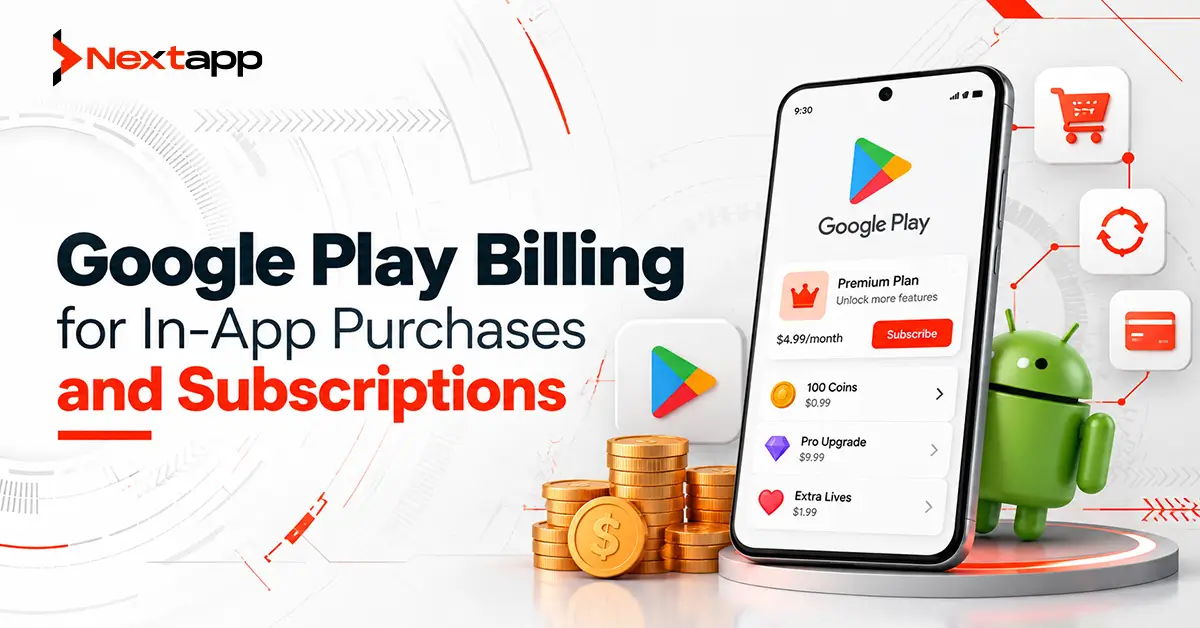
Selling digital products inside an Android app requires more than displaying a price and adding a payment button.
The app needs to know what products are available, show accurate pricing, launch the purchase flow, verify completed transactions, grant the correct entitlement, handle renewals and cancellations, and keep the user's account synchronized when payment status changes.
Google Play Billing provides the infrastructure for these transactions.
For SaaS businesses, subscription platforms, productivity applications, media services, education products, and other apps selling digital features, Google Play Billing can support recurring subscriptions as well as one-time purchases.
However, the billing interface inside the Android app is only one part of the system.
A reliable implementation also needs backend purchase verification, entitlement management, subscription lifecycle handling, testing, and a clear revenue model.
Understand When Google Play Billing Is Used
Apps distributed through Google Play that sell applicable digital goods or services generally need to follow Google Play's payments requirements.
Examples can include:
Premium app features
Digital content
Cloud storage
Business productivity functionality
Subscription access
Ad-free upgrades
Virtual items
Payment rules can vary according to product type, region, distribution model, and Google Play programs, so teams should review the current Play payments policy before launch.
The important product decision is identifying exactly what the user is purchasing.
A physical item and a digital software upgrade are not treated the same way.
Choose Between One-Time Products and Subscriptions
Google Play broadly supports one-time products and subscription products.
One-Time Products
One-time products are purchased through a single transaction.
They can support scenarios such as:
Permanent premium upgrade
Digital content pack
Feature unlock
Virtual currency
Consumable digital items
Some one-time products are consumable.
A consumable item can be purchased again after it has been consumed.
Other one-time products provide permanent entitlement and should not need to be purchased repeatedly.
Subscriptions
Subscriptions provide access to ongoing or recurring value.
Examples include:
Monthly SaaS membership
Premium productivity features
Fitness content
Cloud storage
Education libraries
Business software
Streaming services
A subscription should provide continuing value throughout its active period rather than functioning as a disguised one-time purchase.
For SaaS businesses, choosing the correct billing model should happen during product planning rather than after development.
Design the Revenue Model Before Coding
Before integrating the Google Play Billing Library, define what customers are actually buying.
A SaaS product might offer:
Free
→ basic features
Pro Monthly
→ advanced features for one month
Pro Annual
→ advanced features billed annually
Enterprise
→ managed separately through a business agreement
Another app might use:
Free app
→ one-time premium upgrade
The billing architecture becomes much easier once these rules are clear.
During app prototyping, teams should define:
Free features
Paid features
Subscription tiers
Billing periods
Trial strategy
Upgrade paths
Downgrade paths
Cancellation behavior
Do not let product IDs become the revenue strategy.
The business model should determine the billing configuration.
Understand Subscription Products, Base Plans, and Offers
Google Play's subscription model separates several concepts.
A subscription represents a set of benefits.
A base plan defines how access is billed.
An offer can provide special pricing or eligibility rules.
For example:
Subscription: Pro Membership
Base Plan 1: Monthly auto-renewing
Base Plan 2: Annual auto-renewing
An eligible offer might provide an introductory period or promotional price.
This structure allows businesses to maintain one logical subscription while supporting different ways to purchase it.
It also prevents developers from creating unnecessary separate subscription products for every small pricing variation.
Create Products in Play Console
Products need to be configured in Google Play before the Android application can offer them.
Each product should have a stable product ID.
Example IDs could look like:
pro_monthly
pro_annual
premium_upgrade
Choose identifiers carefully.
Product IDs often become deeply connected with backend entitlement logic, analytics, support tools, and financial reporting.
Renaming business-facing labels is easy.
Changing internal architecture after hundreds of thousands of purchases is much harder.
Connect the App to Google Play Billing
The Android application uses the Google Play Billing Library to communicate with Google Play.
A basic implementation typically needs to:
Create a BillingClient.
Establish the billing connection.
Query available product details.
Display relevant products.
Launch the billing flow.
Receive purchase updates.
Send the purchase to the backend for verification.
Grant the appropriate entitlement.
Acknowledge or consume the purchase as required.
The UI should not assume that every billing request succeeds.
Google Play may be unavailable temporarily, the network may fail, the user may cancel, or the product may not be available to that account.
Billing is a stateful workflow, not a single button action.
Query Product Details Dynamically
Pricing and product information should come from Google Play rather than being hardcoded into the Android interface.
The app can query product details and use the returned information to display available purchase options.
This helps avoid mismatches between:
Play Console pricing
Local currencies
Promotional offers
App UI
Avoid writing a fixed value such as "$9.99" directly into the screen when the actual product price comes from Google Play.
Pricing may differ by country or change later.
Display the product information returned for the user whenever appropriate.
Do Not Cache Product Details Indefinitely
Billing information can change.
A price may be updated.
An offer may expire.
User eligibility may change.
Product configurations may be modified.
The app should therefore avoid relying on stale product information for long periods.
Query product details when needed and design graceful handling for products that temporarily cannot be fetched.
The payment screen should never become unusable simply because one product configuration failed to load.
Launch the Purchase Flow
Once the user selects an eligible product or offer, the application can launch the Google Play purchase flow.
Google Play handles the payment interface.
The Android app then receives the resulting purchase information through the billing callbacks.
Possible outcomes include:
Successful purchase
User cancellation
Pending purchase
Billing error
Do not interpret every callback as a completed transaction.
The actual purchase state needs to be checked.
Handle Pending Purchases Correctly
Some payment methods are not completed immediately.
A transaction may enter a pending state before eventually becoming purchased or canceled.
The application should not grant premium access while the purchase remains pending.
A good UI can tell the user:
“Your payment is being processed. Access will be enabled when the payment is confirmed.”
Once the purchase reaches the completed state, the app or backend can verify the transaction and grant entitlement.
Pending transactions should be included in billing QA because they behave differently from instant card purchases.
Verify Purchases on the Backend
For production applications, purchase verification should not depend entirely on information supplied by the Android client.
The app can send the purchase token to a secure backend.
The backend can then verify the transaction through Google Play's developer services.
A practical flow is:
User completes purchase
→ Android receives purchase token
→ token is sent to backend
→ backend verifies purchase with Google
→ backend confirms product and state
→ entitlement is granted
→ purchase is acknowledged
This architecture provides stronger protection against manipulated clients and helps keep entitlements synchronized across devices.
Treat the Purchase Token as Important Transaction Data
A purchase token identifies a purchase and should be tracked on the backend.
It can help prevent the same transaction from being incorrectly granted more than once.
Do not rely on an order ID as the only purchase identifier.
Purchase-token handling should be part of the backend's entitlement model.
For example, the database might associate:
User account
→ product
→ purchase token
→ entitlement status
→ expiration time
This becomes especially important for subscriptions.
Grant Entitlements Only After Verification
Payment success and product access should not be treated as unrelated systems.
An entitlement is the right the user receives after a valid purchase.
Examples include:
Premium account
Ad-free experience
Additional storage
Advanced reports
Paid content library
Business features
The backend should become the source of truth for important entitlements.
A Boolean stored only inside the Android app, such as:
isPremium = true
is not enough for a serious SaaS product.
A modified application could potentially change local values.
Server-managed entitlements are easier to verify, revoke, restore, and synchronize.
Acknowledge Completed Purchases
After a valid purchase has been verified and the user has received the appropriate entitlement, the transaction needs to be acknowledged according to Google Play Billing requirements.
For non-consumable products and subscription purchases, acknowledgement tells Google Play that the developer has processed the purchase.
Consumable products are handled through consumption.
Unacknowledged qualifying purchases can eventually be refunded and revoked.
The safest approach is to acknowledge promptly after verification and entitlement delivery rather than waiting until the user returns to the app days later.
Server-side processing can make this more reliable.
Consume Consumable Products
Consumable products need a slightly different flow.
Imagine an app selling 100 digital credits.
The user buys the credits.
After the purchase is verified, the credits are added to the account.
The product is then consumed so it becomes eligible for purchase again.
Without proper consumption, the user may be unable to buy the same consumable product again.
The backend should also prevent duplicate credit grants if the same transaction is processed more than once.
Handle Subscription Renewals on the Backend
A subscription continues changing after the initial purchase.
Possible lifecycle events include:
Renewal
Cancellation
Expiration
Grace period
Account hold
Recovery
Plan change
Resubscription
The Android app may not be open when these changes happen.
For that reason, subscription status should not depend only on app launches.
Google Play provides Real-time Developer Notifications so a backend can learn when relevant purchase state changes occur.
After receiving a notification, the backend should retrieve the current purchase information from Google Play and update the user's entitlement.
Real-Time Developer Notifications Are Signals
A Real-time Developer Notification should not be treated as the complete subscription record.
It tells the backend that something changed.
The backend should then query the appropriate Google Play Developer API to obtain the current purchase state.
A typical flow is:
RTDN received
→ identify purchase token
→ retrieve current subscription status
→ update internal entitlement
→ notify other systems if needed
This keeps the application's own subscription state aligned with Google Play.
Support Upgrades and Downgrades
SaaS products commonly let users move between plans.
For example:
Starter
→ Pro
or:
Pro
→ Starter
Plan changes need clear rules.
Teams should define:
When new benefits begin
How billing changes
What happens to the previous entitlement
How the account is represented on the backend
Do not treat a plan change as simply changing text on the pricing screen.
The billing transaction and internal entitlement system need to agree.
Design Cancellation Gracefully
Cancellation does not always mean access should stop immediately.
An auto-renewing subscriber may cancel future renewal while still retaining access until the current paid period expires.
The app should display subscription status clearly.
Users should be able to understand:
Current plan
Renewal status
Expiration date when applicable
Available management options
Avoid manipulative interfaces designed to make cancellation confusing.
Transparent subscription experiences build more trust than forced retention.
Restore Purchases Across Devices
A paying customer may reinstall the application or sign in on another device.
Their entitlement should not disappear simply because local app storage was erased.
The backend should associate purchases with the appropriate account and maintain authoritative entitlement information.
The app can also query active purchases where appropriate.
This is another reason serious subscription systems should not store premium status only on the device.
Test Billing Before Release
Google Play provides testing mechanisms for billing integrations.
Test scenarios should include:
Successful purchases
User cancellation
Pending transactions
Failed payments
One-time purchases
Subscription purchases
Renewals
Cancellations
Purchase restoration
Reinstallation
Do not test only the happy path.
Most billing support issues occur when a transaction is interrupted or changes state later.
Connect Billing Data With Growth Analytics
Revenue decisions should be measured after release.
Google Play Console analytics for app growth can help teams understand acquisition and product performance, while the business's own analytics should track conversion through the purchase journey.
Useful metrics may include:
Paywall views
Product selection
Purchase starts
Purchase completion
Trial conversion
Renewal
Cancellation
Upgrade rate
A subscription business should know not only how many people installed the app, but how effectively those users convert into paying customers.
Billing Should Support the Store Strategy
Monetization and Android app store optimization for Google Play should support the same product promise.
The Play Store listing should make the core value of the application clear.
Users should not install an app expecting a completely free service and discover that nearly every advertised feature is locked without explanation.
Broader app store optimization works better when positioning, pricing expectations, screenshots, and the actual onboarding experience are consistent.
Distribution Choices Also Matter
Teams considering Android App Bundles vs. APK should treat application distribution and billing as separate but connected release concerns.
Google Play Billing handles monetization.
The Android App Bundle controls how application code and resources are delivered through Google Play.
Both should be tested in the real release environment before launch.
Teams investigating Android Instant Apps and their use cases should also verify whether their intended monetization flow fits the instant experience rather than assuming the full installed-app billing journey can be copied without adjustment.
Cross-Platform Subscription Products Need One Entitlement Model
Many SaaS products are available on more than Android.
Businesses may use Flutter app development, React Native app development, or another cross platform app development approach while also maintaining a web application.
Native iOS app development uses Apple's purchase infrastructure rather than Google Play Billing.
The payment platforms may differ, but the business should ideally maintain one central entitlement model.
For example:
Android purchase
→ backend entitlement
iOS purchase
→ backend entitlement
Web purchase
→ backend entitlement
The user's account then determines access regardless of which approved channel originally created the subscription.
Build Billing as a System, Not a Screen
Google Play Billing for in-app purchases and subscriptions is not simply a payment dialog.
A reliable implementation connects:
Product configuration
Android billing integration
Purchase verification
Backend entitlements
Acknowledgement
Subscription lifecycle events
Testing
Analytics
User account management
Professional Android app development services can help SaaS and subscription businesses design these pieces as one revenue system instead of adding payments as an isolated feature near launch.
The best billing experience feels simple to the customer precisely because the underlying system is carefully designed.
Users see the right plan, complete a familiar payment flow, receive access immediately, keep their subscription across devices, and understand what happens when they upgrade, cancel, or renew.
Frequently Asked Questions
What is Google Play Billing?
Google Play Billing is Google's billing system for selling eligible digital products, content, features, and subscriptions through Android applications distributed on Google Play.
What is the difference between a one-time product and a subscription?
A one-time product involves a single purchase, while a subscription provides recurring or ongoing value during an active billing period and may renew automatically depending on its base plan.
Should Android apps verify purchases on a server?
For production apps with valuable digital entitlements, server-side verification is strongly recommended because it improves security, purchase tracking, entitlement synchronization, and lifecycle management.
What happens if a Google Play purchase is not acknowledged?
Qualifying completed purchases that are not acknowledged within Google's required period can be automatically refunded and the entitlement revoked. Developers should acknowledge promptly after verifying the purchase and granting access.
Can users keep a subscription after reinstalling the app?
Yes. Subscription access should be connected to verified purchase and account information rather than depending only on local app storage. A backend entitlement system can restore access after reinstalling or changing devices.
Can the same SaaS subscription work on Android and iOS?
It can, depending on the product and platform rules. Android and iOS use different billing systems, but businesses can maintain a shared backend entitlement model that maps validated purchases from each platform to the user's account.