Deploying an Android application inside a business is different from publishing a consumer app and waiting for employees to download it.
Organizations may need to install applications automatically, restrict them to approved users, configure settings remotely, remove corporate data from lost devices, control updates, separate personal and business information, or lock devices to a specific set of applications.
Android Enterprise provides the framework for many of these requirements.
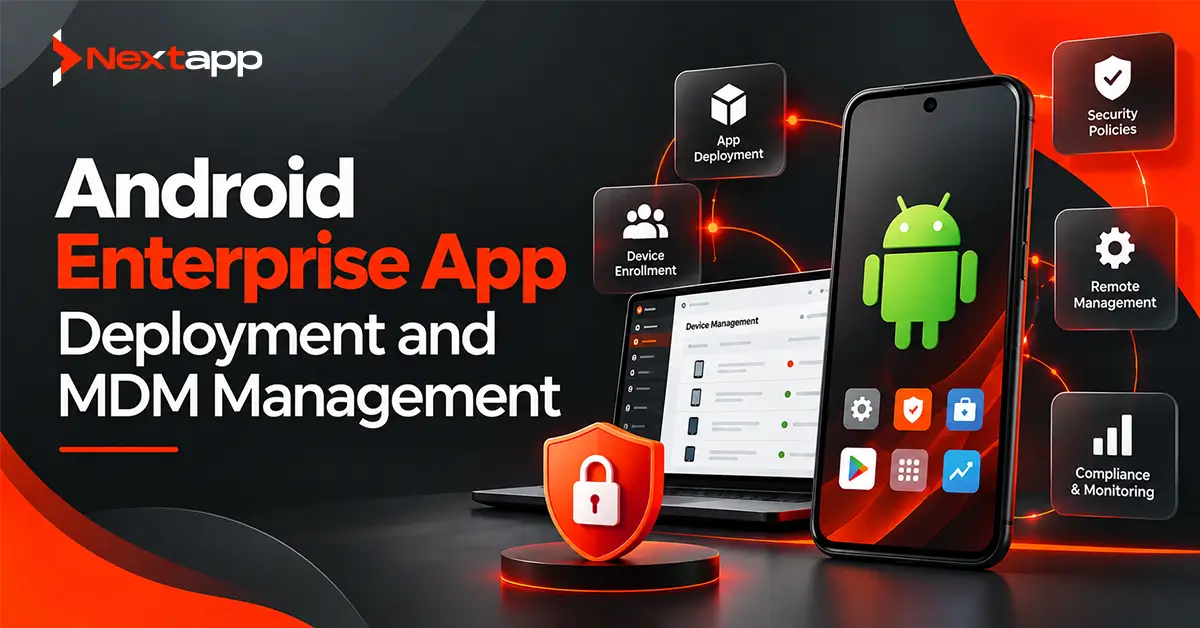
Combined with an Enterprise Mobility Management platform, commonly called an EMM, organizations can manage Android devices, applications, accounts, security policies, and corporate data from a centralized environment.
Android enterprise app deployment and MDM management can support everything from employee-owned phones with protected work profiles to company-owned tablets used only for warehouse operations.
The right deployment model depends on who owns the device, how it will be used, how much control the organization requires, and whether the app is intended for public or private distribution.
Understand Android Enterprise
Android Enterprise is Google's framework for using and managing Android devices in workplace environments.
It works with compatible EMM solutions to help organizations control devices and applications.
An enterprise setup can involve:
Android Enterprise
An EMM management console
Android Device Policy
Managed Google Play
Organization policies
Managed user or device accounts
IT administrators typically use the EMM console rather than manually configuring every device.
Policies configured through the management platform can determine which applications are available, how devices are secured, and what employees are allowed to do.
This centralized model becomes particularly valuable when an organization operates hundreds or thousands of Android devices.
MDM and EMM Are Closely Related
The term Mobile Device Management, or MDM, is still widely used to describe centralized device control.
EMM generally covers a broader set of capabilities.
An enterprise mobility platform may manage:
Devices
Applications
Corporate accounts
Security policies
Work data
App configurations
Network settings
For practical purposes, organizations searching for Android MDM tools are often looking for an EMM solution that supports Android Enterprise.
The important question is not which acronym appears on the product page.
The organization needs to determine whether the management platform supports the Android Enterprise deployment model and policies required by its workforce.
Choose the Right Device Management Model
Android Enterprise supports different management approaches based on device ownership and usage.
Choosing the wrong model can either give the organization too little control or create unnecessary restrictions for employees.
Work Profile on a Personally Owned Device
A work profile is useful for bring-your-own-device environments.
The employee keeps personal applications and information outside the managed work profile, while corporate apps and data stay inside it.
Work applications are visually distinguished from personal ones.
IT can manage the work environment without taking complete control of the employee's personal side of the device.
This model can work well for:
Sales teams
Consultants
Remote workers
Office employees using personal phones
If the employee leaves the company, the organization can remove the work profile without necessarily wiping the user's personal content.
Work Profile on a Company-Owned Device
Organizations can also provide company-owned devices while maintaining separation between work and personal use.
This model gives businesses additional management capabilities while still allowing an employee to use part of the device personally.
It can be useful when the organization owns the hardware but wants to provide a reasonable level of personal-use flexibility.
Fully Managed Devices
Fully managed devices are company-owned devices primarily intended for work.
The organization has greater control over device-level policies.
This model works well when employees use company equipment for operational tasks and the organization needs consistent security and configuration.
Examples include:
Field service phones
Delivery devices
Healthcare tablets
Financial-services devices
Warehouse scanners
IT can control much more of the overall device environment than it can within a personal-device work profile.
Dedicated Devices
Dedicated devices are designed for a specific business purpose.
They may be locked to a single application or a limited set of applications.
Common uses include:
Point-of-sale terminals
Digital signage
Self-service kiosks
Inventory scanners
Check-in stations
Factory devices
Users generally do not need normal smartphone functionality on these devices.
The organization can restrict access to unrelated apps and system functions.
Use Managed Google Play for Enterprise Apps
Managed Google Play is a major part of Android enterprise app deployment and MDM management.
Instead of giving employees unrestricted access to every application in the public Play Store, administrators can create a managed catalog containing approved business applications.
Users may then see only applications approved for their organization.
IT administrators can also remotely distribute applications depending on the organization's management configuration.
Managed Google Play can support both public and private applications.
Distribute Public Apps to Employees
Many organizations use ordinary public Play Store applications for work.
Examples might include:
Microsoft Teams
Slack
Zoom
Salesforce
Google Workspace applications
Administrators can approve applications through the enterprise management environment and make them available to managed users.
Depending on the EMM policy, an app may be:
Available for optional installation
Installed automatically
Required on managed devices
This removes the need to provide employees with manual installation instructions for every approved application.
Publish Private Enterprise Apps
Some applications should never be publicly discoverable.
A company may build an internal Android application for:
Inventory
Field operations
Employee communication
Internal approvals
Healthcare workflows
Logistics
Sales operations
Managed Google Play allows organizations to publish private applications intended only for authorized enterprise users.
Private apps can be distributed through the organization's EMM environment much like approved public apps.
This approach gives companies controlled distribution without requiring the application to appear publicly in the Play Store.
It also simplifies updates because new versions can be distributed through the same managed environment.
Use Android App Bundles for Private Apps
Managed Google Play supports Android App Bundles for private applications.
An Android App Bundle allows Google Play to generate optimized APKs for user devices rather than requiring every device to download the same universal package.
Organizations publishing private apps should also plan signing ownership carefully.
The signing configuration affects the application's update path over its lifetime.
Losing control of expected signing credentials or changing publishing methods without planning can create complications when future versions need to replace existing installations.
Treat app signing as part of enterprise release management.
Plan App Installation Policies
Different enterprise applications need different installation behavior.
A required security app may need automatic installation.
An optional productivity tool can simply appear in the managed application catalog.
A legacy application may need to be blocked.
The management policy should reflect the business requirement.
Avoid automatically installing dozens of applications on every device simply because management software makes it possible.
Assign apps according to:
Employee role
Department
Device type
Location
Business function
A warehouse worker and an HR manager probably do not need identical managed applications.
Use Managed App Configurations
Enterprise apps often require configuration that ordinary consumer apps do not.
For example, an app might need:
Corporate server URL
Organization ID
Feature flags
Login domain
VPN requirements
Environment configuration
Managed configurations allow supported enterprise applications to expose configurable options that administrators can set through an EMM.
This can remove manual setup from the employee experience.
Instead of asking 2,000 employees to type the company's API domain correctly, IT can provide the configuration centrally.
Enterprise developers should consider managed configuration requirements during app prototyping, not after the interface has been completed.
Plan the Enrollment Process
Before policies can be enforced, devices need to be enrolled.
The appropriate enrollment process depends on the deployment model.
Organizations may use methods such as:
QR-code provisioning
Enterprise credentials
EMM enrollment flows
Zero-touch enrollment
Other supported provisioning methods
Large corporate deployments benefit from minimizing manual setup.
Zero-touch enrollment can be particularly useful for compatible organization-owned devices because IT can preconfigure management settings before devices reach employees.
A worker can receive a new device and begin the managed setup process without an administrator physically configuring every phone.
Control App Updates
Enterprise applications need predictable updates.
Updating too slowly can leave security problems unresolved.
Updating too quickly without testing can interrupt critical workflows.
Organizations should decide how releases move from development to production.
A practical process may include:
Development testing
Internal QA
Small pilot group
Broader managed deployment
Organization-wide rollout
Private applications can use testing and release mechanisms to reduce the risk of sending an unstable update to every employee simultaneously.
Critical operational apps deserve a controlled rollout strategy.
Protect Corporate Data
Device management helps create boundaries around organizational information.
Work profiles can separate business apps from personal applications.
Fully managed devices provide broader administrative control.
The app itself still needs secure data handling.
Teams should follow Android app data encryption best practices for sensitive information stored locally and avoid embedding company secrets directly inside the application package.
Sensitive data should generally be retrieved securely when needed rather than permanently built into the APK or App Bundle.
Management and application security need to work together.
Use Strong Authentication
Device management does not automatically prove that the correct employee is using an application.
Enterprise apps still need appropriate identity controls.
Organizations may use:
Corporate identity providers
Single sign-on
Multi-factor authentication
Device credentials
Application authentication
For sensitive workflows, biometric authentication in Android apps can provide convenient reauthentication before protected actions.
Biometrics should complement organizational identity and access management rather than replace it.
Apply Security Policies According to Risk
An enterprise may configure policies covering areas such as:
Screen locks
Password requirements
App installation
Work data
Network access
Device compliance
Remote lock or wipe
Runtime permissions
The strictest possible policy is not automatically the best policy.
Controls should reflect the device's purpose.
A public kiosk needs different restrictions from an employee's personal phone containing a work profile.
Good MDM management balances business security with usability.
Handle Lost and Stolen Devices
Organizations should define what happens when a managed Android device disappears.
Depending on the management model and organizational policy, administrators may be able to remove work data, lock a device, or perform broader management actions.
Work profiles are particularly useful in BYOD environments because corporate information can be managed separately from personal information.
The response process should also include:
Session revocation
Password changes when appropriate
Token invalidation
Incident review
A remote wipe capability should not be the only security control protecting confidential data.
Consider Healthcare and Financial Compliance
Regulated industries need to connect device management with their wider compliance programs.
Organizations evaluating HIPAA compliance for Android healthcare apps may use managed devices to strengthen access controls, work-data separation, device policies, and remote management.
Fintech teams considering PCI-DSS considerations for Android fintech apps may also use enterprise device controls to reduce unmanaged access to sensitive operational environments.
MDM does not automatically make an app HIPAA or PCI DSS compliant.
It provides controls that can contribute to a larger security and compliance program.
Keep Google Play Privacy Requirements in Mind
Private enterprise distribution does not eliminate the need for responsible data handling.
Developers should still understand which Play policies apply to their distribution model and application.
For public Play Store apps, Google Play data safety and privacy policy compliance remains an important part of release preparation.
Privacy practices should also match actual enterprise behavior.
An organization should not describe an app as collecting minimal data while the managed version transmits extensive employee activity information to backend systems.
Transparency matters even in enterprise environments.
Cross-Platform Enterprise Apps Need Native Management Support
Some businesses use Flutter app development, React Native app development, or other cross platform app development frameworks for internal applications.
Shared application code can work well, but enterprise-management features may still require platform-specific Android integration.
Teams should verify support for:
Managed configurations
Work profiles
Secure storage
Authentication
Enterprise identity
Device-policy interactions
Native iOS app development uses Apple's enterprise and device-management ecosystem, so deployment architecture cannot simply be copied from Android.
A shared business application can still require different management integrations on each platform.
Public Enterprise Apps Still Need Store Visibility
Not every enterprise application is private.
SaaS companies may distribute a business app publicly because customers from many organizations need to install it.
In this case, app store optimization can still matter.
The Play Store listing should clearly communicate:
Who the app is for
What business problem it solves
Whether an enterprise account is required
Major capabilities
Supported workflows
Private internal apps have different discovery needs and normally do not require the same public ASO strategy.
Create an Enterprise Deployment Checklist
Before rolling out an enterprise Android application, confirm the following.
Device Ownership
Determine whether devices are employee-owned or company-owned.
Management Model
Choose work profile, fully managed, dedicated-device, or another appropriate Android Enterprise deployment.
EMM Platform
Confirm that the organization's management solution supports the required Android Enterprise features.
Distribution
Decide whether the application will be public, approved through Managed Google Play, or privately distributed.
Configuration
Identify settings IT needs to manage remotely.
Installation Policy
Decide which users and devices receive the app automatically and which can install it optionally.
Security
Define authentication, local data protection, device restrictions, and remote-management requirements.
Updates
Create a controlled release and pilot process.
Offboarding
Determine how corporate applications, accounts, and data will be removed when an employee leaves.
Compliance
Review privacy, healthcare, financial, and organizational requirements where applicable.
Enterprise Deployment Needs Planning Before Release
Android enterprise app deployment and MDM management is not simply a different way to install an APK.
The organization needs to decide who owns the device, how much IT control is appropriate, which applications should be available, how corporate data is separated, how updates are deployed, and what happens when devices or employees leave the organization.
Android Enterprise and Managed Google Play provide the infrastructure for controlled business deployment, but the application itself must still be designed for secure enterprise use.
Professional Android app development services can help businesses plan private app distribution, managed configurations, secure authentication, work-profile compatibility, enterprise APIs, deployment testing, and controlled updates.
The best enterprise deployment is one employees barely notice.
Applications arrive configured correctly, corporate data stays protected, updates happen predictably, and IT can manage the environment without manually touching every Android device.
Frequently Asked Questions
What is Android Enterprise?
Android Enterprise is Google's framework for managing Android devices and applications in workplace environments. It supports work profiles, company-owned devices, dedicated devices, Managed Google Play, and centralized management through compatible enterprise mobility solutions.
What is Managed Google Play?
Managed Google Play is an enterprise version of Google Play that allows organizations to curate, distribute, and manage approved public and private applications for managed Android users and devices.
Can a company distribute an Android app privately?
Yes. Organizations can publish private applications through Managed Google Play and distribute them to approved users or devices through their enterprise management environment without making the app publicly discoverable.
What is the difference between a work profile and a fully managed device?
A work profile separates managed work applications and data from other parts of the device. A fully managed device is company-owned and provides the organization with broader device-level control.
Can MDM automatically install Android apps?
Yes. Supported Android Enterprise and EMM configurations can remotely distribute and install approved applications according to organizational policies.
Does Android Enterprise make an app secure automatically?
No. Android Enterprise provides powerful management and security controls, but the application still needs secure authentication, authorization, storage, API security, encryption, testing, and appropriate backend controls.