Android gives businesses access to a huge device ecosystem, but that variety creates an important testing challenge.
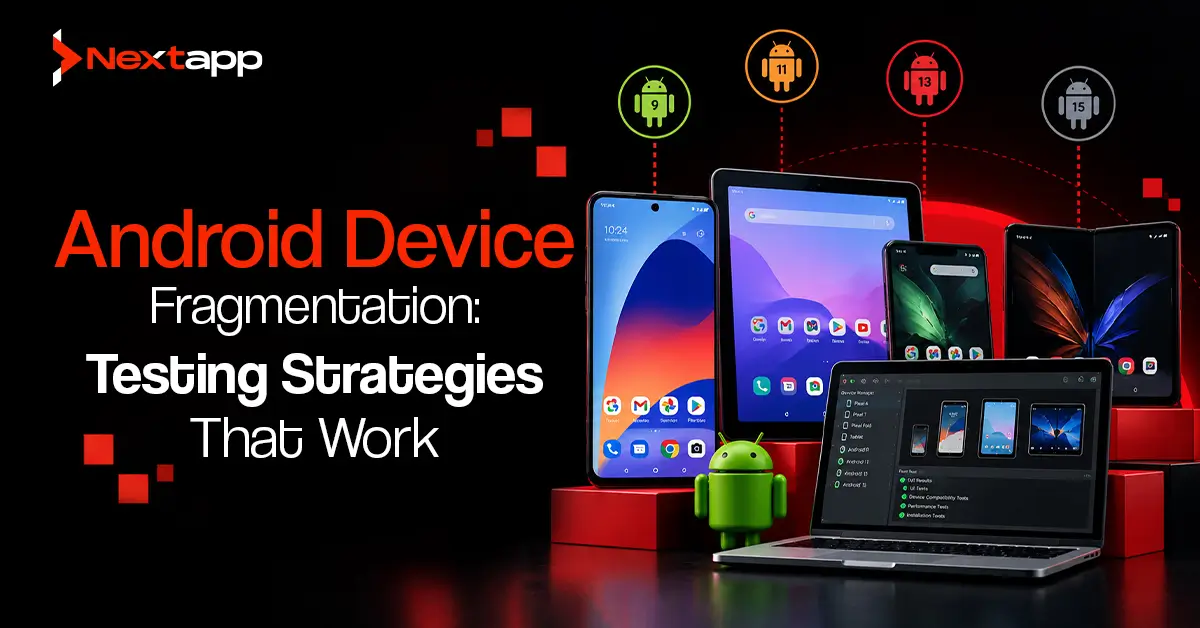
The same application may run on premium phones, budget devices, tablets, foldables, older Android versions, different screen densities, and hardware produced by several manufacturers.
An app that works perfectly on one development phone may behave differently somewhere else.
Buttons may become misaligned. A screen may run slowly on a low-memory device. A manufacturer-specific behavior may affect permissions or background work. A layout may break at an unusual screen size.
Trying to test every Android device is unrealistic for most teams.
Effective Android device fragmentation testing strategies therefore depend on prioritization. The goal is to identify the devices and configurations most likely to expose meaningful risks, automate what can be automated, and continuously improve the test matrix using production data.
What Is Android Device Fragmentation?
Android fragmentation refers to the wide variety of hardware and software configurations that Android applications may encounter.
Differences can include:
- Android version
- Manufacturer
- Screen size
- Screen density
- Memory
- Processor
- Storage
- Device form factor
- Hardware capabilities
Two users may install the same application but experience it under very different conditions.
This does not mean Android development is inherently unreliable.
It means testing needs to reflect the real environment where the application will operate.
Do Not Try to Test Every Android Device
The number of Android configurations makes complete device coverage impractical.
A startup does not need a room containing hundreds of phones before launching an app.
A better question is:
Which devices represent the greatest risk for our users?
Prioritize according to:
- Audience
- Market
- Android versions
- Popular manufacturers
- Screen sizes
- Memory levels
- Business-critical features
A U.S. consumer application may have a different device matrix from a field-service platform deployed on company-owned tablets.
Testing strategy should follow the product rather than a generic list of popular phones.
Build a Tiered Device Matrix
A practical device matrix can be divided into different levels of importance.
Primary Devices
These are the devices or configurations most closely associated with the target audience.
They should receive the most frequent testing.
A primary set might include:
- A recent mainstream Android phone
- A popular Samsung device
- A lower-cost Android phone
- A representative older supported Android version
- A tablet when tablet usage matters
Secondary Devices
These provide broader coverage.
They may represent:
- Less common manufacturers
- Additional Android versions
- Different screen densities
- Older hardware
- Foldables
These devices can receive scheduled regression testing rather than being used for every code change.
Edge Cases
Edge cases test configurations more likely to reveal unusual defects.
Examples include:
- Very small screens
- Large tablets
- Low-memory devices
- Unusual aspect ratios
- Foldable layouts
- Older supported OS versions
Tiering helps teams spend testing resources where they produce the most value.
Use Production Data to Choose Devices
Do not create the device matrix entirely from assumptions.
Once the application has real users, production information becomes one of the best sources for testing priorities.
Review:
- Device models
- Android versions
- Manufacturers
- Crash concentration
- ANR concentration
- Performance differences
The team may discover that a device representing only a small share of users produces a disproportionate percentage of failures.
This is where Android app crash reporting and monitoring tools become particularly valuable.
Monitoring can reveal which device families deserve more testing in the next release cycle.
Use Google Play Device Information
Google Play Console can provide useful information about which devices can install the application and which configurations exist within the wider Android ecosystem.
Teams can use this information to understand characteristics such as:
- Device model
- Android version
- RAM
- Screen characteristics
- Hardware variations
The goal is not to manually purchase every device listed.
Use the information to identify meaningful categories and check whether the current test matrix covers them.
Combine Emulators and Physical Devices
Emulators are extremely useful, but physical devices still matter.
An effective strategy uses both.
Emulators Are Useful For
- Fast developer testing
- Multiple Android versions
- Different screen dimensions
- Automated regression tests
- Reproducing common configurations
They are inexpensive and easy to reset.
Physical Devices Are Useful For
- Real hardware behavior
- Camera testing
- Bluetooth
- Sensors
- Battery behavior
- Manufacturer-specific behavior
- Real performance characteristics
Testing only on physical devices becomes expensive.
Testing only on emulators can miss hardware-related problems.
Use each where it provides the strongest value.
Use Cloud Device Testing for Broader Coverage
Cloud-based testing can expand the device matrix without requiring the business to purchase and maintain every phone.
Services such as Firebase Test Lab allow teams to run tests across Android device configurations remotely.
This can be particularly useful before significant releases.
A budget-conscious strategy might use:
- Local emulator testing during development
- A small physical-device collection for everyday QA
- Cloud testing for wider regression coverage
This provides broader confidence without creating an expensive internal device laboratory.
Test Different Android Versions
Supporting several Android versions introduces another form of fragmentation.
Changes between operating system versions may affect:
- Permissions
- Background behavior
- Notifications
- Storage
- Privacy
- System UI
- Platform APIs
Do not test only the newest Android version.
At minimum, include:
- The newest supported version
- A widely used intermediate version
- The oldest version the application officially supports
The exact selection should reflect the real audience.
Supporting very old versions also creates development and testing costs. Businesses should periodically review whether maintaining those versions still provides enough user value.
Include Lower-Performance Devices
One of the easiest testing mistakes is using only premium phones.
Developers often carry powerful devices with fast processors and plenty of memory.
Real users may not.
A low-cost device can expose:
- Slow startup
- Rendering problems
- Memory pressure
- Large-image issues
- Database delays
- Background-process problems
The guide to Android app performance optimization techniques becomes especially relevant when device testing reveals that the same workflow performs differently across hardware classes.
Optimization should reflect real user devices rather than only development hardware.
Test Screen Sizes and Orientations
Device fragmentation is not only about manufacturers.
Layouts also need to work across different screen dimensions.
Test:
- Small phones
- Standard phones
- Large phones
- Tablets
- Portrait orientation
- Landscape orientation
Responsive layouts should remain usable without:
- Clipped text
- Overlapping controls
- Excessive empty space
- Unreachable buttons
- Broken forms
When larger-screen devices are important to the product, responsive tablet and foldable testing should become part of the regular matrix rather than an occasional visual check.
Test Font Scaling and Accessibility
System settings can change an application even when the physical device stays the same.
Test larger text sizes to make sure:
- Buttons can expand
- Labels remain readable
- Navigation remains usable
- Forms do not overlap
- Dialogs remain functional
Accessibility testing should also include appropriate assistive technologies.
A device matrix that covers many phones but ignores accessibility settings still provides incomplete coverage.
Automate Repetitive Workflows
Manual testing every feature across every selected device can become expensive very quickly.
Automate predictable, high-value workflows where practical.
Examples include:
- Login
- Registration
- Search
- Navigation
- Forms
- Checkout
- Account settings
Teams using traditional Android Views can incorporate Android UI testing with Espresso into this process.
Automation allows the same scenario to be executed across several configurations with less repeated manual effort.
Human QA can then focus on visual problems, usability, unusual device behavior, and exploratory testing.
Prioritize Critical Journeys
Not every feature deserves the same device coverage.
Suppose an e-commerce app includes:
- Product browsing
- Checkout
- Profile editing
- Notification settings
- About page
Checkout failure carries much more business risk than a minor issue on the About screen.
Critical workflows should therefore receive broader device testing.
Lower-risk features can receive narrower coverage.
This risk-based approach keeps fragmentation testing manageable.
Investigate Device-Specific ANRs
An ANR may appear concentrated on specific hardware or Android versions.
Lower-performance devices can expose blocking operations that rarely appear on premium hardware.
When production monitoring identifies these patterns, teams should reproduce the issue on a similar configuration and follow a structured process for debugging and fixing Android ANR errors.
Do not dismiss an ANR merely because it cannot be reproduced on the development team’s newest phone.
The affected user environment matters more.
Include Fragmentation in App Prototyping
Device strategy can begin during app prototyping.
Before finalizing a design, teams can test whether important screens remain usable at different dimensions.
This is particularly valuable for:
- Complex dashboards
- Long forms
- Maps
- Camera interfaces
- Tablet workflows
Early testing can prevent layouts from becoming too dependent on one ideal screen size.
Technical prototypes can also validate hardware-heavy features before the complete application is built.
Cross-Platform Apps Still Need Android Testing
Using Flutter app development does not eliminate Android device fragmentation.
The same is true for React Native app development.
Shared code may reduce development duplication, but the Android build still runs across Android hardware, operating system versions, screen sizes, and manufacturer environments.
A broader cross platform app development strategy should therefore include platform-specific device testing.
Native iOS app development requires its own test matrix because Apple’s hardware and operating-system ecosystem has different characteristics.
One shared codebase does not mean one shared testing environment.
Connect Testing With Store Quality
Device compatibility can affect the entire user journey from installation to long-term usage.
Teams investing in app store optimization should remember that strong store visibility only creates value when the installed product works reliably.
Device-specific crashes, broken layouts, or slow performance may lead to:
- Uninstalls
- Negative reviews
- Lower ratings
- Support requests
Acquisition and quality need to work together.
Keep the Device Matrix Updated
A device matrix should not remain unchanged for years.
Update it using:
- Production device distribution
- Crash data
- ANR reports
- New Android releases
- New device categories
- Customer requirements
Remove configurations that no longer represent meaningful usage.
Add configurations when production data shows increasing adoption or risk.
Testing strategy should evolve with the audience.
Common Android Fragmentation Testing Mistakes
Avoid these problems:
- Trying to test every Android device
- Testing only premium phones
- Using only emulators
- Using only physical devices
- Ignoring older supported Android versions
- Choosing devices without user data
- Running every test on every device
- Ignoring tablets and unusual screen sizes
- Forgetting accessibility settings
- Ignoring device-specific production crashes
- Maintaining the same device matrix indefinitely
- Assuming cross-platform development removes Android-specific testing
Build Coverage Around Risk
Android device fragmentation testing strategies work best when teams stop chasing complete device coverage.
Identify the configurations your users actually rely on. Build a tiered device matrix. Combine emulators, selected physical hardware, cloud testing, automation, and production monitoring.
Critical workflows should receive broader coverage than low-risk features.
Production problems should continuously influence future testing.
Professional Android app development services can help businesses define a realistic device matrix, automate important workflows, integrate cloud testing, investigate device-specific failures, and balance quality against testing costs.
A good Android test strategy does not prove that an application works on every device ever produced.
It provides strong confidence that the application works reliably on the devices and conditions that matter most to its users.
Frequently Asked Questions
What is Android device fragmentation?
Android device fragmentation refers to the wide range of Android versions, manufacturers, hardware specifications, screen sizes, densities, and form factors an application may encounter.
Do Android apps need to be tested on every device?
No. Testing every Android device is unrealistic. Teams should build a representative device matrix based on audience, usage, hardware differences, business risk, and production data.
Are Android emulators enough for testing?
No. Emulators provide fast and inexpensive coverage, but physical devices remain important for real hardware behavior, manufacturer differences, sensors, battery usage, and performance.
What is a device testing matrix?
A device testing matrix is a selected set of Android devices and configurations used to represent important combinations of operating system versions, screen sizes, manufacturers, hardware levels, and form factors.
Can cloud testing reduce Android testing costs?
Yes. Cloud device services can provide access to wider physical and virtual device coverage without requiring companies to purchase and maintain every test device themselves.
How often should an Android device matrix be updated?
Review it regularly and update it when user device distribution, Android versions, crash patterns, product requirements, or important device categories change.