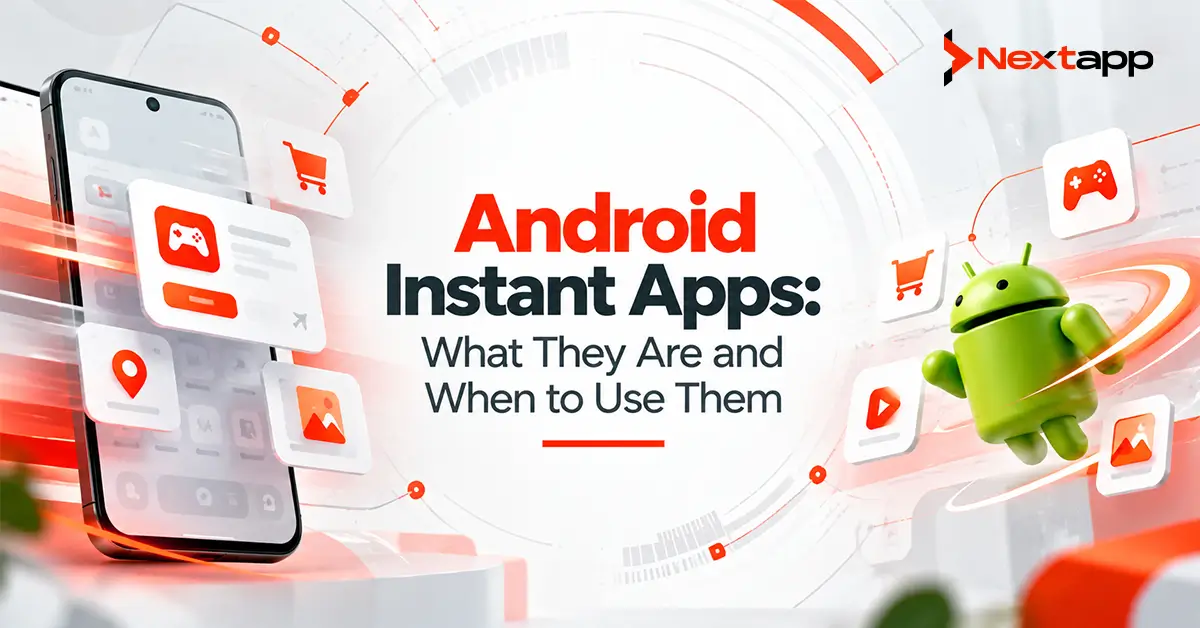
Android Instant Apps were created to solve a simple problem: users often want to experience part of an application without committing to a full installation.
Instead of downloading an entire Android app, a user could tap a supported link and immediately open a lightweight native experience. A restaurant app might show a menu, a parking app might let someone pay for a space, or a game might allow a short trial before installation.
This made Android Instant Apps particularly interesting for businesses trying to reduce the friction between discovery and first use.
However, the Android landscape has changed.
Google discontinued Google Play Instant in December 2025. Developers can no longer publish Instant Apps through Google Play, the supporting Instant APIs are no longer available through Google Play services, and users are no longer served Instant Apps through Play.
For new Android products in 2026, Instant Apps should therefore be understood as a former distribution model rather than a feature teams should begin implementing today.
The underlying product idea still matters.
Businesses still want users to reach useful app experiences with fewer steps. The difference is that current strategies rely more on deep links, optimized installations, web experiences, focused onboarding, and lightweight app architecture.
What Were Android Instant Apps?
Android Instant Apps were native Android experiences that could run without requiring the user to complete a traditional app installation first.
A user might encounter an instant experience through:
A website link
Search
A message
An advertisement
Google Play
Another supported entry point
Instead of downloading the entire application, Android loaded only the components needed for the immediate experience.
The user could interact with native functionality and later choose to install the full application.
The concept was essentially:
Discover
→ open useful app experience
→ interact immediately
→ install full application if valuable
This removed one of the biggest sources of mobile acquisition friction: asking users to install an unfamiliar application before they had experienced any value.
Why Instant Apps Were Attractive
Traditional app acquisition requires several steps.
A user may need to:
Discover the product.
Open Google Play.
Review the listing.
Tap Install.
Wait for the download.
Open the app.
Complete onboarding.
Finally reach the feature they wanted.
Every step creates an opportunity for abandonment.
Instant Apps attempted to shorten that journey.
A user clicking a parking-payment link, for example, did not necessarily want a long-term relationship with the parking company. They simply wanted to pay for parking.
An instant experience could take them closer to the task immediately.
This idea remains useful even though the technology itself has been discontinued.
Modern teams should still ask:
How many unnecessary steps exist between user intent and useful action?
Instant Apps Were Best for Focused Tasks
Instant Apps made the most sense when the user had a clear, immediate objective.
Good historical use cases included:
Paying for parking
Viewing a restaurant menu
Trying part of a game
Browsing a specific retail product
Accessing event information
Booking a service
Viewing shared content
These experiences did not need the complete application.
A user following a link to a specific hotel listing did not need to download every screen, image, and feature in a travel platform before seeing that hotel.
The same principle can still guide modern app design.
Give users the shortest reasonable path to the feature that matches their intent.
Instant Apps Were Less Useful for Complex Products
Some products were never especially well suited to the Instant App model.
Consider an enterprise resource planning application requiring:
Corporate login
Multi-factor authentication
Large data synchronization
Multiple modules
Offline access
Complex permissions
Long-term device storage
The user expects to work inside this product repeatedly.
A temporary lightweight experience offers limited value.
The same can apply to:
Full banking applications
Complex healthcare platforms
Large productivity suites
Employee workflow systems
Apps requiring extensive offline functionality
For these products, a strong installed-app experience is usually more important than reducing the initial installation step.
Google Play Instant Ended in December 2025
The most important fact for current development teams is that Google Play Instant is no longer an active publishing strategy.
Starting in December 2025:
Instant Apps could no longer be published through Google Play.
Google Play services Instant APIs stopped working.
Google Play stopped serving Instant Apps to users.
This means a startup beginning development today should not build its acquisition strategy around Android Instant Apps.
Existing technical articles describing how to configure an instant-enabled App Bundle may still explain how the system historically worked, but they should not be treated as current implementation guidance for a new Play release.
What Should Developers Use Instead?
The end of Instant Apps does not mean businesses need to accept a high-friction user journey.
Several approaches can still help users reach value quickly.
Use Android App Links and Deep Links
Deep linking is one of the most important replacements for the user journey that Instant Apps tried to improve.
Suppose a user receives a link to:
example.com/product/4582
When the Android app is installed, a properly configured App Link can open the relevant product directly inside the app.
Instead of:
Link
→ app home screen
→ search
→ category
→ product
the user gets:
Link
→ product
This dramatically improves the experience for existing users.
For users without the app, the same web destination can provide useful content or direct them toward the installed application.
Google specifically recommends using deep links to send users to relevant journeys and features in regular apps.
Build a Strong Mobile Web Fallback
A web experience can handle many of the lightweight tasks Instant Apps once targeted.
For example, a restaurant may allow users to:
View menus
Check locations
Make reservations
through the mobile web.
The installed Android app can then provide deeper functionality such as:
Loyalty rewards
Personalized ordering
Stored preferences
Push notifications
This creates a more deliberate funnel.
Web
→ immediate task
→ value demonstrated
→ app installation when beneficial
Not every mobile interaction needs to force installation.
Make the Installed App Smaller
Large downloads can discourage installation, particularly in markets with slower connections or limited storage.
Teams evaluating Android App Bundles vs. APK should consider how App Bundles support more efficient Google Play delivery.
With an Android App Bundle, Google Play can generate optimized APKs containing the resources needed for a particular device.
This can reduce unnecessary download size compared with distributing one universal package containing every configuration.
Smaller initial downloads help address part of the friction that Instant Apps were designed to solve.
Use Modular Architecture
Large applications do not necessarily need to deliver every feature immediately.
Android development teams can structure products into modules and use supported Play delivery mechanisms where appropriate.
For example, an app may have:
Core app
→ essential functionality
Additional module
→ advanced editing
Additional module
→ specialized business feature
Additional assets
→ downloaded when required
This allows teams to control initial app size while still supporting a feature-rich installed product.
Modular planning should begin during app prototyping and architecture design rather than being introduced after the application becomes unnecessarily large.
Improve Onboarding
Sometimes the real problem is not installation.
It is what happens after installation.
A user downloads the app and then faces:
Welcome screen
→ account creation
→ email verification
→ permission request
→ tutorial
→ profile setup
→ preferences
→ another tutorial
before reaching the feature they actually wanted.
Reducing onboarding friction can create more value than searching for an alternative distribution technology.
Ask what information is truly required before the user reaches their first useful action.
An effective onboarding flow may allow users to explore first and create an account only when necessary.
Connect Deep Links With Marketing
Deep links are particularly valuable when users arrive through marketing campaigns.
An advertisement promoting a specific feature should lead toward that feature.
For example:
Ad for expense scanning
→ expense scanning screen
is stronger than:
Ad for expense scanning
→ generic home screen
The same principle improves Android app store optimization for Google Play because acquisition messaging and the actual application experience remain consistent.
Users should receive the value they were promised.
Use Google Play Console Analytics to Measure Friction
Teams should use Google Play Console analytics for app growth to understand where users are being lost.
Review:
Acquisitions
Active users
Retention
Ratings
Crashes
ANRs
Then combine Play data with product analytics.
For example:
High listing engagement + weak acquisition
→ listing or installation concern
Strong acquisition + poor activation
→ onboarding concern
Strong activation + weak retention
→ product-value concern
Instant Apps once targeted acquisition friction, but teams should first identify where the actual friction exists.
Consider Monetization After the User Reaches Value
Products using Google Play Billing for in-app purchases and subscriptions should also think carefully about when monetization appears.
A SaaS app that immediately blocks users behind a subscription screen may technically have a smooth installation process but still create major conversion friction.
A stronger journey might be:
Install
→ understand value
→ experience useful functionality
→ encounter premium benefit
→ purchase
The exact model depends on the business, but reducing friction should not be limited to the installation process.
Cross-Platform Apps Need a Shared Acquisition Strategy
Teams using Flutter app development, React Native app development, or broader cross platform app development should avoid building the customer acquisition strategy around a feature that exists only on one platform.
A stronger approach is to define the user journey first.
For example:
Campaign link
→ mobile web fallback
→ deep link into installed Android or iOS app
→ relevant feature
Native iOS app development follows Apple's own linking, installation, and app-distribution systems.
The business goal can remain consistent while each platform implements the journey using its supported technologies.
Instant Apps and App Store Optimization
Historically, Instant Apps offered another way for people to experience app functionality before committing to installation.
Today, app store optimization should focus on reducing uncertainty before and after installation through:
Accurate descriptions
Strong screenshots
Clear product positioning
Good ratings
Smaller downloads
Technical quality
Focused onboarding
Users should understand what they will receive before installing the application.
The better the expectation matches the actual product, the stronger the acquisition quality tends to be.
When Should You Use Android Instant Apps Today?
For a new Google Play project in 2026, you should not.
Google Play Instant has been discontinued.
The more useful question is:
What problem were you hoping Instant Apps would solve?
If the answer is:
Users should reach specific content quickly
Use deep links and Android App Links.
If the answer is:
Users do not want to install before seeing value
Provide a strong mobile web experience.
If the answer is:
The application is too large
Use Android App Bundles, modular architecture, and appropriate Play delivery features.
If the answer is:
Too many users disappear after installation
Improve onboarding and first-use experience.
If the answer is:
Marketing links send users to the wrong place
Build deep-link-driven acquisition journeys.
This problem-first approach produces a much stronger strategy than attempting to recreate a discontinued technology.
The Instant App Idea Still Has Value
Android Instant Apps are no longer a current Google Play distribution option, but the thinking behind them remains relevant.
Users want less friction.
They want to reach useful content quickly.
They do not want to install a large application without understanding its value.
They do not want to navigate through six screens after clicking a link to one specific feature.
Modern Android app development services can address these problems with App Links, optimized App Bundles, modular delivery, mobile web fallbacks, better onboarding, and more focused acquisition journeys.
The technology changed.
The product goal did not.
The best Android experiences still minimize the distance between what the user wants and the moment they receive it.
Frequently Asked Questions
Are Android Instant Apps still available in 2026?
No. Google Play Instant was discontinued in December 2025. Developers can no longer publish Instant Apps through Google Play, and Google Play no longer serves Instant Apps to users.
What were Android Instant Apps?
Android Instant Apps were lightweight native experiences that users could access without first completing a normal app installation. They were designed to let users reach specific functionality quickly.
What should developers use instead of Instant Apps?
Google recommends regular installed apps combined with deep links to specific journeys or features. Businesses can also use mobile web experiences, optimized App Bundles, modular delivery, and streamlined onboarding to reduce friction.
Can deep links replace Instant Apps completely?
Not exactly. Deep links do not run an uninstalled native app. However, they can send existing users directly to relevant app content while a web fallback or store journey handles users who have not installed the application.
Did Android App Bundles replace Instant Apps?
No. Android App Bundles are a publishing format for Android applications. They can help reduce download size and support modular delivery, but they serve a different purpose from the discontinued Instant App experience.
Should an existing content strategy still target the keyword Android Instant Apps?
It can still be useful for informational and historical search intent, but the content should clearly explain that Google Play Instant ended in December 2025. Publishing an implementation guide that presents Instant Apps as an active feature would now be misleading.