Key Takeaways
- Mobile app development is the complete process of designing, building, testing, and deploying software applications for mobile devices including smartphones and tablets.
- What is mobile app development encompasses seven distinct phases: discovery, design, development, testing, deployment, and ongoing maintenance, each with specific outputs and team roles.
- Native development (Swift for iOS, Kotlin for Android) delivers maximum performance and hardware integration. Cross-platform development (Flutter, React Native) reduces costs by 30 to 40% with a single shared codebase for both platforms.
- Flutter commands approximately 46% market share among mobile developers in 2026. React Native maintains strong adoption at approximately 38% due to its JavaScript ecosystem and developer availability.
- Mobile app development is projected to be a $988.5 billion industry by 2035, growing from a current base of approximately $228 billion in 2026.
- UI and UX design are not decorative steps. Poor design is the number one cause of early app abandonment, with 88% of users stating they would not return to an app after a bad experience.
- QA testing in 2026 is continuous throughout development, not a final checkpoint. Teams that test from first build consistently launch with fewer critical bugs than those who test only at completion.
Introduction
There is a mobile app for almost everything in 2026. Banking, fitness tracking, food ordering, gaming, project management, healthcare appointments, retail shopping, and remote work all run on software that lives in your pocket. Behind every one of these experiences is a structured process that transforms an idea into a functional, tested, and deployed product. That process is what mobile web app development describes.
For business owners evaluating whether to build an app, for entrepreneurs planning their first digital product, and for non-technical stakeholders who need to understand what their development team is actually doing, this guide explains what mobile app development is from the ground up. It covers the types of apps, the development approaches, the full production lifecycle, the roles involved, the tools in use, and the decisions that determine whether a mobile app succeeds or fails in 2026.
The mobile app industry is not slowing down. The global mobile app market is projected to reach $988.5 billion by 2035. Mobile apps account for approximately 57% of all internet traffic globally. The average smartphone user has 80 apps installed and actively uses 9 of them daily. Building a product that enters the actively-used category rather than the background-installed category is the ultimate challenge what is mobile app development exists to solve.
What Is Mobile App Development?
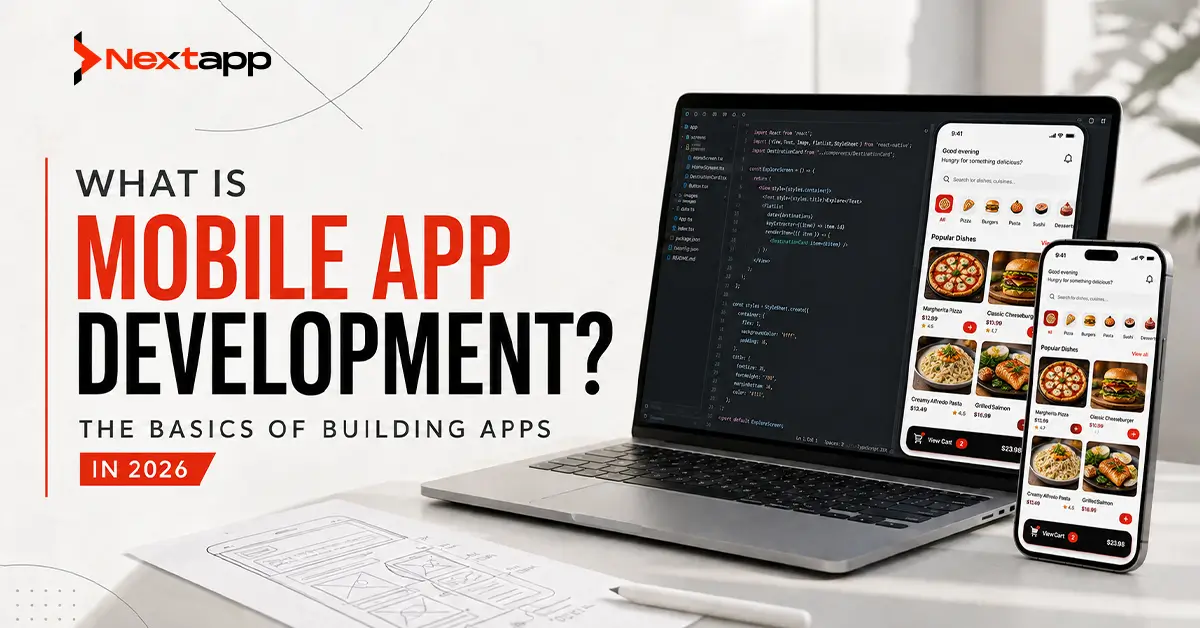
Mobile app development is the process of designing, building, testing, and deploying software applications that run on mobile devices: smartphones, tablets, and wearables. The process begins with a business need or user problem and ends with a live product available for download on the App Store, Google Play, or both.
A mobile app is distinct from a web application. A web application runs in a browser and can be accessed from any device with a browser and an internet connection. A mobile app runs natively on a mobile operating system, accessing device hardware including the camera, GPS, biometric sensors, push notification systems, and offline storage in ways that browser-based applications cannot match. This hardware access is what makes mobile apps capable of experiences that web apps cannot replicate: a fitness tracker that monitors movement in the background, a banking app that authenticates with Face ID, a delivery app that tracks a driver's location in real time.
The output of mobile app development is not just code. It is a product that must pass App Store review, comply with platform policies, perform reliably across hundreds of device configurations, and deliver an experience that retains users beyond their first session. Understanding this full scope is what distinguishes professional mobile app development from amateur tool-building.
How to Start Mobile App Development
Starting mobile app development requires four decisions before any code is written. First, define the problem: what user need does this app address? The best mobile apps solve one problem extremely well rather than solving many problems mediocrely. Second, define the platform: iOS only, Android only, or both simultaneously. Third, define the development approach: native (separate codebases per platform) or cross-platform (single shared codebase). Fourth, define the team: in-house developers, a development agency, offshore freelancers, or a no-code tool for the simplest applications.
These four decisions shape everything that follows: the timeline, the budget, the technology stack, the team structure, and the ultimate product quality. Studios and entrepreneurs who make these decisions based on clear business requirements and documented user research consistently build better products than those who start coding before these fundamentals are settled.
Types of Mobile Apps
Native Apps
Native mobile apps are built specifically for a single operating system using the platform's official programming language and development tools. iOS native apps are written in Swift (or Objective-C for legacy projects) using Xcode on macOS. Android native apps are written in Kotlin (or Java for legacy projects) using Android Studio. Each app is compiled specifically for its target platform's hardware and OS architecture.
React Native development delivers the highest possible performance, the most complete access to platform-specific hardware features, and the most natural feel on each device because the app follows each platform's design guidelines precisely. Face ID authentication, Apple Watch integration, Android widget support, and on-device machine learning through CoreML (iOS) or ML Kit (Android) all work most effectively in native apps. The trade-off is cost: building native on both platforms requires two separate codebases, two development teams, and ongoing parallel maintenance. Native iOS and Android builds together typically cost 1.6 to 2.2 times more than building for a single platform.
Best for: Apps where hardware performance is critical (AR/VR, real-time camera processing, advanced biometrics), enterprise apps with strict security requirements, apps that need the deepest platform integration, and products with budgets that justify the higher dual-platform cost.
Cross-Platform Apps (Flutter, React Native, Kotlin Multiplatform)
Cross-platform mobile app development writes a single shared codebase that compiles to native or near-native applications on both iOS and Android. This approach reduces development costs by 30 to 40% compared to building natively for both platforms separately, accelerates time to market by enabling simultaneous iOS and Android development from the same team, and simplifies long-term maintenance by keeping bug fixes and feature additions in one codebase rather than two.
In 2026, more than 40 to 45% of new mobile applications use cross-platform frameworks for at least part of their architecture. The performance gap between cross-platform and native has nearly closed for standard business applications. Three frameworks dominate the market.
Flutter, developed by Google, commands approximately 46% of cross-platform market share in 2026. It compiles Dart code directly to native ARM machine code and uses its own Impeller rendering engine for pixel-perfect UI. Flutter apps are visually identical across iOS and Android, making it the preferred framework for teams that want maximum design control and brand consistency. Over 164,000 GitHub stars as of early 2026 confirm its developer community strength.
React Native, developed by Meta, holds approximately 38% of cross-platform market share. It renders platform-native UI components using JavaScript and TypeScript, meaning a React Native button looks and behaves identically to a native button on each platform rather than a cross-platform simulation. Its leverage of the vast JavaScript developer ecosystem makes team hiring significantly easier than Flutter for most organizations. Discord, Shopify, and Microsoft Office all run on React Native in production.
Kotlin Multiplatform (KMP) from JetBrains is gaining fast adoption for enterprise apps in 2026. Its approach shares business logic across platforms while keeping native UI for each, delivering the best of both approaches: shared code for data, networking, and state management with fully native UI performance and design compliance on each platform. Best for Android-first teams and enterprises that cannot compromise on UI native fidelity.
Hybrid Apps and Progressive Web Apps
Hybrid apps wrap a web application in a native container using frameworks like Ionic and Capacitor, giving web-based content access to some native device features while maintaining a primarily web-based codebase. Progressive Web Apps (PWAs) are web applications that behave like mobile apps through browser capabilities, supporting offline access, home screen installation, and push notifications without requiring app store distribution. Both approaches are faster and cheaper to build than native or cross-platform but deliver lower performance and more limited hardware access. Best for MVPs, simple content-heavy apps, and businesses with existing web applications that need a basic mobile presence quickly.
The Software Development Life Cycle (SDLC) for Mobile Apps
Understanding what is mobile app development at a process level means understanding the Software Development Life Cycle (SDLC): the structured sequence of phases every professional mobile app project follows from concept through production operation. Most mobile projects follow seven phases.
Phase 1: Discovery and Requirements
Discovery is where the product's foundational decisions are made. The development team, product managers, and stakeholders work together to define the app's purpose, target users, core features, technical requirements, competitive context, and success metrics. The output is a Product Requirements Document (PRD) and a technical specification that gives all team members a common reference for every subsequent decision. Teams that invest adequately in discovery consistently launch better products than those that skip it to begin coding faster. Ambiguous requirements discovered during development cost approximately 30 times more to resolve than ambiguities caught during discovery.
Phase 2: UX Research and Wireframing
User Experience (UX) research validates assumptions about how users think about the problem the app solves. User personas, competitive analysis, and journey mapping inform the wireframing process: creating low-fidelity screen-by-screen blueprints of the app's information architecture and user flows. Wireframes establish navigation patterns, content hierarchy, and interaction logic before visual design begins. Catching flow problems at the wireframe stage costs a fraction of finding them in a coded prototype.
Phase 3: UI/UX Design
User Interface (UI) design transforms wireframes into high-fidelity visual mockups that communicate the app's brand, aesthetic direction, and visual detail. UI designers create every screen in its final visual state, building a complete design system of colors, typography, spacing, iconography, and component styles that developers implement consistently throughout the app. UX design ensures that the visual implementation preserves the usability and flow decisions established in wireframes, testing interactive prototypes before any code is written.
Poor UI/UX design is the single most common cause of early app abandonment. Research consistently shows that 88% of users will not return to an app after a bad experience, and that the most common reasons for abandonment are confusing navigation, slow load times, and visual design that feels misaligned with the app's purpose. Professional UI/UX design is not a cost center. It is a retention investment that determines whether users come back after day one.
Phase 4: Backend Infrastructure and APIs
Most mobile apps are the visible surface of a larger system that handles data storage, user authentication, business logic, third-party service integrations, and real-time data synchronization. The backend is the server-side infrastructure that all of this runs on. Backend development in mobile app projects covers: API design (defining how the mobile app communicates with the server), database architecture (designing where and how data is stored), authentication systems (managing user accounts and security), cloud infrastructure (configuring the servers, storage, and networking that the backend runs on), and third-party integrations (connecting the app to payment processors, analytics platforms, mapping services, push notification systems, and any other external services the app requires).
Backend infrastructure choices in 2026 reflect the maturity of cloud platforms. AWS, Google Cloud, and Microsoft Azure all provide managed services that reduce backend infrastructure management overhead for most mobile app projects. Firebase (Google) is particularly popular for mobile backend services because its iOS and Android SDKs handle authentication, real-time database, push notifications, crash reporting, and analytics through a single integration. For more complex business logic or compliance-sensitive data handling, custom backend development on managed cloud infrastructure is the standard approach.
Phase 5: Frontend Development
Frontend development is the phase most people associate with app development: coding the screens, interactions, animations, and user-facing features that users actually see and touch. Frontend developers implement the UI/UX designs from Phase 3 using the chosen development framework: Swift for iOS native, Kotlin for Android native, Dart for Flutter, JavaScript or TypeScript for React Native. This phase transforms static mockups into working software that connects to the backend APIs defined in Phase 4, handles user input, manages application state, and renders dynamic content.
Frontend development is organized into sprints in Agile development workflows, typically two to four weeks long. Each sprint delivers testable new functionality against a defined milestone. This iterative structure gives stakeholders visibility into progress, creates natural review points for course correction, and prevents the build-everything-then-review problem that waterfall projects historically suffered from.
Phase 6: Quality Assurance and Testing
QA and testing in professional mobile app development is not a final gate before launch. It runs continuously from the first functional build through post-launch maintenance. QA engineers test functionality (does every feature work as specified), performance (does the app run at 60fps without battery drain on mid-range devices), compatibility (does it work on iOS 17, 18, and Android 13, 14, 15 across flagship and mid-range hardware), security (are user data and payment flows protected against known vulnerabilities), and usability (can real users complete core tasks without assistance or confusion).
Automated testing frameworks handle regression testing, catching bugs reintroduced by new code changes across the full feature set without requiring manual re-testing of every feature after every build. Manual testing by human QA engineers remains essential for usability evaluation, edge case discovery, and the kind of contextual judgment that automated scripts cannot replicate. In 2026, AI-assisted testing tools accelerate automated test generation and expand device compatibility coverage without proportionally increasing QA team size.
Phase 7: App Store Submission and Deployment
Submitting an app to the Apple App Store and Google Play Store requires meeting each platform's technical, content, and policy requirements before a release is approved. Apple's App Store Review process takes 1 to 3 business days on average, with some submissions requiring longer review periods for new app categories or sensitive content. Google Play's review process typically completes within hours to 3 business days for most submissions. Both platforms require compliance with privacy disclosure requirements, age rating accuracy, data collection disclosures, in-app purchase policy compliance, and content guidelines.
Post-submission, professional deployment includes staged rollout (releasing to a percentage of users before full deployment to catch critical issues at limited scale), real-time crash monitoring, performance analytics activation, and customer support channel setup. The first 72 hours after a new app launch or major update are the highest-risk operational window, requiring active monitoring and rapid response capability for critical issues.
Phase 8: Post-Launch Maintenance
Launch is the beginning of the product lifecycle, not its conclusion. Post-launch maintenance covers: iOS and Android OS update compatibility (Apple and Google release major OS versions annually, and apps must maintain compatibility or face declining user sessions), feature updates (adding functionality based on user feedback and analytics data), performance optimization (addressing bottlenecks identified through production monitoring), security patches (addressing newly discovered vulnerabilities), and live service operations for apps with social, competitive, or content-delivery features that require ongoing management.
Professional mobile app development plans for post-launch maintenance from the first sprint. Apps built without maintenance cost estimation consistently face budget crises when OS compatibility updates are required or when user-reported bugs require patches that were not budgeted.
Key Roles in Mobile App Development
A complete mobile app development team covers eight specialist roles, though smaller projects frequently combine roles across fewer people.
Product Manager: defines requirements, prioritizes features, and manages the relationship between stakeholder needs and development team capacity. UX Researcher and Designer: maps user needs, validates flows through testing, and designs the interaction architecture. UI Designer: creates the visual system and high-fidelity screen designs. iOS Developer: builds the iOS native or Flutter/React Native frontend. Android Developer: builds the Android native or cross-platform frontend. Backend Engineer: designs and builds the server-side APIs, database, and cloud infrastructure. QA Engineer: designs and executes testing programs across the full development lifecycle. DevOps Engineer: manages the build, deployment, and monitoring infrastructure that keeps the app running in production.
Mobile App Development in 2026: What Has Changed
Three developments have meaningfully changed what is mobile app development in practice for 2026 compared to even two years prior.
AI-assisted development tools now generate boilerplate code, suggest bug fixes, write automated tests, and accelerate UI implementation. GitHub Copilot, Cursor, and similar tools are in active use across most professional development teams, reducing the time required for repetitive coding tasks by 20 to 40% in documented team comparisons. This does not reduce the need for experienced developers. It changes what experienced developers spend their time on.
Cross-platform performance parity has been reached for the large majority of app types. Flutter's Impeller rendering engine and React Native's New Architecture have eliminated the performance bottlenecks that made native-only development a hard requirement for many applications in previous years. The decision between native and cross-platform in 2026 is driven by hardware integration depth and team skill availability, not by a general performance penalty for cross-platform approaches.
Privacy and compliance requirements have significantly increased the engineering complexity of mobile app development. App Tracking Transparency on iOS, Privacy Manifests, Google Play's data safety requirements, GDPR for EU users, and HIPAA for healthcare applications all require deliberate architecture decisions from the first design phase. Apps that ignore compliance requirements face rejection, removal, or regulatory penalties.
How Much Does Mobile App Development Cost?
Mobile app development costs in 2026 range from $10,000 for simple 2D utility apps built by small teams to $5 million or more for complex enterprise applications with advanced features and large user bases. The variables that most directly affect cost are app complexity, platform choice (native dual-platform costs 1.6 to 2.2 times more than single-platform), team location (North American development rates of $100 to $180 per hour versus Eastern European rates of $40 to $80 per hour), backend complexity, and post-launch maintenance requirements.
A realistic budget framework for common app types: simple single-platform utility app, $10,000 to $50,000. Mid-complexity social or marketplace app, $100,000 to $300,000. Enterprise application with custom backend, $200,000 to $800,000. Complex platform or game with ongoing live service, $500,000 to $5,000,000 or more.
Conclusion
Understanding what is mobile app development is the foundation for making every downstream decision correctly: which platform to build on, which development approach to use, how much budget to allocate, which team structure to choose, and how to evaluate the quality of what your development team delivers. Mobile app development in 2026 is a mature, well-documented discipline with established frameworks, proven development lifecycles, and a global talent market that can execute projects at any scale.
The opportunity is larger than it has ever been. The global mobile app market is approaching $1 trillion in projected value by 2035. The apps that capture a meaningful share of that market will be the ones designed for real user needs, built on the right technical foundations, tested thoroughly before launch, and operated with the same care post-launch that was invested in pre-launch production. Every phase of the SDLC described in this guide contributes to that outcome when executed correctly.
If you are ready to build a mobile app and want a development partner that understands the full lifecycle from discovery through live operations, Next Apps delivers mobile app development services across iOS, Android, Flutter, React Native, and full-stack web and backend engineering. We build apps, games, e-commerce platforms, and custom software that are designed to perform, retain users, and grow with your business. Contact our team to start your project today.
Frequently Asked Questions (FAQs)
What is the difference between native and cross-platform development?
Native development builds separate apps for iOS and Android using each platform's official language (Swift for iOS, Kotlin for Android). Cross-platform development (Flutter, React Native) writes one shared codebase that runs on both platforms. Native delivers the highest performance and hardware access. Cross-platform reduces cost by 30 to 40% and accelerates launch with a single team building for both platforms simultaneously.
What programming languages are used in mobile app development?
iOS native development uses Swift. Android native development uses Kotlin. Flutter uses Dart. React Native uses JavaScript and TypeScript. Kotlin Multiplatform uses Kotlin for shared logic. Backend development varies by technology stack: Node.js, Python, Go, Java, and Ruby are all commonly used for mobile app backends depending on team preference and performance requirements.
How long does it take to build a mobile app?
Simple apps with limited features take 3 to 6 months. Mid-complexity apps with social features, marketplace mechanics, or content management take 6 to 12 months. Complex enterprise applications or platform-scale products take 12 to 24 months or more. Timeline is driven by scope, team size, testing thoroughness, and the number of revision cycles required during design and development.
What is the SDLC in mobile app development?
The Software Development Life Cycle (SDLC) is the structured sequence of phases a mobile app project moves through from concept to production. Most mobile projects follow seven phases: discovery, UX research and wireframing, UI/UX design, backend infrastructure, frontend development, QA testing, and App Store deployment. Each phase has specific outputs and team roles.
Do I need both iOS and Android apps?
For most commercial applications, yes. iOS app development services users generate higher average revenue per user in developed markets, while Android app development services benefit from Android's 71% global market share by user volume. Cross-platform frameworks like Flutter and React Native allow you to build for both iOS app development services and Android app development services from a single team and shared codebase, reducing the cost premium of dual-platform development to approximately 15 to 20% above single-platform rather than the 60 to 100% premium that native dual-platform development requires.
What is the difference between UI and UX in app development?
UX (User Experience) design defines how users move through the app: the flows, navigation patterns, information hierarchy, and interaction logic. UI (User Interface) design defines how the app looks: colors, typography, icons, animations, and visual style. Both are essential. Good UX with poor UI frustrates users with ugly, confusing visuals. Good UI with poor UX produces beautiful apps that nobody knows how to navigate.