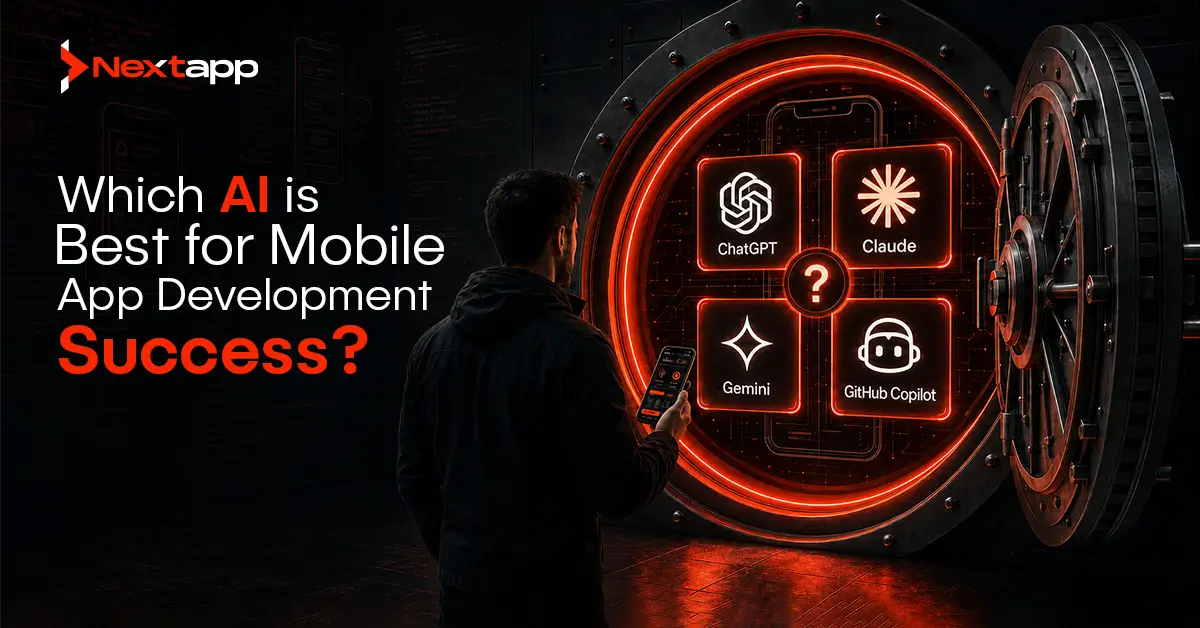
The best AI for mobile app development depends on the task you want to improve. There is no single AI tool that handles every part of app development perfectly. GitHub Copilot is strong for code completion and day-to-day programming support. ChatGPT and Claude are useful for app planning, logic, debugging, documentation, and problem solving. Figma AI and Figma Make are useful for UI generation, prototyping, and design workflows. ML Kit, Core ML, and Firebase Machine Learning help developers add machine learning features inside mobile apps.
So, when business owners and developers ask, “which AI is best for mobile app development,” the most practical answer is this: the best AI is the one that fits your development stage. A startup planning an MVP may need ChatGPT or Claude for product planning. A developer writing code may need GitHub Copilot. A designer creating early screens may need Figma AI. A team adding smart features may need ML Kit, Core ML, or Firebase Machine Learning.
AI can speed up mobile app development, but it does not replace product strategy, user experience design, technical architecture, quality assurance, or human decision-making. The best results come when AI supports a skilled development process.
AI in Mobile App Development: A Simple Overview
AI in mobile app development means using artificial intelligence tools to plan, design, code, test, debug, optimize, and improve mobile applications. These tools can help development teams work faster, reduce repetitive tasks, and explore ideas more efficiently.
AI can support many parts of the app development process. It can generate code, explain errors, create test cases, suggest UI layouts, summarize user feedback, write documentation, generate backend logic, and help teams plan features.
For mobile app development companies offering Android app development, iOS app development, and AR/VR app development, AI can improve delivery speed when used correctly. For business owners, AI can reduce early-stage confusion by helping teams turn rough ideas into clearer product requirements across these services. For developers, AI can act like a coding assistant that speeds up routine work in Android, iOS, and AR/VR app development.
AI is not a shortcut for poor planning. If the app idea is unclear, the user journey is weak, or the technical foundation is unstable, AI will not fix the project by itself. It works best when there is a clear product roadmap and experienced people guiding the process.
Why There Is No Single Best AI for Every App Project
Different AI tools solve different problems. A tool that is excellent for writing code may not be the best choice for UI design. A tool that helps with app planning may not be the best tool for automated testing. A machine learning SDK may help add smart features to an app, but it will not design your product strategy.
This is why the better question is not only “which AI is best for mobile app development.” The better approach is to ask which AI is best for your current development need.
A mobile app project usually includes several stages. These include product planning, wireframing, UI design, frontend development, backend development, API integration, testing, analytics, personalization, and post-launch improvement. AI can support each stage differently.
For example, GitHub Copilot can help a developer write code faster. ChatGPT can help explain logic, plan features, draft user stories, and debug complex problems. Claude can help review longer technical documents or reason through larger codebase questions. Figma AI can help designers explore interface ideas. ML Kit and Core ML can help mobile developers add features such as text recognition, image labeling, and on-device intelligence.
The best mobile app teams do not depend on one AI tool. They create an AI-assisted workflow.
GitHub Copilot for Code Completion and Developer Productivity
GitHub Copilot is one of the most useful AI coding assistants for developers who write code daily. It works inside development environments and suggests code as the developer types. This makes it helpful for repetitive coding tasks, boilerplate generation, function completion, and quick implementation support.
For mobile app development, GitHub Copilot can support iOS, Android, backend, and cross-platform development workflows depending on the language and setup. It can help developers write functions, generate tests, complete syntax, explain unfamiliar code, and reduce time spent on routine patterns.
GitHub Copilot is especially useful when developers already know what they want to build. It is not a replacement for architectural thinking. A developer still needs to review the output, test the code, and make sure the solution fits the app’s requirements.
Best Use Cases for GitHub Copilot
GitHub Copilot works well for AI for code completion, code suggestions, boilerplate code, utility functions, refactoring support, and test writing assistance. It can help speed up development when the team follows clean coding standards.
It is a strong fit for professional developers who want to work faster without leaving their coding environment.
Limitations of GitHub Copilot
GitHub Copilot can suggest code that looks correct but may not always be secure, optimized, or aligned with your architecture. It may also generate code that needs cleanup or human review.
For serious mobile apps, every AI-generated suggestion should be tested. Developers should not accept code blindly, especially for authentication, payments, user data, API security, and business-critical logic.
ChatGPT for App Planning, Logic, Debugging, and Documentation
ChatGPT is useful across many stages of mobile app development. It can help with product planning, feature breakdowns, user stories, technical explanations, debugging, content generation, documentation, and code reasoning.
For early-stage app ideas, ChatGPT can help turn a rough concept into a clearer product roadmap. It can suggest MVP features, user roles, onboarding flows, database structures, API ideas, monetization models, and launch priorities.
For developers, ChatGPT can explain errors, compare technical approaches, review code snippets, and suggest debugging steps. It is also useful for writing documentation, release notes, app store descriptions, and technical briefs.
Best Use Cases for ChatGPT
ChatGPT is helpful for app prototyping ideas, feature planning, user journey mapping, AI for debugging, code explanation, API planning, and content creation inside app workflows.
It is also useful for non-technical founders who need help understanding development decisions before speaking with a mobile app development company.
Limitations of ChatGPT
ChatGPT can make mistakes if the prompt is vague or if it does not have enough project context. It may suggest generic solutions if the app requirements are unclear.
For code and architecture, ChatGPT should support the developer’s thinking, not replace professional review.
Claude for Longer Reasoning, Codebase Questions, and Technical Clarity
Claude is useful for reasoning through larger technical problems, reviewing longer documents, and helping teams think through complex app requirements. Claude Code is designed for agentic coding workflows and can help developers work with codebases, debug issues, and manage coding tasks.
Claude can be useful when a team needs to analyze long requirements, compare implementation approaches, or review larger chunks of technical content. It is also strong for structured writing, documentation, and careful explanation.
For mobile app development, Claude can help with app logic, feature flows, code review support, architecture discussion, and technical documentation.
Best Use Cases for Claude
Claude is useful for product planning, technical reasoning, documentation, requirements review, codebase understanding, and debugging support.
It can be a strong fit for teams that need an LLM-based development tool for deeper analysis and clearer technical communication.
Limitations of Claude
Claude still needs human review. Developers should test outputs and confirm that the suggested approach fits the app’s stack, architecture, and security requirements.
AI-generated technical advice should always be validated before implementation.
Figma AI and Figma Make for UI Generation and App Prototyping
Figma is already a major tool in UI and UX design. Figma AI and Figma Make add AI support for design exploration, prototyping, and faster iteration. These tools can help teams move from idea to visual direction more quickly.
For mobile app development, AI for UI generation can be useful during early planning. A team can explore screen ideas, layout directions, onboarding flows, and design concepts before committing to a full design system.
Figma also supports collaboration between designers, developers, product teams, and stakeholders. This makes it valuable for design-to-code workflows and app prototyping.
Best Use Cases for Figma AI
Figma AI is useful for UI ideas, quick layout exploration, prototype creation, design iteration, and visual brainstorming. It helps teams test design direction earlier in the process.
For startups and growing brands, this can reduce the time spent moving from concept to first visual draft.
Limitations of Figma AI
AI-generated designs still need a professional designer’s review. Mobile app UI must consider accessibility, responsive behavior, platform guidelines, spacing, touch targets, brand identity, and user flow clarity.
A good-looking screen is not automatically a good user experience.
Midjourney and DALL-E for Visual Assets and Creative Direction
Midjourney and DALL-E can help create visual inspiration, concept art, moodboards, illustrations, icons, and campaign-style assets. These tools are not mobile app development tools in the strict technical sense, but they can support creative direction.
For apps with strong visual identity, such as fitness apps, learning apps, kids’ apps, gaming apps, wellness apps, or storytelling apps, image-generation tools can help teams explore styles quickly.
They can also support early branding discussions before final design assets are created.
Best Use Cases for Image Generation Tools
Midjourney and DALL-E are useful for app moodboards, visual concepts, illustration directions, onboarding graphics, marketing visuals, and creative exploration.
They are best used before final production design, not as a replacement for a full UI/UX design process.
Limitations of Image Generation Tools
Generated images may need editing, licensing review, brand adjustment, and design cleanup. These tools are not ideal for creating complete production-ready app interfaces.
A designer should refine any AI-generated asset before it becomes part of the final app.
AI for Backend Generation and API Integration
AI can also help with backend planning and API integration. Tools like ChatGPT, Claude, and GitHub Copilot can assist developers in writing backend logic, generating sample API routes, planning database schemas, explaining authentication flows, and creating integration examples.
For mobile apps, the backend is often where important business logic lives. It may handle user accounts, payments, notifications, admin panels, content management, analytics, subscriptions, and third-party integrations.
AI can speed up backend work, but backend code must be reviewed carefully. Security, scalability, privacy, and performance matter too much to rely on AI output without testing.
Best Use Cases for Backend AI Support
AI can help generate API examples, create backend function drafts, explain database relationships, write validation logic, and suggest integration steps.
It is useful for accelerating development when an experienced backend developer is guiding the process.
Limitations of AI Backend Generation
AI may not understand the full production environment. It may miss edge cases, security concerns, rate limits, error handling, or infrastructure requirements.
Developers should use AI as an assistant, not as the final authority.
AI for Test Automation and Debugging
AI for test automation is becoming more important in mobile app development. Testing tools can help create test cases, detect bugs, generate automated test scripts, and identify issues faster.
Mobile apps need testing across devices, screen sizes, operating system versions, network conditions, user flows, and edge cases. AI-powered testing automation tools can support QA teams by speeding up repetitive checks and helping identify patterns.
AI for debugging can also help developers understand error messages, trace logic problems, and explore possible fixes.
Best Use Cases for AI Testing Tools
AI testing tools are useful for regression testing, UI testing, test case generation, bug detection, performance checks, and repetitive QA workflows.
They can be especially helpful for larger apps that require frequent releases.
Limitations of AI Testing Tools
AI testing does not replace manual QA. Human testers are still needed to evaluate usability, emotional experience, visual quality, confusing flows, and real-world behavior.
A test can pass technically while the user experience still feels poor.
ML Kit, Firebase Machine Learning, and Core ML for Smart App Features
Some mobile apps need built-in machine learning features. This is where tools such as ML Kit, Firebase Machine Learning, and Core ML become useful.
ML Kit helps developers add machine learning features to Android and iOS apps. It can support use cases such as text recognition, image labeling, object detection, and face detection. Core ML helps iOS developers integrate machine learning models into Apple apps. Firebase Machine Learning can support custom model deployment and related machine learning workflows.
These tools are different from coding assistants. They help add AI features inside the app itself.
Best Use Cases for Mobile ML Tools
ML Kit, Firebase Machine Learning, and Core ML are useful for apps that need image recognition, text scanning, object detection, personalization, smart recommendations, or on-device intelligence.
They are often used in ecommerce, healthcare, education, fitness, finance, productivity, and media apps.
Limitations of Mobile ML Tools
Machine learning features need careful planning. Developers must consider model accuracy, device performance, privacy, offline behavior, latency, and user experience.
Adding AI features only for the sake of trend value can make the app more complex without improving usefulness.
AI for Analytics and Personalization
AI for analytics and personalization helps app owners understand user behavior and improve engagement. Predictive analytics for user behavior can help identify patterns such as churn risk, feature usage, purchase intent, and content preferences.
Personalization can improve user experience by showing relevant recommendations, reminders, offers, or content based on behavior. For example, a learning app can suggest lessons based on progress. A shopping app can recommend products. A fitness app can suggest routines based on goals.
AI can help apps feel more relevant, but personalization should be used responsibly. Users should understand how their data is being used, and sensitive information should be protected.
AI Tool Comparison Criteria for Mobile App Development
Choosing the right AI tool requires more than looking at popularity. A business should compare tools based on use case, integration, accuracy, reliability, security, cost, and team skill level.
The first criterion is purpose. Does the tool support coding, design, testing, backend development, analytics, or machine learning features?
The second criterion is accuracy and reliability. AI output should be consistent enough to support real work. If the tool produces too many weak suggestions, it may slow the team down.
The third criterion is security and privacy. Mobile apps often involve user data, business logic, APIs, and proprietary code. Teams should understand what data is shared with AI tools and how that data is handled.
The fourth criterion is cost. The cost of AI tools can vary based on plan, users, usage, and business needs. Teams should compare cost against productivity gains.
The fifth criterion is workflow fit. A tool is more valuable when it fits naturally into the team’s existing design, coding, testing, or deployment process.
Best AI by Use Case for Mobile App Development
The best AI for mobile app development depends on the task.
For code completion, GitHub Copilot is one of the strongest options because it works directly in the developer workflow.
For app planning, feature breakdowns, logic explanation, and debugging support, ChatGPT and Claude are strong choices.
For UI generation, prototyping, and design-to-code workflows, Figma AI and Figma Make are useful.
For creative visuals, app moodboards, and illustration ideas, Midjourney and DALL-E can support the design direction.
For test automation, AI-powered testing automation tools can support QA and regression testing.
For machine learning features inside apps, ML Kit, Core ML, and Firebase Machine Learning are better suited than general chatbot tools.
For analytics and personalization, AI tools connected to app analytics platforms can help teams understand user behavior and improve retention.
Cost of AI Tools in Mobile App Development
The cost of AI tools depends on the platform, plan, number of users, usage level, and business requirements. Some tools charge per user. Some charge based on usage. Some are included inside larger software ecosystems.
A small startup may begin with one or two tools, such as ChatGPT for planning and GitHub Copilot for development. A larger team may use several AI tools across design, coding, testing, analytics, and support.
The important point is not to buy every AI tool available. Start with the tools that solve your biggest bottlenecks. If your team struggles with code speed, focus on AI coding assistants. If your early app direction is unclear, use AI for product planning and prototyping. If quality assurance slows every release, consider AI-powered testing tools.
Security and Privacy Considerations
Security and privacy should be taken seriously when using AI in mobile app development. Teams should avoid pasting sensitive user data, private keys, passwords, confidential business information, or proprietary code into tools without understanding the platform’s data policies.
Mobile apps often handle personal data, financial information, health details, location data, and login credentials. AI tools must be used within a clear security process.
Development teams should create internal rules for AI use. These rules should explain what can be shared, what cannot be shared, who can use the tools, how outputs are reviewed, and how AI-generated code is tested.
Security matters more when the app belongs to a regulated industry such as healthcare, finance, insurance, education, or enterprise software.
Accuracy and Reliability of AI-Generated Work
AI can be fast, but it is not always correct. AI-generated code may contain bugs. AI-generated designs may ignore accessibility. AI-generated test cases may miss important user flows. AI-generated product ideas may sound useful but fail in real-world use.
This is why human review is essential. Developers should test code. Designers should review layouts. Product managers should validate features. QA teams should test real scenarios.
AI improves productivity when it supports skilled professionals. It becomes risky when teams treat AI output as final without review.
How to Build an AI-Assisted Mobile App Development Workflow
A strong AI-assisted workflow starts with planning. Use ChatGPT or Claude to clarify the app idea, define user roles, list MVP features, and identify possible technical risks.
Next, use Figma AI or Figma Make to explore UI concepts and create early prototypes. Designers can refine those ideas into a proper mobile app design system.
During development, use GitHub Copilot to speed up code completion and reduce repetitive work. Developers can use ChatGPT or Claude to debug errors, compare architecture choices, and document logic.
During testing, use AI-powered testing automation tools to support QA. Use analytics and personalization tools after launch to understand user behavior and improve the product.
For apps that need smart features, use ML Kit, Core ML, or Firebase Machine Learning to add machine learning capabilities.
This approach lets AI support the full app development cycle without replacing expert judgment.
Final Answer: Which AI Is Best for Mobile App Development?
The best AI for mobile app development depends on the specific job. GitHub Copilot is best for code completion and developer productivity. ChatGPT and Claude are best for planning, logic, debugging, documentation, and technical explanation. Figma AI and Figma Make are best for UI generation, prototyping, and design workflows. Midjourney and DALL-E are useful for creative assets and moodboards. ML Kit, Core ML, and Firebase Machine Learning are best for adding machine learning features inside mobile apps.
For most teams, the best approach is not choosing one AI tool. The best approach is building a practical AI stack that supports product planning, UI design, code development, backend logic, testing, analytics, and personalization.
AI can help mobile app teams move faster, but success still depends on clear strategy, strong design, secure development, proper testing, and continuous improvement after launch.
Frequently Asked Questions
Which AI is best for mobile app development?
The best AI depends on the task. GitHub Copilot is strong for coding. ChatGPT and Claude are useful for planning, debugging, and technical reasoning. Figma AI is useful for UI design and prototyping. ML Kit, Core ML, and Firebase Machine Learning are useful for adding AI features inside mobile apps.
Can AI build a complete mobile app?
AI can help generate parts of a mobile app, including code, design ideas, backend logic, test cases, and documentation. However, a complete production-ready app still needs human planning, development, testing, security review, and deployment.
Is GitHub Copilot good for mobile app developers?
Yes, GitHub Copilot can help mobile app developers write code faster, complete functions, generate suggestions, and reduce repetitive coding work. Developers still need to review and test the code carefully.
Can ChatGPT help with mobile app development?
Yes, ChatGPT can help with app planning, feature ideas, user stories, debugging, code explanation, API planning, documentation, and technical decision-making. It works best when given clear project context.
What AI tools help with UI design for apps?
Figma AI and Figma Make can help with UI generation, prototypes, and design workflows. Midjourney and DALL-E can support visual direction, moodboards, illustrations, and creative assets.
What AI tools are best for adding smart features to mobile apps?
ML Kit, Core ML, and Firebase Machine Learning are useful for adding machine learning features such as text recognition, image labeling, object detection, personalization, and on-device intelligence.
Are AI coding tools safe to use?
AI coding tools can be safe when used with proper review. Teams should avoid sharing sensitive data, review AI-generated code, test outputs, and follow security best practices before using code in production.