Key Takeaways
- Yes, Python can be used for mobile app development, but not natively. Python requires specific frameworks to bridge its code to Android and iOS environments.
- The two primary frameworks are Kivy (cross-platform, custom UI, GPU-accelerated rendering) and BeeWare (cross-platform, native UI components via the Toga toolkit and Briefcase packaging tool).
- Python is not natively supported by iOS or Android. It cannot be deployed directly to either platform without a framework-level translation layer that converts Python code to platform-compatible binaries.
- Python’s strongest mobile use case is AI and ML integration. 51% of developers globally used Python in 2024 (Statista), and its libraries (TensorFlow, PyTorch, scikit-learn) make it the dominant language for on-device intelligence.
- Performance is Python’s primary limitation for mobile. It runs 5 to 10 times slower than compiled languages like Swift or Kotlin for CPU-intensive operations, which disqualifies it for high-frame-rate games, AR applications, and complex real-time animations.
- The most practical Python mobile architecture in 2026 combines a Flutter or React Native frontend with a Python backend (Django, FastAPI, or Flask), delivering native UI performance with Python’s data processing and AI capabilities at the server layer.
- BeeWare is better for apps requiring native iOS or Android look and feel. Kivy is better for apps with custom UI, multi-touch interfaces, and graphically rich content like games or media players.
Introduction
Python is the world’s most popular programming language, used by 51% of developers globally according to Statista 2024 data. It powers everything from web backends and data science pipelines to machine learning models and automation scripts. The natural question for any developer who knows Python is: can Python be used for mobile web app development?
The direct answer is yes, but with important context. Python is not natively supported by Android or iOS. Neither platform can interpret Python code directly. Building a mobile app for iOS app development services and Android app development services with Python requires a framework that translates Python code into a format each platform can run. Two frameworks currently serve this role professionally: Kivy and BeeWare. Both are production-capable. Both have significant limitations compared to native alternatives. And both serve specific use cases where Python is the right language choice despite those limitations.
This guide covers the complete picture of Python for mobile app development in 2026: how the frameworks work, where Python performs well, where it falls short, how it compares to Swift and Kotlin, and when choosing Python for mobile is the right technical decision versus when native or cross-platform alternatives serve the project better.
Why Python Is Not Natively Supported on Mobile
Android’s runtime (ART) executes bytecode compiled from Kotlin or Java. iOS’s runtime executes binaries compiled from Swift or Objective-C. Python is an interpreted language. Its runtime interpreter is not part of either mobile platform’s standard execution environment. This means a Python script cannot be submitted to the App Store or Google Play and executed as-is.
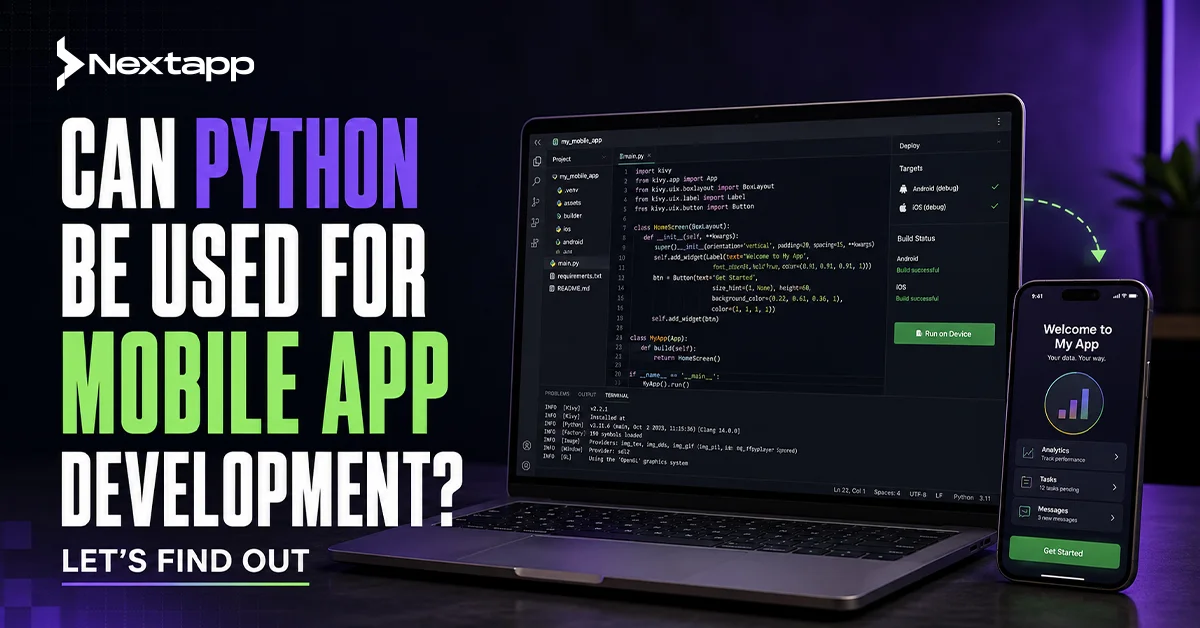
Frameworks like Kivy and BeeWare solve this problem through different technical approaches. Kivy bundles the Python interpreter and your application code into a single deployable package that each platform can execute. BeeWare uses a set of bridge tools (Rubicon-ObjC for iOS, VOC and Chaquopy for Android) to convert Python code into native platform binaries that execute under each platform’s standard runtime. The result in both cases is a deployed mobile app, but the mechanism and the output characteristics differ significantly.
Kivy: Python’s Most Established Mobile Framework
Kivy is an open-source Python framework for building cross-platform GUI applications with a focus on multi-touch interfaces and graphically rich content. It supports deployment to iOS, Android, Windows, Linux, and macOS from a single Python codebase. Its GPU-accelerated rendering engine delivers smooth animations and complex visual interfaces that standard Python GUI libraries cannot produce.
How Kivy Works
Kivy provides its own UI toolkit with buttons, layouts, animations, and touch-responsive widgets. It does not use the native UI components of iOS or Android. This means a Kivy app’s interface looks the same on both platforms but does not follow either platform’s native design language. On iOS, a Kivy button does not look like an iOS button. On Android, a Kivy text field does not match Android’s Material Design specification.
This cross-platform visual consistency is Kivy’s core design choice. For certain use cases, this is an advantage. Games, media players, creative tools, and educational apps with custom visual designs do not need to match platform UI conventions. For productivity apps, business tools, or consumer apps where users expect native platform behavior and visual consistency, the non-native UI is a significant disadvantage that affects user perception of app quality.
Kivy Strengths
Kivy excels in four areas: multi-touch interface support for touchscreen-centric applications, GPU-accelerated graphics rendering for smooth animations and visual complexity, cross-platform reach from a single Python codebase, and a large established community with tutorials, documentation, and active maintenance. It is the more mature of the two major Python mobile frameworks, with a stable codebase and predictable API.
Kivy Limitations
Kivy’s limitations are its non-native UI, steeper learning curve compared to BeeWare, limited native API access (camera, GPS, biometrics, and other device hardware require platform-specific wrappers), and the performance overhead of bundling the Python interpreter with each app deployment, which increases app size and startup time.
BeeWare: Python Mobile Development with Native UI
BeeWare is a collection of tools for writing native applications in Python. Its primary component is Toga, a native widget toolkit that generates platform-specific UI components: iOS buttons that look and behave exactly like iOS buttons, Android menus that follow Material Design guidelines, macOS menus that integrate with the Apple menu bar. BeeWare’s Briefcase tool handles packaging and deployment to each target platform.
How BeeWare Works
BeeWare uses bridge libraries to communicate between Python code and each platform’s native runtime. Rubicon-ObjC bridges Python to iOS’s Objective-C runtime, giving Python access to Apple’s UIKit framework and native iOS UI components. For Android, BeeWare uses Chaquopy to execute Python within the Android JVM environment. The result is an app that accesses native UI elements and platform APIs directly, rather than rendering a custom Python UI layer on top of the platform.
BeeWare Strengths
BeeWare’s primary advantage is native UI compliance. Apps built with BeeWare look and behave exactly like apps built with Swift or Kotlin from a user perspective. They follow platform-specific accessibility standards, respond correctly to system-level gestures, and integrate with platform features like Siri Shortcuts and Android Back navigation as expected by users familiar with each platform. BeeWare is also more Pythonic in its API design, making it more approachable for developers transitioning from web or data science Python backgrounds.
BeeWare Limitations
BeeWare is a younger framework with a smaller community than Kivy. Its tooling is still maturing, and some native API access requires platform-specific code that partially negates the single-codebase advantage. Deployment configuration, especially for iOS, requires macOS with Xcode installed, which creates environment constraints for Windows-based Python developers. The pace of API changes in BeeWare’s development cycle also creates more migration overhead between major framework versions than Kivy’s more stable codebase.
Python for Android App Development
Python for Android is possible through two pathways. The Kivy pathway packages Python with the Kivy framework into an Android APK using Buildozer, a command-line tool that handles the compilation and packaging process. The BeeWare pathway uses Chaquopy or Briefcase to embed Python within the Android application runtime, with Toga providing the native Android UI components.
Additional Android-specific Python tools include QPython, which runs Python scripts directly on Android devices, and Pydroid 3, which provides a Python IDE and runtime on Android. These are developer tools rather than production deployment frameworks and are not suitable for distributing apps to end users through the Google Play Store.
For production Python Android app development, the Kivy and BeeWare pathways are the two viable options. Kivy delivers more proven deployment stability for complex apps. BeeWare delivers native Android UI compliance for apps where Material Design adherence matters.
Python for iOS App Development
Python for iOS is more constrained than Android due to Apple’s stricter application sandbox requirements. The Kivy framework supports iOS deployment, but the process requires macOS with Xcode, Apple developer account credentials for device testing, and the Kivy-ios toolchain for compilation. The resulting app bundles the Python interpreter, which increases app size and is subject to App Store review scrutiny.
BeeWare’s Rubicon-ObjC library provides the most seamless Python-to-iOS integration available, bridging Python code directly to Apple’s Objective-C runtime and UIKit framework. This gives Python apps genuine access to native iOS UI components, accessibility features, and platform APIs without requiring Swift code. The Briefcase tool handles the Xcode project generation and signing workflow required for App Store submission.
Apple does not permit interpreter-based language runtimes as the primary application execution environment under certain App Store guidelines. Both Kivy and BeeWare navigate this restriction through their respective compilation approaches, but App Store submission for Python-based iOS apps requires careful compliance verification that is not required for Swift-based native apps.
Performance Limitations of Python for Mobile Development
Performance is the most significant limitation of Python for mobile app development. Python is an interpreted language. It executes code 5 to 10 times slower than compiled languages like Swift (iOS) or Kotlin (Android) for CPU-intensive operations. This performance gap manifests most severely in three scenarios: high-frame-rate animation and gaming, real-time sensor data processing, and complex mathematical computation in the main UI thread.
For apps where the core experience involves smooth 60fps animations, physics simulations, or real-time camera processing, Python’s performance ceiling is a practical disqualification. The mobile gaming category, augmented reality applications, and real-time video filter apps are all outside Python’s viable performance envelope for mobile.
For apps where UI interactions are standard (tapping, scrolling, form input) and computational intensity is low or server-side, Python’s performance limitation is manageable. Business tools, content consumption apps, and AI-assisted features that offload processing to a Python backend rather than running on-device are all within Python’s viable range for mobile deployment.
Python’s Mobile Advantage: AI and ML Integration
Python’s strongest competitive advantage for mobile development is its ecosystem of AI and machine learning libraries. TensorFlow Lite, PyTorch Mobile, scikit-learn, and NumPy are all accessible from Python environments, making Python the most direct path to integrating trained machine learning models into a mobile application.
For apps where the core value proposition is AI-powered functionality, image classification, natural language processing, recommendation engines, anomaly detection, the workflow of training the model in Python and deploying it to the mobile app as a TensorFlow Lite or ONNX model is more direct in Python than in Swift or Kotlin, which require additional bridging layers to consume Python-trained model outputs.
This advantage is most efficiently realized through the hybrid architecture described in the next section: Python handles the AI logic on the backend or as an embedded model, while Flutter or React Native handles the user interface. This combines Python’s AI ecosystem strength with native mobile performance, where users can see and feel the difference.
The Hybrid Architecture: Python Backend with Native Frontend
The most practical and widely adopted approach to Python mobile app development in 2026 is not building the full app in Python. It is using Python for what it does best (backend logic, AI integration, data processing, API management) while using Flutter or React Native for what native frameworks do best (performant, platform-consistent mobile UI).
This hybrid approach uses Django, FastAPI, or Flask as the Python backend, exposing REST or GraphQL APIs that the mobile frontend consumes. The Python backend handles authentication, database queries, machine learning model inference, third-party service integrations, and business logic. The Flutter or React Native frontend handles all UI rendering, user interaction, and device hardware access. The result is a product that has the power of Python’s ecosystem without the performance and UI limitations of running Python natively on the mobile device.
This is the architecture that most large-scale apps implicitly use. Instagram, Pinterest, and Spotify all use Python backends powering their mobile frontends. The mobile apps themselves are native (Swift for iOS, Kotlin for Android), but the intelligence, personalization, and data processing that powers those native UIs runs on Python servers.
Python vs Swift and Kotlin: Direct Comparison
Cross-platform support: Python with Kivy or BeeWare supports both iOS and Android from one codebase. Swift is iOS-only. Kotlin is the preferred Android language but also supports Kotlin Multiplatform for cross-platform business logic sharing. Performance: Swift and Kotlin execute compiled code directly on each platform’s runtime, delivering 5 to 10x faster CPU performance than interpreted Python for identical operations. Python’s performance gap is measurable in benchmarks and perceptible in CPU-intensive user interactions. Native API access: Swift provides full direct access to all Apple iOS APIs with zero bridging overhead. Kotlin provides full direct access to all Android APIs. Python requires bridging layers (Rubicon-ObjC, Chaquopy) that restrict or complicate access to some native APIs. Community support: Python has 51% global developer adoption (Statista 2024). Swift and Kotlin have smaller but highly active mobile-specific communities with better documentation coverage for mobile-specific challenges. AI/ML integration: Python wins decisively. Its AI and ML library ecosystem is unmatched. Swift and Kotlin both have growing ML toolkits (CoreML, ML Kit) but require significant adaptation to consume Python-trained models directly.
Use Cases Where Python Makes Sense for Mobile Development
Rapid prototyping: Python’s development speed advantage over Swift or Kotlin makes it effective for building functional proof-of-concept apps that validate a concept before committing to native development. A working Kivy or BeeWare prototype takes days versus weeks for an equivalent native build. AI-first applications: Apps where the primary value is machine learning inference and the UI is a relatively simple presentation layer are well-served by Python, particularly when the ML model can run server-side via a Python API. Data visualization tools: Scientific, research, and analytics apps where the primary user interaction is viewing charts and data tables rather than performing complex animations benefit from Python’s strong data visualization library ecosystem (matplotlib, Plotly) combined with Kivy’s rendering capabilities. Internal enterprise tools: Low-traffic internal apps for data entry, inventory management, or field service operations where UI polish is not a primary requirement and Python development resources are available in-house. Educational apps for Python learners: Apps designed to teach Python programming or demonstrate Python concepts have an obvious alignment with Python-based development.
Conclusion
The answer to can Python be used for mobile app development is yes, with the right frameworks and realistic expectations. Kivy and BeeWare make Python-based mobile development viable for specific use cases. Python’s performance limitations disqualify it from high-performance gaming, AR, and real-time intensive applications. Its AI and ML ecosystem advantage makes it the strongest language for building the intelligence layer of AI-powered mobile apps, even if the frontend itself is built in Flutter or Swift.
For developers who know Python and want to build mobile apps, the most productive path in 2026 is the hybrid architecture: Python backend for data processing, AI inference, and API logic, combined with Flutter or React Native for the mobile UI. This combination delivers the full power of Python’s ecosystem without the limitations that come from running Python natively on a constrained mobile device.
If you are building a mobile app and want to discuss the right technology stack for your specific requirements, Next Apps builds mobile apps across iOS, Android, Flutter, React Native, and Python-powered backend architectures. Our team selects the right technology for your project’s specific performance, timeline, and scalability requirements. Contact us to start the conversation.
Frequently Asked Questions (FAQs)
Can Python be used to build iOS apps?
Yes, using BeeWare (with Rubicon-ObjC and Briefcase) or Kivy (with the Kivy-ios toolchain). Both require macOS with Xcode for the compilation and signing process. The resulting apps can be submitted to the App Store, but the deployment process is more complex than Swift-based iOS development and requires careful App Store guideline compliance verification.
Can Python be used for Android app development?
Yes, using Kivy with Buildozer or BeeWare with Briefcase and Chaquopy. Both produce APKs suitable for Google Play distribution. Kivy has more established Android deployment documentation. BeeWare delivers native Android UI components via Material Design-compliant Toga widgets.
Is Python good for game development on mobile?
Python is suitable for simple 2D games with Kivy’s GPU-accelerated rendering engine. It is not suitable for high-performance 3D games, real-time multiplayer games, or any game requiring sustained 60fps frame rates with complex physics. For serious mobile game development, Unity (C#) or Unreal Engine (C++) are the professional standards.
How does Python compare to Flutter for mobile development?
Flutter outperforms Python for mobile development in almost every practical dimension: UI performance, native platform compliance, App Store/Google Play deployment reliability, community documentation, and corporate backing (Google). Python’s advantage is AI/ML ecosystem depth and backend integration. The most effective approach for AI-powered apps is combining Flutter frontend with Python backend rather than building the full mobile app in Python.
What is the best Python framework for mobile app development?
Kivy is the better choice for apps with custom UI designs, multi-touch interfaces, graphically rich content, and gaming. BeeWare is the better choice for apps requiring native iOS or Android look and feel, productivity tools, and business apps where matching platform UI conventions improves user acceptance.
Is Python suitable for enterprise mobile app development?
Python is suitable as the backend language for enterprise mobile apps. For enterprise-grade iOS or Android app development, Swift and Kotlin respectively, remain the professional standards. Enterprise mobile apps built on Python frameworks for the frontend face limitations in native API access, performance, and App Store compliance that Swift or Kotlin builds do not.