Key Takeaways
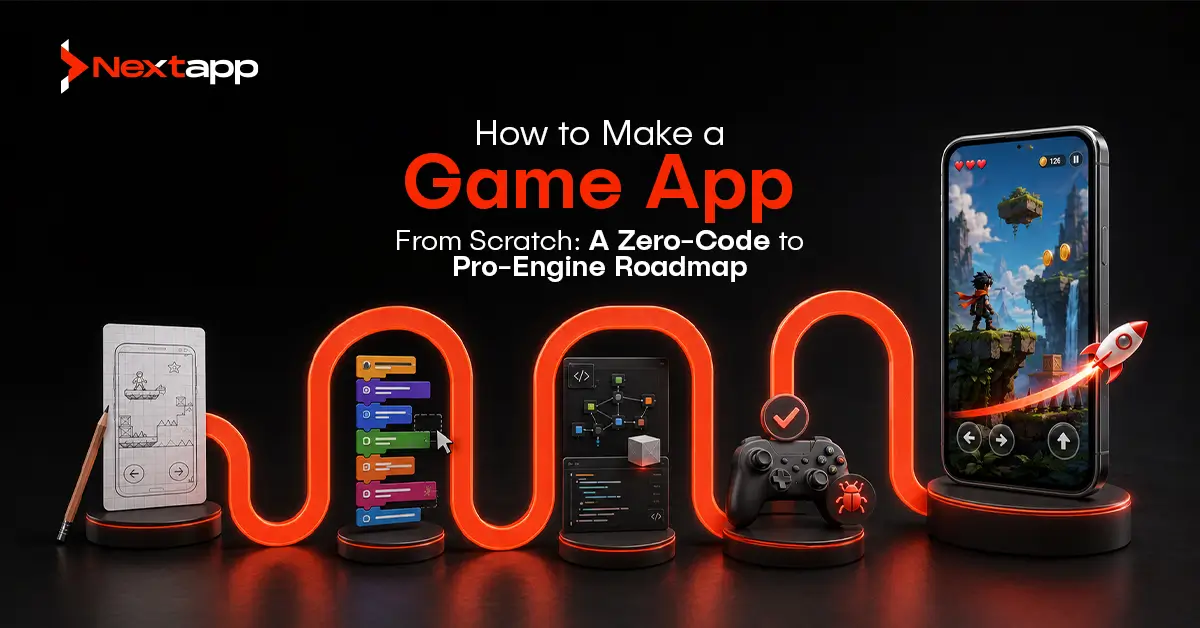
- Learning how to make a game app from scratch follows six core stages: Idea and Concept Creation, Choosing a Game Engine, Designing Game Assets, Programming the Game, Testing the Game, and Publishing the Game.
- Beginners can build functional 2D games with zero coding experience using no-code tools like Buildbox and GameSalad. Advanced 3D productions require Unity (C#) or Unreal Engine (C++).
- By 2026, mobile gaming revenue exceeds $126.1 billion annually. There has never been a larger commercial audience for a well-executed game concept.
- A focused 2D mobile game can be built and launched for $10,000 to $50,000. Mid-tier titles require $100,000 to $500,000 in total investment including marketing.
- Monetization strategy must be decided before a single line of code is written. Games designed around their revenue model from concept outperform those that add monetization after launch.
- App Store Optimization (ASO) at launch is as important as the game itself. A great game with a weak store listing will not get found.
- AI tools in 2026 reduce concept art, texture, and basic testing costs by 20 to 40%, making professional-quality production more accessible to small teams and solo developers.
Introduction
Building a game is one of the most complex, creative, and technical projects a developer or entrepreneur can take on. It combines visual design, system architecture, behavioral psychology, sound engineering, and product marketing into a single interactive product. But the question of how to make a game app from scratch has never had a more accessible answer than it does in 2026.
The global gaming market reaches 3.58 billion players, with mobile accounting for the largest platform segment at over $126.1 billion in annual revenue. Free game engines, AI-assisted asset creation tools, and mature cross-platform deployment pipelines mean that a solo developer or small team can build and ship a commercially competitive game without the resources of a large studio.
This guide maps the complete roadmap from zero to a published game. It covers every decision point, every tool category, every production milestone, and every launch action required to build a game app that reaches players and generates revenue. Whether you have programming experience or none at all, this is your starting point.
Step 1: Idea and Concept Creation
The single most important decision in the entire process of learning to make a game app from scratch is the first one you make: what game are you building, and who are you building it for?
A strong concept answers five questions clearly. What is the core mechanic? The core mechanic is the one action the player performs repeatedly throughout the game, whether that is matching tiles, building structures, shooting enemies, or solving puzzles. What genre does the game fit? Genre determines design conventions, player expectations, development complexity, and mobile game monetization models that work best. Who is the target audience? Age, platform preferences, session-length habits, and spending behavior all vary significantly across audience segments. What makes this game different? If your game is identical to existing titles, it will not earn discovery. The concept needs one clear point of differentiation. What platform is primary? Mobile, PC, console, or cross-platform. Each has different design requirements, certification processes, and distribution economics.
Validate the concept before building anything. Research the top 10 games in your target genre on the App Store and Google Play. Identify their review patterns, what players praise, and what they complain about. Find the gap you can fill. Run the concept by people outside the gaming industry. If non-gamers understand the premise and find it interesting, the concept has broad appeal.
The output of Step 1 is a one-page Concept Document covering: game title and genre, core mechanic in one sentence, target audience description, primary platform, key differentiator, and preliminary monetization direction. This document drives every downstream decision, from engine selection to art style to ad revenue in mobile gaming integration.
Step 2: Choosing a Game Engine
A game engine is the software framework that handles rendering, physics, audio, input processing, and cross-platform deployment. Choosing the right engine is the second most consequential decision in the process of how to make a game app from scratch. The wrong choice wastes months of learning time and production effort.
Four engines cover 95% of mobile game production in 2026.
Unity is the dominant choice for mobile development. It supports both 2D and 3D production, deploys to iOS and Android from a single codebase, and uses C# scripting. The free Personal plan is available for developers earning under $200,000 annually. Unity’s asset store provides thousands of pre-built components, significantly reducing development time for common features.
Unreal Engine 5 delivers the highest graphical fidelity available in any engine. It uses C++ for core systems and Blueprint visual scripting for rapid prototyping. Royalties of 5% activate only after a game earns $1 million. Unreal is best suited for AAA-quality 3D mobile productions where visual quality is the primary competitive differentiator. Godot is fully open-source with no licensing fees or royalties. It uses GDScript, a Python-like scripting language, and supports both 2D and 3D. Godot is the strongest option for budget-conscious indie projects and beginner developers building 2D titles.
Buildbox is a no-code engine designed specifically for hyper-casual 2D and 3D mobile games. It allows complete beginners to build and publish games through a drag-and-drop interface with no programming required.
The engine selection decision is driven by three variables: your programming experience level, the game’s visual requirements (2D vs. 3D, casual vs. AAA), and your budget. For first-time developers building a 2D mobile game, Godot or Unity, with its free tier, is the correct starting point. For teams with C# experience building a commercial mid-tier title, Unity is the industry standard. For high-fidelity 3D productions with an adequate budget, Unreal Engine 5 delivers unmatched visual output.
Understanding the relationship between engine choice and what is game development professionally means understanding that engines do not build games. They provide the tools. Every game still requires programmers, artists, and designers to use those tools effectively. No engine automates creativity or game design judgment.
Step 3: Designing Game Assets
Game assets are everything the player sees and hears: characters, environments, UI elements, animations, sound effects, and music. Designing game assets is the phase in which the game’s visual and audio identity is established, and it directly impacts how players perceive the product’s quality and value.
Asset design begins with establishing an art style. The art style decision is both a creative choice and a budget decision. Stylized 2D art is the most cost-effective option. Flat illustrations, pixel art, and hand-drawn aesthetics reduce production time, age well, and perform strongly on mobile screens. Low-poly 3D provides a three-dimensional environment with reduced modeling complexity. Suitable for casual to mid-core 3D games. High-fidelity 3D requires specialized artists, complex rigging, and significantly higher production timelines. Reserve this tier for productions with adequate budget and a clear competitive advantage from visual quality.
The asset production pipeline covers six categories. Character design starts with concept sketches, progresses to final 2D illustrations or 3D models, and concludes with rigged animation rigs for movement sequences. Environment design builds the world the player inhabits, including backgrounds, platforms, structures, and atmospheric elements. UI and UX design create all menus, HUDs, buttons, icons, and interactive interface elements. Sound effects are either created from scratch by a sound designer or licensed from audio libraries. Music is composed as adaptive tracks that shift based on gameplay state, or produced as looping background pieces. Visual effects cover particle systems, lighting changes, explosions, and ability animations.
In 2026, AI-powered tools will have meaningfully reduced the cost of early-stage asset production. Tools like Midjourney and Adobe Firefly accelerate concept art iteration. AI voice generators like ElevenLabs provide placeholder and final voice acting for indie projects. Studios report 30 to 40% reductions in concept art costs by using AI for initial variation generation, with human artists refining final outputs. For solo developers and small teams learning how to make a game app from scratch, AI tools extend the scope of what a small team can build within budget constraints.
Asset licensing is a practical alternative to custom production. The Unity Asset Store, Itch.io asset packs, and Kenney.nl offer professional-quality 2D and 3D assets at low cost or free. Using licensed assets accelerates early builds and prototyping, though commercial releases typically require at least some custom art to establish visual differentiation.
Step 4: Programming the Game
Programming is the technical execution phase where game design meets functional software. This step requires the most sustained technical effort throughout the process of learning to build a game app from scratch. For developers without coding experience, no-code engines like Buildbox and visual scripting tools in Unity and Godot provide an accessible entry point.
Programming a game covers six system categories. Core gameplay systems implement the mechanics defined in the concept document: movement controls, collision logic, scoring rules, win and lose conditions, and physics behavior. UI systems power all menu navigation, settings screens, pause logic, HUD updates, and animated transitions. Progression systems build the level structure, reward schedules, difficulty scaling curves, and unlockable content logic. Monetization systems integrate in-app purchase libraries (StoreKit for iOS, Google Play Billing for Android), rewarded advertising SDKs, and subscription management. Backend and networking systems handle player authentication, cloud save functionality, leaderboards, and real-time multiplayer infrastructure where required. Analytics and performance monitoring integrate event-tracking systems that record player behavior data for Post-Launch optimization.
The most effective approach to programming a game app is iterative development organized around a Minimum Viable Product (MVP). Build only the core mechanic first. Get it working and test whether it is actually fun. Once the core loop is validated, add systems layer by layer. This approach prevents the most common beginner mistake: building everything at once, discovering a fundamental design flaw after 200 hours of work, and having no clean path to fix it.
For developers outsourcing programming to a mobile game development company, understanding these system categories helps evaluate technical proposals, ask informed questions, and assess build quality milestones. Mobile game development services teams typically provide dedicated engineers for gameplay systems, UI, and backend infrastructure, with clear deliverables tied to each production milestone.
Monetization system integration deserves particular attention. Mobile game monetization statistics from 2025 show that in-app advertising combined with in-app purchases accounts for over 60% of total casual and mid-core game revenue. The best mobile game monetization for revenue depends on genre: puzzle games favor rewarded ads, RPGs favor in-app purchases, and fitness and utility hybrids favor subscriptions. Choosing the right model and correctly integrating the corresponding SDK during development determines whether the game generates sustainable revenue or leaves money on the table.
Step 5: Testing the Game
Testing transforms a working build into a shippable product. Skipping or abbreviating testing is the fastest path to 1-star reviews, user churn, and App Store removal for policy violations. Professional game testing follows a structured program that runs continuously from the first functional build, not only before launch.
Five testing types cover the minimum professional standard. Functional testing verifies that every feature works as designed: mechanics, UI flows, monetization prompts, and social features. Device compatibility testing runs the build on a matrix of iOS and Android devices spanning flagship and mid-range hardware. Performance testing measures frame rate stability, load times, memory consumption, and battery drain across all target devices. For mobile, 60 fps on mid-range hardware is the 2026 standard for competitive positioning. Balance and playtesting evaluate the game’s feel: difficulty curve, reward pacing, session length, and core loop engagement. This testing type requires real human players, not automated tools. Monetization testing validates that in-app purchase flows, rewarded ad integration, and subscription prompts function correctly, display at appropriate trigger points, and comply with App Store and Google Play policies.
Testing tools available in 2026 include Unity Test Runner for automated unit and integration testing, Appium for cross-platform mobile automation, Firebase Test Lab for cloud-based device matrix testing, and TestFlight for iOS beta distribution. For Android beta programs, the Google Play Console provides staged rollout and internal testing track functionality.
The formal testing milestone structure mirrors the game development stages outlined in pre-production: Alpha for internal bug discovery, Beta for external player feedback, and Soft Launch for real-world monetization and retention data in a limited market before global release.
Step 6: Publishing the Game
Publishing is the final step in learning how to make a game app from scratch, and it is more complex than simply pressing a submit button. A successful publishing strategy covers App Store Optimization, certification compliance, launch day operations, and post-launch growth activities.
App Store Optimization is the process of maximizing the game’s organic discoverability on the App Store and Google Play. ASO covers six elements. The title should include the primary keyword while remaining memorable. The subtitle and short description must communicate the game’s core value proposition and genre clearly. The keyword field (iOS) should be populated with high-volume, low-competition terms. Screenshots must show the most engaging gameplay moments in the first three frames, as 60 to 70% of App Store visitors make a download decision based on screenshots alone. The promotional video should run 15 to 30 seconds and show actual gameplay within the first three seconds. The icon must be visually distinctive and readable at small sizes.
Platform certification requirements must be met before submission. Apple requires compliance with App Store Review Guidelines covering privacy policies, age ratings, data collection disclosures, in-app purchase implementation standards, and content guidelines. Google Play requires compliance with the Developer Program Policies covering the same core areas with platform-specific technical requirements. Review time is typically 1 to 3 business days for Google Play and 3 to 7 business days for Apple. Build this into your launch timeline.
Launch day execution requires simultaneous activation of user acquisition campaigns, community announcements, and press outreach. Understanding how to advertise your mobile games at launch means having Meta Ads, Google App Campaigns, and TikTok Ads campaigns built, reviewed, and approved before launch day so they activate the moment the game goes live.
Post-launch growth strategy covers four ongoing activities. Monitor analytics daily for the first 30 days, tracking DAU, Day 1 and Day 7 retention, session length, and ARPU. Respond to every App Store review in the first two weeks. Players who receive responses are significantly more likely to update their rating. Release the first content update within 4 to 6 weeks of launch to demonstrate ongoing support and drive re-engagement. Evaluate and iterate on mobile game monetization trends by testing pricing variants, offer timing, and ad placement through A/B experiments.
No-Code vs. Pro-Engine: Choosing Your Development Path
The development path you choose determines your timeline, budget, and ceiling for what you can build. Two primary paths exist in 2026.
The No-Code Path uses tools like Buildbox, GDevelop, and GameSalad to build games through visual interfaces with no programming required. This path is appropriate for first-time developers building hyper-casual or simple 2D titles, entrepreneurs validating a concept before investing in full development, and projects where speed to market outweighs feature depth. No-code tools have real limitations: complex mechanics, multiplayer systems, and deep progression structures require code. Games built with no-code tools also tend to have less technical differentiation, making competitive positioning harder in crowded genres.
The Pro-Engine Path uses Unity, Unreal Engine 5, or Godot with full scripting access. This path is appropriate for any project with commercial ambitions, multiplayer requirements, or 3D production. Pro-engine development requires programming proficiency or the budget to hire developers. The ceiling for what you can build is essentially unlimited. All commercially competitive titles at the mid-core and AAA tiers use pro-engine development.
For developers without coding experience who want to reach the pro-engine tier, Unity provides the shortest path. The Unity Learn platform offers free courses from beginner to advanced C# scripting. A developer investing 20 to 30 hours per week in structured learning can reach functional Unity proficiency within 6 to 12 months.
Monetization Strategy: Build It In From Day One
Every developer learning how to make a game app from scratch needs to understand one fundamental principle: monetization is a design decision, not a marketing decision. The most profitable mobile game monetization strategy for any specific game depends on its genre, audience, and play session structure. It must be chosen during concept creation and designed into the core loop during production.
The three primary mobile game monetization models in 2026 are in-app purchases, advertising, and subscriptions. In-app purchases work best for games with progression systems where players have clear motivation to accelerate advancement or unlock cosmetic items. Games using IAP should design their economy before writing any code. Advertising through rewarded video, interstitials, and banner placements works best for high-session-frequency casual games with large daily active user bases. Subscriptions work best for games that offer ongoing value through content libraries, exclusive access, or service features. Hybrid models combining rewarded ads with optional in-app purchases now account for over 60% of casual and mid-core game revenue globally.
For developers exploring mobile game monetization alternatives without ads, premium pricing (paid download), battle passes, season passes, and cosmetic-only DLC are viable alternatives that maintain player goodwill while generating revenue. The right choice depends entirely on audience expectations in the specific genre being built.
Researching mobile app monetization platforms before integration begins ensures the SDK stack chosen is compatible with the target engine and compliant with both App Store and Google Play policies. Major platforms include Google AdMob, Meta Audience Network, ironSource, and AppLovin MAX for advertising. Apple StoreKit and Google Play Billing are the native in-app purchase systems required for all iOS and Android revenue transactions.
How Much Does It Cost to Make a Game App From Scratch?
Building a game app from scratch costs between $10,000 and $1,000,000+, depending on scope. A simple 2D hyper-casual game built by a solo developer using free tools costs $10,000 to $50,000 in time and licensing. A commercial casual mobile game with custom art, 50+ levels, and a professional monetization system costs $60,000 to $250,000. A mid-core title with 3D production, multiplayer, and live-service infrastructure costs $300,000 to $1,500,000, including marketing. For complete details by game type, see the guide on mobile game development cost.
The key budget principle for first-time developers is to start with the smallest scope that validates the core concept. Build the MVP first. Measure player response. Expand only on proven foundations. This approach protects against the most common budget failure mode: spending maximum resources on an unvalidated concept.
Conclusion
Learning how to make a game app from scratch in 2026 has never been more achievable. Free engines, AI-assisted asset tools, cloud-based testing platforms, and mature distribution pipelines have lowered every technical barrier that existed a decade ago. The barriers that remain are discipline, clarity of concept, and commercial judgment.
The developers who succeed are the ones who validate before they build, design monetization before they code, test continuously rather than at the end, and treat launch as the beginning of a product lifecycle rather than its conclusion. They understand the game development stages, they know their mobile game development cost before committing to scope, they research mobile game monetization models that fit their genre, and they build products designed to generate ad revenue in mobile gaming or in-app purchase revenue sustainably over time.
If you are ready to build and want experienced professionals guiding your project from concept through launch, NextApp Inc. delivers full-cycle mobile game development services with integrated teams across programming, art, QA, and live operations. Contact us to start your project today.
Frequently Asked Questions (FAQs)
Can I make a game app from scratch with no coding experience?
Yes. No-code engines like Buildbox, GDevelop, and GameSalad allow complete beginners to build and publish 2D mobile games without writing any code. For more complex games, Unity’s visual scripting tools and Godot’s beginner-friendly GDScript provide entry points for non-programmers who are willing to learn.
How long does it take to make a game app from scratch?
A simple hyper-casual 2D game takes 4 to 12 weeks. A casual mobile game with 30 to 50 levels and basic monetization takes 3 to 6 months. A mid-core title with multiplayer and live-service features takes 12 to 24 months. Timeline is determined by scope, team size, and experience level.
What is the best game engine for a beginner making their first game?
Godot is the best starting point for beginners building a 2D game with a zero budget. Unity is the best option for beginners planning to pursue commercial mobile development, as its skill set is directly transferable to professional production roles and projects.
Do I need a team to make a game app?
Not for simple projects. Many successful indie games were built by a single developer. For commercial mid-core and AAA productions, a team of programmers, artists, and designers is required. Developers who cannot produce art or audio themselves should budget for those roles or work with a mobile game development company that provides integrated teams.
How do I choose the right monetization model for my game?
Choose based on genre and player behavior. High-session-frequency casual games favor rewarded advertising. Games with strong progression systems favor in-app purchases. Games offering ongoing value favor subscriptions. Research the mobile game monetization statistics for the specific genre and see what models top-grossing competitors use. The best mobile game monetization for revenue is always the one aligned with how players naturally engage with that genre.
How do I make money from my game after launch?
Revenue comes from in-app purchases, advertising, subscriptions, or premium pricing, depending on your model. To maximize earnings, design monetization into the core loop from day one, optimize store listings for organic discovery, invest in user acquisition to build a player base, and iterate on mobile game monetization trends using real player data post-launch. For inspiration on revenue potential, explore how to make money playing video games as a developer and operator in the current market.