An Android app may look simple on the screen while managing a surprisingly complex flow of information underneath.
A field-service app may download assignments from a server, store them on the device, allow technicians to update records without internet access, upload photographs later, and resolve changes when connectivity returns.
A retail app may cache products locally but still require current server data before confirming inventory or prices.
A healthcare app may need local information for reliability while applying much stricter rules around storage, authentication, and data removal.
These situations are data-layer problems.
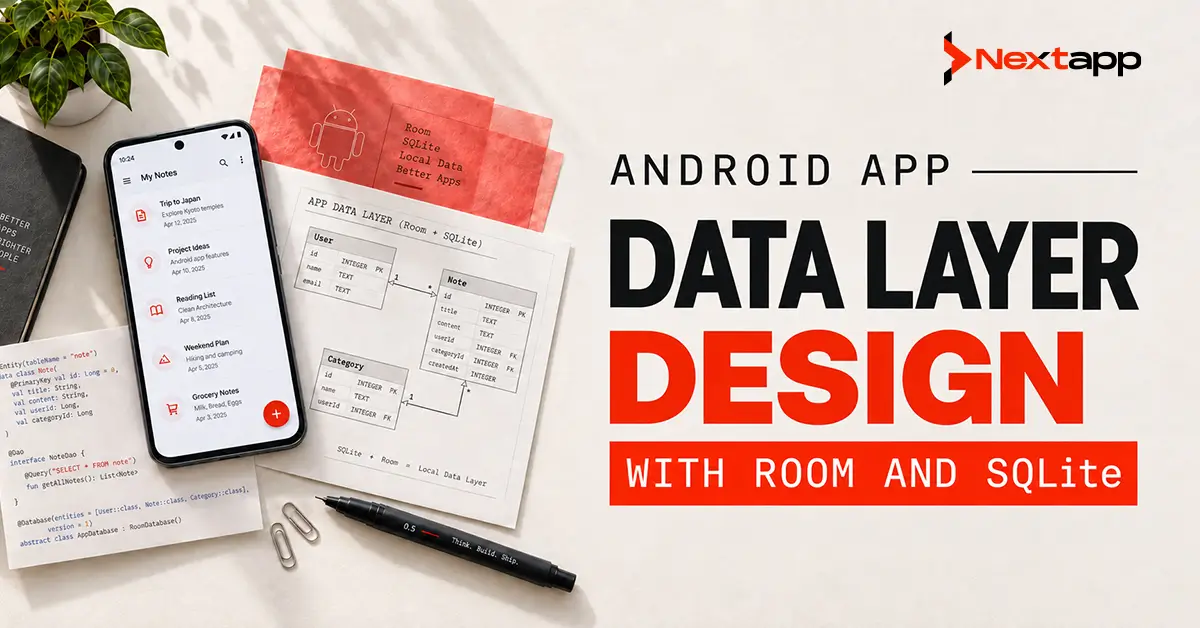
Android app data layer design with Room and SQLite determines where information comes from, where it is stored, which source the rest of the application trusts, and how local and remote changes remain synchronized.
Room is Android’s persistence library built on top of SQLite. It provides entities, data access objects, compile-time SQL verification, structured migrations, and integrations that make SQLite databases easier to use within a modern Android architecture.
Room does not replace the need for good data design. A database alone cannot decide how stale data should be handled, how conflicts should be resolved, or what happens when a user modifies a record while offline.
Those decisions belong to the wider data architecture.
What Is the Android Data Layer?
The data layer is the part of an Android application responsible for retrieving, storing, updating, and synchronizing information.
It may communicate with:
- Room databases
- Remote APIs
- DataStore
- Files
- Device services
- Third-party SDKs
- Cloud services
- Enterprise systems
The UI should generally not communicate directly with these sources.
Instead, repositories act as the interface between the rest of the application and its data sources. Google’s Android architecture guidance recommends that repositories expose application data and define a single source of truth for each type of information.
A simplified flow may look like:
UI → ViewModel → Repository → Local and Remote Data Sources
The exact implementation may differ, but keeping these responsibilities separate makes the application easier to test and maintain.
Teams designing the wider codebase should consider the data layer alongside Android app architecture patterns (MVVM vs. MVI vs. MVP) because ViewModels, presenters, repositories, and domain use cases need clear boundaries.
What Is SQLite in Android?
SQLite is a relational database engine that can store structured information directly on a device.
Relational databases organize information into tables made up of rows and columns.
For example, a field-service application might have tables for:
- Technicians
- Work orders
- Customers
- Inspection responses
- Attachments
- Synchronization status
Relationships can connect these records.
SQLite supports SQL operations such as:
- SELECT
- INSERT
- UPDATE
- DELETE
- JOIN
- Transactions
Android has supported SQLite for many years.
Developers can work with SQLite more directly, but doing so requires greater responsibility for queries, cursor handling, schema management, database upgrades, and related boilerplate.
What Is Room?
Room provides an abstraction layer over SQLite.
Its three main components are:
- Database class: The primary database configuration and access point
- Entities: Kotlin or Java classes representing database tables
- DAOs: Data access objects containing methods for reading and changing records
Google recommends Room for structured local application data rather than working with SQLite APIs directly for most ordinary Android projects. Room provides compile-time SQL verification, annotations that reduce repetitive database code, and structured database migration support.
Room still uses SQLite underneath.
Using Room does not mean the application stops using relational database concepts. Tables, indexes, queries, relationships, transactions, and schema design still matter.
Room vs. Direct SQLite APIs
| Area | Room | Direct SQLite APIs |
|---|---|---|
| Underlying database | SQLite | SQLite |
| SQL queries | Written in DAOs and verified during compilation | Written and managed manually |
| Boilerplate | Reduced through annotations and generated code | More manual database and cursor management |
| Query verification | Compile-time verification for supported queries | Errors may be discovered later |
| Migrations | Structured automatic and manual migration support | Migration logic managed manually |
| Observable data | Works naturally with Flow and other Android architecture tools | Requires more manual implementation |
| Best fit | Most modern Android business apps | Specialized low-level cases or existing custom implementations |
| Learning requirement | Room APIs plus SQL concepts | SQLite APIs plus SQL and lifecycle management |
For most new business applications, Room is usually the more practical choice.
Direct SQLite access may still appear in older apps, specialized database implementations, or codebases where migration to Room has not yet been completed.
Google provides an incremental migration path for existing SQLite applications, so an app does not necessarily need to replace its entire database implementation in one release.
Designing the Data Layer Around Repositories
A repository should represent a meaningful collection of application data rather than simply wrapping individual database methods.
Examples may include:
- OrdersRepository
- CustomersRepository
- InventoryRepository
- MessagesRepository
- InspectionsRepository
The repository may coordinate several sources.
An OrdersRepository might communicate with:
- Room for local orders
- A REST API for server records
- WorkManager for pending synchronization
The ViewModel should not need to know which source produced the information.
This separation allows the underlying storage implementation to change without forcing the UI to change with it.
Choosing a Single Source of Truth
One of the most important data-layer decisions is identifying the source the application considers authoritative.
For an online-only feature, the network may sometimes serve as the main source.
For an offline-first Android app, Google recommends using the local data source as the canonical source from which higher layers read. Network responses update the local storage, and the UI observes the local data.
A simplified flow becomes:
Network → Repository → Room → ViewModel → UI
Instead of:
Network → UI
This provides several benefits.
Users can see stored data immediately. Temporary connectivity problems do not necessarily empty the screen. Network updates can be written to Room, and any screen observing the local database can react to the change.
Online-First vs. Offline-First Data Design
| Area | Online-First | Offline-First |
|---|---|---|
| Primary dependency | Network connection | Local storage |
| Initial screen data | Often waits for API response | Can display locally stored data immediately |
| Poor connection | Features may stop working | Core features can continue |
| Writes | Often sent directly to server | May be stored locally and synchronized later |
| Complexity | Lower | Higher |
| Conflict handling | Usually limited | Often required |
| Best suited for | Apps where current server data is mandatory | Field, logistics, travel, inspection, and mobile workforce apps |
Offline-first architecture introduces more complexity, but it can dramatically improve reliability when users operate outside stable network environments.
Google describes an offline-first app as one that remains usable without reliable connectivity and can retrieve critical information through a local source rather than requiring the network for every read.
A Practical Offline-First Read Flow
Consider an inventory application used inside warehouses.
When the user opens a product list:
- The ViewModel requests products from the repository.
- The repository exposes records stored in Room.
- The screen displays those records immediately.
- The repository checks whether fresher server data is needed.
- The API returns updated inventory information.
- The repository writes the update into Room.
- Room emits the new records.
- The UI automatically receives updated state.
The interface does not need separate logic for “database products” and “API products.”
It observes one source.
This can also simplify applications using either Jetpack Compose vs. XML layouts for Android UI. Compose can collect observable data as state, while View-based screens can observe the same repository output through lifecycle-aware Android components. The data layer does not need to change simply because the UI technology changes.
Designing Offline Writes
Reads are only one part of an offline-first application.
Users may also need to create or modify information without connectivity.
A delivery driver might:
- Mark a delivery complete
- Capture a signature
- Take photographs
- Add notes
- Record a failed attempt
The app can store these changes locally and mark them as pending synchronization.
A record might contain information such as:
- Local ID
- Server ID
- Updated timestamp
- Sync status
- Retry count
- Last synchronization error
When connectivity becomes available, the application can attempt to send pending changes to the server.
WorkManager and Data Synchronization
Persistent synchronization should not depend on a screen remaining open.
A ViewModel exists primarily to support UI state. It should not be responsible for guaranteeing that an important upload eventually completes after the app leaves the foreground.
This is where Android WorkManager for background task scheduling becomes relevant.
WorkManager is Android’s recommended solution for persistent, deferrable work that needs reliable execution.
An offline-capable application might use it to:
- Upload queued inspection records
- Synchronize completed work orders
- Retry failed file uploads
- Refresh selected cached information
- Process deferred operations
Room can hold the pending records while WorkManager performs the synchronization.
The database and background scheduler therefore solve different parts of the same problem.
Conflict Resolution
Offline writes create a difficult question:
What happens when the local device and server both change the same record?
Consider a sales application.
A representative modifies a customer address while offline. At the same time, an office employee changes the same address through a web portal.
When the phone reconnects, the system has two versions.
Possible conflict-resolution strategies include:
- Last write wins
- Server wins
- Client wins
- Field-by-field merging
- Manual user resolution
- Version-based validation
Google’s offline-first architecture guidance notes that versioning and metadata are often necessary to resolve synchronization conflicts, with last-write-wins being one possible approach.
No strategy fits every business process.
A social profile may accept last-write-wins. A medical, financial, inventory, or regulated record may require far stricter handling.
Conflict rules should be defined as product requirements, not invented by developers during implementation.
Designing Room Entities
An entity represents a database table.
Good entity design should consider:
- Primary keys
- Foreign keys
- Indexes
- Nullability
- Data types
- Relationships
- Synchronization metadata
Avoid copying API response structures directly into database tables without considering how the app queries and updates the information.
A server model, database entity, domain model, and UI model may represent the same concept differently.
For example, a large API response may contain data the mobile app never needs to store.
Separating representations can reduce unnecessary coupling between backend responses and the local database.
Designing DAOs
A DAO defines how the application interacts with Room tables.
DAO operations may include:
- Retrieve all open jobs
- Find a customer by ID
- Insert records
- Update status
- Delete expired cache entries
- Observe pending synchronization items
Room validates supported DAO SQL queries during compilation, which can catch certain query problems before the app runs.
DAOs should focus on database operations.
Business decisions such as whether an order can be cancelled usually belong in repositories or domain logic rather than inside SQL queries.
Use Transactions When Operations Belong Together
Some database operations need to succeed or fail as one unit.
Suppose an application creates an order and several order items.
Saving only the order without its items may leave the database in an invalid state.
A transaction allows related database operations to be handled together.
Transactions are useful when:
- Updating related tables
- Moving records between states
- Applying several dependent changes
- Reading information that must remain consistent during the operation
Use them where consistency requires them rather than wrapping every database interaction unnecessarily.
Plan Database Migrations Before Launch
Database schemas change as applications evolve.
A new release may:
- Add a column
- Rename a table
- Create an index
- Split one table into several
- Change a relationship
Existing users may already have thousands of records stored locally.
Deleting the database during every upgrade may be unacceptable.
Room supports automatic migrations for supported schema changes and manual migrations for more complex transformations. Google specifically emphasizes preserving existing on-device data when application updates change the schema.
Migration planning should include:
- Database versioning
- Exported schemas
- Migration paths
- Upgrade testing
- Downgrade policy
- Failure handling
Do not test only a fresh installation.
Test users upgrading from older production versions.
Test the Data Layer Separately
Data-layer testing should verify more than whether a DAO can insert a record.
Test:
- Queries
- Relationships
- Transactions
- Migrations
- Repository logic
- Error handling
- Offline reads
- Offline writes
- Synchronization
- Conflict resolution
- Cache expiration
Migration tests are particularly important because a failure may affect users who have valuable local records.
The development team should test realistic database sizes and not only a few sample rows.
Data Layer Design and Kotlin Multiplatform
Companies planning Android and iOS may also evaluate Kotlin Multiplatform for Android and cross-device code sharing.
Kotlin Multiplatform can allow teams to share selected areas such as:
- Network models
- API clients
- Business rules
- Repository interfaces
- Synchronization logic
The storage implementation may still need platform-specific considerations.
Code sharing should be based on the amount of genuinely common logic rather than an assumption that every data component must be shared.
A native Android product can use Room effectively without adopting Kotlin Multiplatform at all.
Common Android Data Layer Mistakes
Avoid these frequent problems:
- Allowing the UI to call APIs directly
- Using several competing sources of truth
- Treating local storage as an afterthought
- Storing API responses without designing the database
- Performing business logic inside DAOs
- Ignoring synchronization conflicts
- Assuming connectivity will always be available
- Keeping failed uploads only in memory
- Deleting user data during ordinary schema upgrades
- Failing to test migrations
- Storing unnecessary sensitive information
- Adding offline support after the architecture is already complete
Room and SQLite Should Support the Product, Not Complicate It
Android app data layer design with Room and SQLite should begin with how the product needs to behave.
A simple online application may need only modest caching. A field-service platform may require Room as its local source of truth, persistent offline writes, background synchronization, and carefully defined conflict resolution.
Room is usually the practical choice for modern structured local storage because it retains SQLite’s relational capabilities while reducing boilerplate and providing query verification and migration tools.
The database should sit behind repositories, not become directly connected to the interface. Architecture, UI technology, local storage, and background work should remain separate enough that one can evolve without forcing unnecessary changes across the entire app.
Businesses planning these systems as part of a larger product can use professional Android app development services to design the database, backend APIs, synchronization process, architecture, testing strategy, and offline experience together rather than solving each piece independently.
Frequently Asked Questions
What is Room in Android development?
Room is an Android persistence library that provides a structured abstraction over SQLite. It uses database classes, entities, and DAOs to make local relational data easier to manage.
Is Room different from SQLite?
Room uses SQLite underneath. The main difference is that Room adds features such as compile-time query verification, annotations, DAO abstractions, and structured migration support.
Should Android apps use Room or raw SQLite?
Most modern Android business applications that need structured relational storage will benefit from Room. Direct SQLite APIs may remain appropriate for specialized implementations or existing legacy code.
Does Room make an Android app work offline?
Room provides local storage, but offline capability requires additional architecture. The app must also define local reads, offline writes, synchronization, conflict resolution, and background processing.
Should Room be the source of truth in an offline-first app?
A local database such as Room is commonly used as the source of truth for offline-first applications. Network responses update the database, while higher application layers read from the local source.
How should Room database changes be handled after launch?
Use database versioning and tested migrations. Room supports automatic migrations for supported schema changes and manual migrations when more complex data transformations are required.