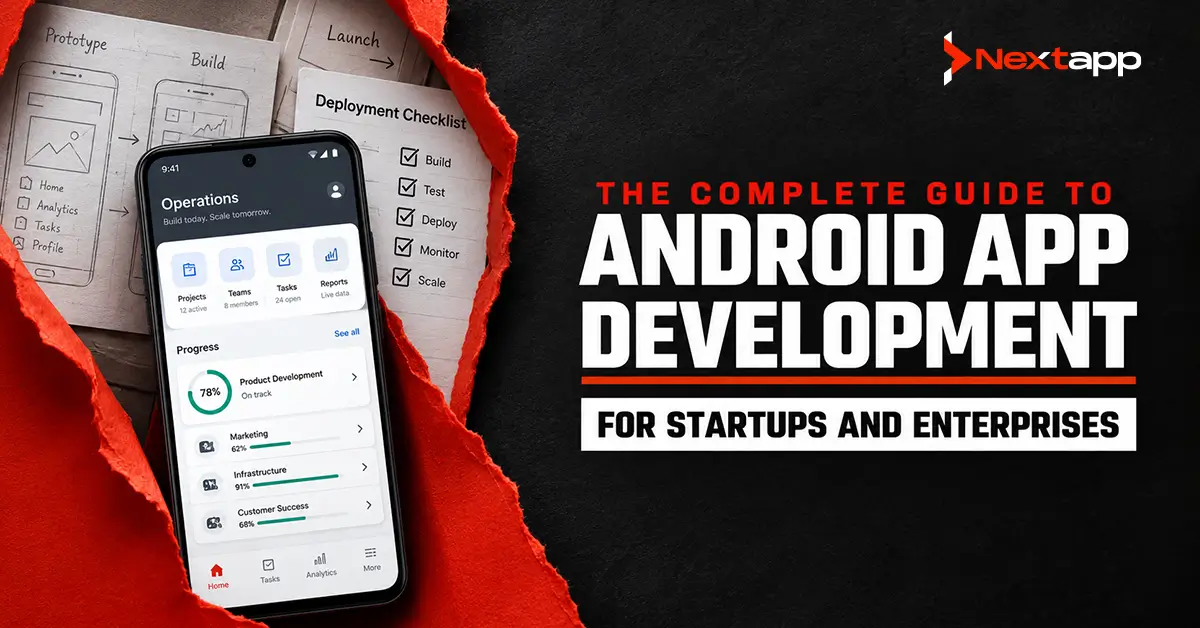
Android app development is the process of planning, designing, building, testing, releasing, and maintaining applications for devices that run Android.
These applications can serve customers, employees, patients, drivers, field teams, students, retailers, and business partners. They may support online purchases, account management, delivery tracking, healthcare services, financial transactions, workflow automation, inventory control, and many other commercial functions.
The complete guide on Android app development for startups and enterprises must go beyond programming languages and interface tools. A commercial Android product may also require a backend, database, authentication, offline functionality, integrations, administrative controls, analytics, security, and post-launch support.
Startups and enterprises often use the same Android technologies, but they do not begin with the same priorities.
A startup usually needs to validate demand, protect its budget, and launch a focused first version. An enterprise may need to connect the application with existing systems, support several departments, manage employee devices, and meet formal security or compliance requirements.
Successful development begins by understanding these differences and choosing an approach that fits the business.
What Is Android App Development?
Android app development refers to creating software for phones, tablets, foldable devices, televisions, wearables, vehicles, and other products supported by the Android ecosystem.
A modern native Android application commonly uses:
- Kotlin for application development
- Jetpack Compose for the user interface
- Android Studio for development and testing
- Jetpack libraries for common application functions
- Backend APIs for shared data and business rules
- Room for structured local storage
- WorkManager for persistent background operations
- Android App Bundles for Google Play publishing
Google currently recommends Jetpack Compose as the modern toolkit for new Android interfaces. Its architecture guidance also recommends clearly separated UI and data layers, repositories, unidirectional data flow, and an optional domain layer when application complexity justifies it.
Older Android products may still use Java, XML layouts, fragments, and the traditional View system. These applications can continue to operate and evolve without being rewritten all at once.
Why Businesses Build Android Apps?
An Android application should solve a defined problem or create a measurable opportunity.
Businesses may build Android apps to:
- Sell products or subscriptions
- Improve customer access
- Automate internal work
- Support mobile employees
- Replace paper-based processes
- Connect with equipment
- Offer location-based services
- Reduce manual data entry
- Improve communication
- Create a new digital service
A retail company may use an Android app to support mobile shopping and order tracking. A logistics company may give drivers assignments, navigation, and proof-of-delivery tools. A healthcare provider may offer appointment booking, secure document access, and patient communication.
An app should not be built simply because competitors have one. The product needs a clear audience, purpose, and expected result.
Startup and Enterprise Development Requirements
Startups and enterprises may use the same operating system, but the surrounding development decisions can be very different.
| Area | Startup Android App | Enterprise Android App |
|---|---|---|
| Primary objective | Validate demand and establish product-market fit | Improve operations, serve customers, or support a wider digital strategy |
| Initial scope | Focused MVP with essential features | Controlled release connected with existing business requirements |
| Budget priority | Protect runway and avoid unnecessary features | Balance implementation cost with security, integration, and long-term ownership |
| Technical environment | Often begins with a new backend and product architecture | Frequently connects with ERP, CRM, identity, analytics, and legacy systems |
| User roles | Usually limited in the first release | May include employees, managers, administrators, partners, and customers |
| Security process | Essential controls with room to mature | Formal policies, reviews, audits, access controls, and compliance requirements |
| Release strategy | Launch, measure, learn, and improve quickly | Pilot, validate by department, manage change, and expand gradually |
| Main risk | Building too much before proving demand | Building an isolated app that does not fit existing systems or workflows |
A startup should not treat its first release as the final form of the business. The MVP should prove that users understand the product, complete its main action, and have a reason to return.
An enterprise should not treat the mobile app as an isolated collection of screens. Data ownership, system integrations, employee access, administrative controls, and support processes need to be considered before development begins.
Business Goals Come Before Features
A feature list is not a product strategy.
Requests such as “add notifications,” “include AI,” or “create a dashboard” do not explain what the application is expected to accomplish.
Begin with questions such as:
- Who will use the application?
- Which problem does the app solve?
- How is the task completed today?
- Which part of the current process is failing?
- What result should improve after launch?
- How will the company measure that result?
A delivery company may want to reduce missed updates and paper-based records. A SaaS business may want to make its most important workflows available away from a desktop. A healthcare provider may want to reduce appointment no-shows.
Features should support these outcomes.
Useful success metrics may include:
- Account activation
- Completed purchases
- Subscription conversion
- Repeat usage
- Employee adoption
- Reduced processing time
- Lower operational error rates
- Customer retention
- Support-ticket reduction
Launching the application is a project milestone. It is not the final measure of business success.
Build, Buy, Configure, or Integrate
Custom development is not automatically the best answer.
A company should compare whether it needs to buy an existing product, configure a low-code platform, integrate current systems, or build a custom Android application.
| Option | Best Suited For | Main Advantages | Main Limitations |
|---|---|---|---|
| Buy existing software | Standard business processes already served by established products | Faster setup, lower initial responsibility, known feature set | Limited customization, subscription dependency, restricted ownership |
| Configure low-code software | Simple forms, approvals, internal dashboards, and early process validation | Quick implementation, lower technical barrier, useful for controlled workflows | Scaling, performance, integration, and customization limits |
| Integrate existing systems | Businesses that already have operational software but need mobile access | Preserves current data and systems, avoids unnecessary replacement | Dependent on API quality, legacy constraints, and existing architecture |
| Build a custom Android app | Unique workflows, competitive products, specialized hardware, or long-term platform ownership | Full control over UX, features, architecture, data, and future development | Higher initial investment, longer delivery, continuing maintenance |
Buying software may be practical for ordinary expense reporting, scheduling, messaging, or file sharing.
Custom development becomes more appropriate when the mobile product creates a competitive advantage, requires specialized integrations, or supports a workflow that existing software cannot handle effectively.
Businesses considering a custom solution should evaluate the complete scope of Android app development services, including discovery, UI and UX design, backend development, quality assurance, Google Play deployment, and maintenance. Development cost should not be assessed as mobile coding alone.
The Android App Development Process
A structured process reduces uncertainty and helps the team make decisions before they become expensive to change.
The main stages include:
- Business discovery
- User and market research
- Product validation
- MVP planning
- Requirements documentation
- Technology selection
- Architecture
- UI and UX design
- Android and backend development
- Testing
- Google Play deployment
- Post-launch monitoring
Each stage affects the next. Weak requirements create design confusion. Unclear designs create development assumptions. Late testing reveals problems after the most expensive work is complete.
Step 1: Define the Problem
A useful problem statement identifies the user, the current difficulty, and the result the application should create.
A weak statement might be:
“We need an app for our service company.”
A stronger statement would be:
“We need an Android app that lets field technicians receive assignments, view customer details, complete inspection forms offline, upload photographs, and synchronize records when connectivity returns.”
The stronger version identifies:
- The user
- The workflow
- The operating environment
- The main actions
- A critical technical requirement
This level of clarity helps the development team evaluate features, architecture, local storage, background processing, and testing needs.
Step 2: Research Users and Workflows
User research helps the company understand how people currently complete the task.
Research may include:
- Interviews
- Surveys
- Workflow observation
- Support-ticket analysis
- Customer data
- Competitor reviews
- Prototype testing
Ask people about real behavior.
Useful questions include:
- How did you complete this task last time?
- Which step required the most effort?
- Where do mistakes usually happen?
- Which device do you use?
- What happens when the internet is unavailable?
- Which information do you need immediately?
- What would stop you from using a new system?
Enterprise research should include both decision-makers and front-line users. Managers may define the business goal, but employees performing the work can reveal practical requirements that are not visible in process documents.
Step 3: Analyze the Market
Competitor research helps establish what users already expect.
Review competing apps for:
- Core features
- Pricing
- Onboarding
- Navigation
- Ratings
- Reviews
- Update history
- Performance complaints
- Missing features
Negative reviews can be especially useful.
Repeated complaints about unreliable notifications, slow loading, difficult registration, poor offline functionality, hidden charges, or confusing navigation may reveal opportunities for improvement.
Competitor research should not lead to copying another product. It should help the company understand the market and find a clearer position.
Step 4: Validate the Product
A concept should be tested before full development begins.
Validation methods may include:
- Landing pages
- Interactive prototypes
- Waiting lists
- Manual service pilots
- Limited internal trials
- Customer interviews
- Pre-launch campaigns
A clickable prototype can test navigation, content, and the main user journey without requiring a production backend.
Give participants realistic tasks. Ask them to schedule a service, submit a report, locate an account record, or complete a purchase. Observe where they hesitate and which information they expect.
Positive comments are not enough. Validation should look for evidence that users understand the product and are willing to complete its central action.
Step 5: Define the Minimum Viable Product
A minimum viable product is the smallest complete version that delivers the application’s main value.
It should not include a partial version of every planned feature.
A delivery MVP may need:
- Driver login
- Job assignments
- Navigation
- Delivery status
- Photograph upload
- Customer confirmation
- Offline storage
- Synchronization
It may not need predictive routing, advanced workforce planning, loyalty features, live chat, and detailed executive reporting during the first release.
Divide features into:
- Required for launch
- Valuable after validation
- Possible future additions
The first group should create a usable journey from beginning to end.
Step 6: Document Requirements
Requirements explain how each feature should behave.
“Add account registration” does not answer:
- Which registration methods are available
- Whether verification is required
- Which information is mandatory
- How passwords are recovered
- How sessions expire
- Whether social login is supported
- What happens when an account is suspended
Requirements should cover:
- User roles
- Inputs
- Validation
- Primary flows
- Alternative paths
- Loading behavior
- Error handling
- Permissions
- Security rules
- Analytics events
- Administrative controls
Clear requirements reduce guesswork during design, development, and testing.
Native and Cross-Platform Android Development
A business can create an Android product through native or cross-platform development.
| Area | Native Android | Cross-Platform Development |
|---|---|---|
| Common technologies | Kotlin and Jetpack Compose | Flutter, React Native, or another shared framework |
| Code sharing | Android code is primarily platform-specific | Significant code may be shared with iOS |
| Platform access | Direct access to Android APIs | Access may rely on framework support, plugins, or native modules |
| User interface | Can follow Android patterns closely | May use shared or framework-specific components |
| Performance control | Strong direct control | Suitable for many business apps, with additional consideration for demanding features |
| Team structure | Requires Android expertise | One mobile team may support Android and iOS |
| Best fit | Advanced Android integrations, specialized hardware, performance-sensitive applications | Similar Android and iOS workflows, limited resources, and faster multi-platform delivery |
Native development is often suitable when the application requires advanced Bluetooth communication, continuous location, specialized hardware, media processing, or deep Android integration.
Cross-platform development may be practical when Android and iOS need similar screens, business rules, and backend connections.
Framework popularity should not determine the decision. Product requirements, team skills, performance needs, platform differences, and long-term maintenance should.
Android Technology Stack
A modern native Android technology stack may include:
- Kotlin
- Jetpack Compose
- Android Studio
- ViewModel
- Kotlin coroutines and Flow
- Room
- DataStore
- WorkManager
- Retrofit or another networking library
- Dependency injection
- Analytics and crash monitoring
Google’s architecture recommendations support the use of repositories, clearly separated layers, lifecycle-aware state collection, coroutines, Flow, and ViewModels when their benefits apply to the project. These recommendations are intended to be adapted to the application rather than followed as rigid rules.
The stack should remain proportionate to the product. Adding more frameworks, libraries, and abstractions does not automatically improve quality. Every dependency creates maintenance, compatibility, security, and testing responsibilities.
Android App Architecture
Architecture defines how the codebase separates user interface logic, business rules, data access, and platform integrations.
A maintainable Android application commonly contains:
User Interface Layer
The UI layer displays information and receives user actions.
It may include:
- Compose screens
- Components
- Navigation
- ViewModels
- Loading states
- Error states
- User events
Domain Layer
A domain layer may contain reusable business rules or use cases.
It can be useful when several screens need the same complex operation, such as validating a transaction, calculating subscription eligibility, or coordinating several repositories.
Small applications may not need a separate domain layer.
Data Layer
The data layer controls access to application information.
It may communicate with:
- Backend APIs
- Room databases
- DataStore
- Files
- Sensors
- Third-party systems
Google recommends keeping data responsibilities in a defined data layer and exposing application data through repositories instead of allowing UI components to communicate directly with data sources.
MVVM, MVI, and MVP Compared
| Pattern | Basic Structure | Main Strength | Common Challenge | Often Suited For |
|---|---|---|---|---|
| MVVM | View, ViewModel, and model or data layers | Familiar Android pattern with clear UI-state handling | ViewModels can become overloaded when responsibilities are not controlled | Small to large applications with conventional screen-based workflows |
| MVI | User intents produce state changes through a one-direction flow | Predictable state and easier reasoning for complex interactions | More state definitions and implementation structure | Apps with complex state, real-time updates, or many UI events |
| MVP | View delegates presentation logic to a presenter | Clear separation in older View-based applications | More manual lifecycle handling and presenter-to-view coordination | Legacy Android applications and teams maintaining established MVP codebases |
No pattern is correct for every application.
A detailed comparison of Android app architecture patterns (MVVM vs. MVI vs. MVP) should be used when the team needs to evaluate state complexity, testability, legacy code, development experience, and expected product growth.
A new application may use MVVM principles with unidirectional data flow without treating every architecture label as a strict template.
Jetpack Compose and XML Layouts
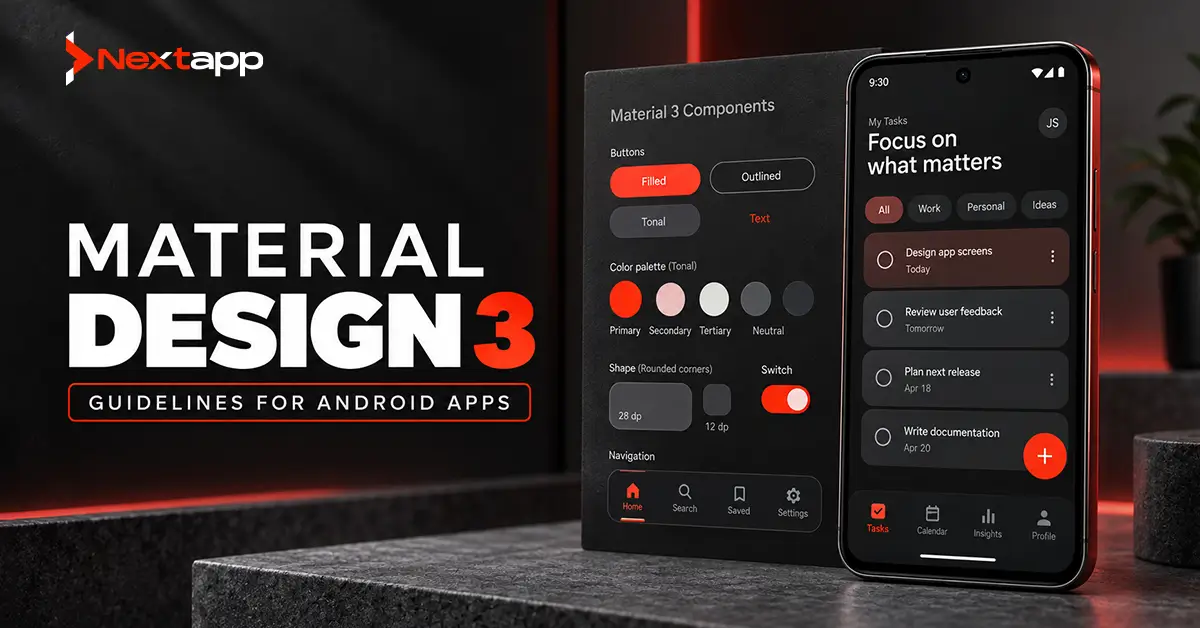
Jetpack Compose is Google’s recommended modern toolkit for new Android interfaces. It uses a declarative approach in which the interface responds to application state.
XML layouts and the View system remain important for established Android applications.
| Area | Jetpack Compose | XML Layouts and Views |
|---|---|---|
| UI approach | Declarative Kotlin code | XML layouts combined with Kotlin or Java |
| New app suitability | Recommended for modern Android development | Usually selected when required by existing systems or libraries |
| State handling | UI can update directly from state | Requires traditional View updates and bindings |
| Preview and iteration | Compose previews and Kotlin-based components | Layout Editor and established XML tooling |
| Existing code | May require gradual adoption | Suitable for maintaining a mature View-based application |
| Migration | Can coexist with Views | Compose can be added screen by screen |
| Team learning | Requires Compose knowledge | Familiar to teams with long-term Android View experience |
A new product can usually begin with Compose.
A stable enterprise application should not be rewritten merely to follow a newer development trend. Compose and Views can coexist, which allows teams to introduce Compose gradually and preserve components that still work effectively.
Businesses modernizing an existing application should examine Jetpack Compose vs. XML layouts for Android UI through the lens of migration cost, team ramp-up, design-system needs, testing, interoperability, and long-term maintenance.
Adaptive Android Interface Design
Android applications run across different screen sizes, orientations, and window configurations.
An adaptive layout may change:
- Bottom navigation into a navigation rail
- One content column into two panes
- A list screen into a list-and-detail layout
- A full-screen form into a wider structured panel
- Touch-only interaction into keyboard and mouse support
Android’s adaptive guidance recommends designing according to available window space instead of assuming a fixed phone size. It also advises against locking applications to a portrait-only layout because modern Android experiences include tablets, foldables, resizable windows, and multitasking.
A consumer startup may focus on phones during its first release. A warehouse, healthcare, retail, or field-service product may need tablet support from the beginning.
Device priorities should follow the actual environment in which the application will be used.
Android Data Layer Design
Many Android applications need to store data locally.
Local storage may support:
- Cached content
- User preferences
- Drafts
- Offline records
- Recently viewed information
- Queued uploads
- Session-related settings
Room provides an abstraction layer over SQLite. Google recommends Room for non-trivial structured local data because it offers compile-time query verification, annotations that reduce repetitive database code, and structured migration support.
A data-layer plan should answer:
- Which information is stored locally?
- Which source remains authoritative?
- How long does cached information remain valid?
- Which actions work without internet access?
- How are local changes synchronized?
- How are conflicting updates resolved?
- What happens to local data after logout?
- How are schema changes tested?
A field-service app may allow employees to complete forms and capture photographs without connectivity. A retail app may cache product data but require an online connection before confirming current prices and inventory.
The dedicated guide on Android app data layer design with Room and SQLite should be used to plan entities, queries, repositories, caching, synchronization, database migrations, and offline-capable workflows.
Backend and API Development
Most commercial Android applications need backend services.
The backend may control:
- Accounts
- Authentication
- Permissions
- Shared records
- Payments
- Subscriptions
- Messaging
- File storage
- Notifications
- Reporting
- Administrative functions
Sensitive business rules should not exist only inside the installed Android application.
The backend should verify user identity, record ownership, role permissions, pricing, payment status, subscription access, and allowed changes.
An enterprise application may also need to connect with:
- ERP systems
- CRM platforms
- Identity providers
- Human resources software
- Inventory systems
- Data warehouses
- Legacy databases
API quality can directly affect mobile performance and reliability. Slow, inconsistent, or poorly documented APIs create problems even when the Android interface is well designed.
Offline-First Development
Offline-first development allows the application to remain useful when a network connection is slow or unavailable.
This approach is valuable for:
- Delivery operations
- Field service
- Construction
- Warehousing
- Healthcare
- Inspections
- Rural service teams
An offline-capable app may allow users to view cached assignments, complete forms, create records, capture media, and queue uploads.
The application must also explain the current state clearly. Users should know whether information is saved locally, waiting to synchronize, or unable to upload.
Offline development affects architecture, database design, API behavior, conflict resolution, background work, and testing. It should not be added as a final feature after the rest of the product has been built.
Kotlin Multiplatform for Shared Business Logic
A company may need Android today and iOS, desktop, or another platform later.
Kotlin Multiplatform enables teams to share Kotlin code across supported platforms. Google’s Android guidance presents KMP as a way to share code while allowing teams to retain native user interfaces where appropriate.
Potentially shared areas include:
- Data models
- API communication
- Validation
- Business rules
- Storage logic
- Analytics definitions
The Android interface may still use Jetpack Compose, while the iOS interface uses SwiftUI.
Code sharing does not automatically reduce cost. A team must also consider build configuration, debugging, testing, platform integrations, developer skills, and the percentage of logic that can realistically be shared.
A detailed review of Kotlin Multiplatform for Android and cross-device code sharing can help determine whether shared logic will create a worthwhile return on investment or introduce more complexity than it removes.
Android Background Task Scheduling
Some work must continue after the user leaves the application.
Examples include:
- Uploading queued photographs
- Synchronizing offline records
- Refreshing selected data
- Sending diagnostic information
- Completing deferred processing
WorkManager is Android’s recommended library for persistent work. Scheduled tasks run after their defined constraints are met, and WorkManager can support status observation and chains of related work.
WorkManager is not the correct choice for every background feature.
| Requirement | Possible Direction |
|---|---|
| Persistent file upload that can wait for connectivity | WorkManager |
| Offline record synchronization | WorkManager |
| Immediate operation while the app is open | Coroutine or application-level asynchronous operation |
| Exact alarm at a defined clock time | Alarm-related Android APIs, subject to platform rules |
| Continuous user-visible operation | Foreground service where permitted and appropriate |
| Ordinary UI countdown | UI state and lifecycle-aware timing |
The correct mechanism depends on whether the task is immediate, persistent, deferrable, exact, recurring, or visible to the user.
The article on Android WorkManager for background task scheduling should provide use-case-specific guidance for synchronization, uploads, reminders, constraints, retries, and chained tasks.
Android App Security
Security should be included in product requirements, architecture, development, and testing.
A commercial Android app may need:
- Secure authentication
- Server-side authorization
- Encrypted network communication
- Protected local data
- Secure key storage
- Session expiration
- Input validation
- Dependency review
- Role-based permissions
- Safe logging
- Account deletion
- Audit records
Android’s security guidance recommends using platform security capabilities, limiting unnecessary permissions, protecting communication, and managing cryptographic keys through appropriate platform systems such as Android Keystore when stronger key protection is required.
Private API secrets should not be stored inside the mobile application. Installed app packages can be examined, so sensitive decisions and credentials must remain protected through backend systems.
Healthcare, financial, government, and enterprise products may require additional regulatory, organizational, or industry-specific controls.
Android App Testing
Testing verifies that the application works correctly before and after release.
A complete strategy may include:
- Unit testing
- Repository and data-layer testing
- Integration testing
- UI testing
- API testing
- Database migration testing
- Accessibility testing
- Performance testing
- Security testing
- Manual device testing
- User acceptance testing
Android distinguishes between local tests that run on the development machine and instrumented tests that run on physical or virtual Android devices. Automated tests improve repeatability and can identify regressions earlier than a process based only on manual checks.
Test more than successful conditions.
The application should handle:
- Weak connectivity
- Failed authentication
- Permission denial
- Interrupted uploads
- Expired sessions
- Invalid form data
- Process termination
- Device rotation
- Database migration
- Delayed payment confirmation
- Server errors
Real devices remain important for testing cameras, Bluetooth, biometrics, notifications, battery behavior, and manufacturer-specific conditions.
Device Fragmentation Testing
Android operates across many manufacturers, operating system versions, screen sizes, and hardware configurations.
Testing every device is unrealistic.
Create a device matrix based on:
- Target market
- User analytics
- Minimum Android version
- Screen size
- Manufacturer
- Memory and performance
- Tablets and foldables
- Business-owned hardware
- Critical device integrations
Emulators can provide broad coverage. Physical devices should be used for the most important user environments.
Google Play testing tracks can distribute builds to internal, closed, or open groups. Pre-launch reports may also help identify selected problems across different Android devices before production release.
Google Play Deployment
Google Play requires new applications to use the Android App Bundle publishing format. A development team uploads one signed bundle, and Google Play generates optimized APKs for different device configurations.
Before release, prepare:
- Package name
- Version code
- Version name
- Signing configuration
- Production backend settings
- App icon
- Screenshots
- Feature graphic
- Store description
- Privacy policy
- Data safety information
- Content rating
- Contact details
Google Play supports internal, closed, and open testing tracks. These tracks allow teams to test progressively before making the application available to the wider public.
Release preparation should also confirm that review accounts, support pages, payment systems, server environments, and privacy disclosures are working and accurate.
Android App Development Timeline
The development timeline depends on scope, design complexity, backend work, integrations, security, and testing.
The following ranges are planning estimates, not fixed delivery promises.
| Project Type | Approximate Timeline | Typical Scope |
|---|---|---|
| Prototype | 4 to 10 weeks | Clickable concept or limited technical proof |
| Focused MVP | 4 to 7 months | Core journey, backend, basic administration, and launch preparation |
| Standard commercial app | 6 to 10 months | Several user flows, integrations, analytics, and broader testing |
| Complex enterprise app | 10 to 18 months or more | Multiple roles, legacy integrations, offline workflows, security reviews, and staged rollout |
A typical project may include:
- Discovery and research: two to five weeks
- Requirements: two to four weeks
- UI and UX design: four to eight weeks
- Development: three to nine months
- Testing: four to ten weeks
- Deployment: one to three weeks
Several stages can overlap, but compressing the schedule does not remove the work. It usually shifts risk into development, testing, or post-launch corrections.
Android App Development Cost
Android app development cost varies according to scope, team location, project complexity, and ownership requirements.
The following broad ranges can support early planning:
| Project Type | Illustrative Budget Range |
|---|---|
| Prototype | $10,000 to $30,000 |
| Focused commercial MVP | $35,000 to $80,000 |
| Standard Android application | $80,000 to $180,000 |
| Complex enterprise, healthcare, fintech, or hardware-connected application | $180,000 to $400,000 or more |
These are general estimates rather than quotations.
Major cost drivers include:
- Number of user roles
- Feature complexity
- Backend development
- UI and UX design
- Offline functionality
- Third-party integrations
- Security requirements
- Administrative systems
- Device support
- Testing
- Ongoing maintenance
Reducing the first release to its essential features is usually more effective than reducing quality across the entire product.
Post-Launch Maintenance
Publishing is not the end of Android app development.
The team should monitor:
- Crashes
- Application-not-responding errors
- API failures
- Login problems
- Payment errors
- Ratings
- Reviews
- Retention
- Conversion
- Uninstalls
- Support requests
Post-launch work may include:
- Security updates
- Dependency updates
- Android compatibility changes
- Performance improvements
- Feature releases
- Store-listing updates
- Database migrations
- Backend scaling
- Customer support
Serious stability, payment, security, and data-loss problems should be corrected before the product roadmap expands.
Common Android Development Mistakes
Avoid these frequent problems:
- Starting development without validating the product
- Building too many features in the first release
- Using incomplete requirements
- Selecting technology before understanding the use case
- Ignoring offline conditions
- Putting sensitive rules only in the app
- Testing on too few devices
- Treating accessibility as an optional enhancement
- Requesting unnecessary permissions
- Ignoring tablets and resizable layouts
- Skipping beta testing
- Launching without analytics
- Failing to plan maintenance
Android Development Requires Business and Technical Planning
Android app development combines product research, design, architecture, mobile engineering, backend development, local storage, security, testing, deployment, and maintenance.
Start with the business problem. Define the target user and measurable result. Validate the idea, establish a focused MVP, and document how each important feature should behave.
Use architecture, Jetpack Compose, Room, Kotlin Multiplatform, and WorkManager according to the application’s actual requirements. No technology should be selected only because it is popular.
Professional Android app development services can help startups and enterprises plan the product, select the right development approach, create the user experience, build the Android and backend systems, test the application, and manage its Google Play release.
Frequently Asked Questions
How long does Android app development take?
A focused Android MVP may require four to seven months. A larger commercial or enterprise application may take six to eighteen months or longer, depending on integrations, security, offline requirements, and testing.
How much does it cost to build an Android app?
A focused commercial MVP may cost approximately $35,000 to $80,000. Applications with advanced backend systems, several user roles, offline functionality, regulatory requirements, or hardware integrations may cost considerably more.
Should a startup build or buy an Android app?
A startup should buy or configure an existing solution when the required workflow is standard. Custom development may be more appropriate when the product offers a unique service, creates a competitive advantage, or requires specialized functionality.
Is Jetpack Compose better than XML?
Jetpack Compose is generally suitable for new Android applications. XML layouts remain practical for existing View-based apps, mature component libraries, and gradual modernization projects. The correct decision depends on migration risk, team experience, and long-term maintenance.
Does every Android app need a backend?
No. Simple calculators, reference tools, timers, and offline personal apps may operate mainly on the device. Apps involving accounts, shared records, payments, subscriptions, messaging, or administrative controls usually require backend services.
What happens after an Android app is published?
The team should monitor stability, performance, payments, user reviews, retention, and support issues. The application will also require security updates, dependency maintenance, operating system compatibility work, and future product improvements.